WooCommerce Connector | Multi-Store Integration Hub

Bi-directional sync, Power BI insights & multi-store WooCommerce hub.

Enterprise WooCommerce connector for Odoo 19: real-time bi-directional sync for orders, products, variations, inventory, customers and refunds with Power BI store insights and AI error assistant.

  • Odoo 19.0
  • Odoo 20.0
Availableon Odoo Apps

$49$99one-timeLaunch offer

WooCommerce Odoo Connector is an enterprise-grade multi-store integration bridge connecting WooCommerce stores with Odoo 19 ERP. Powered by WooCommerce REST API v3 and real-time HMAC-SHA256 webhooks, it synchronizes orders, stock, variations, customers, and fulfillment automatically.

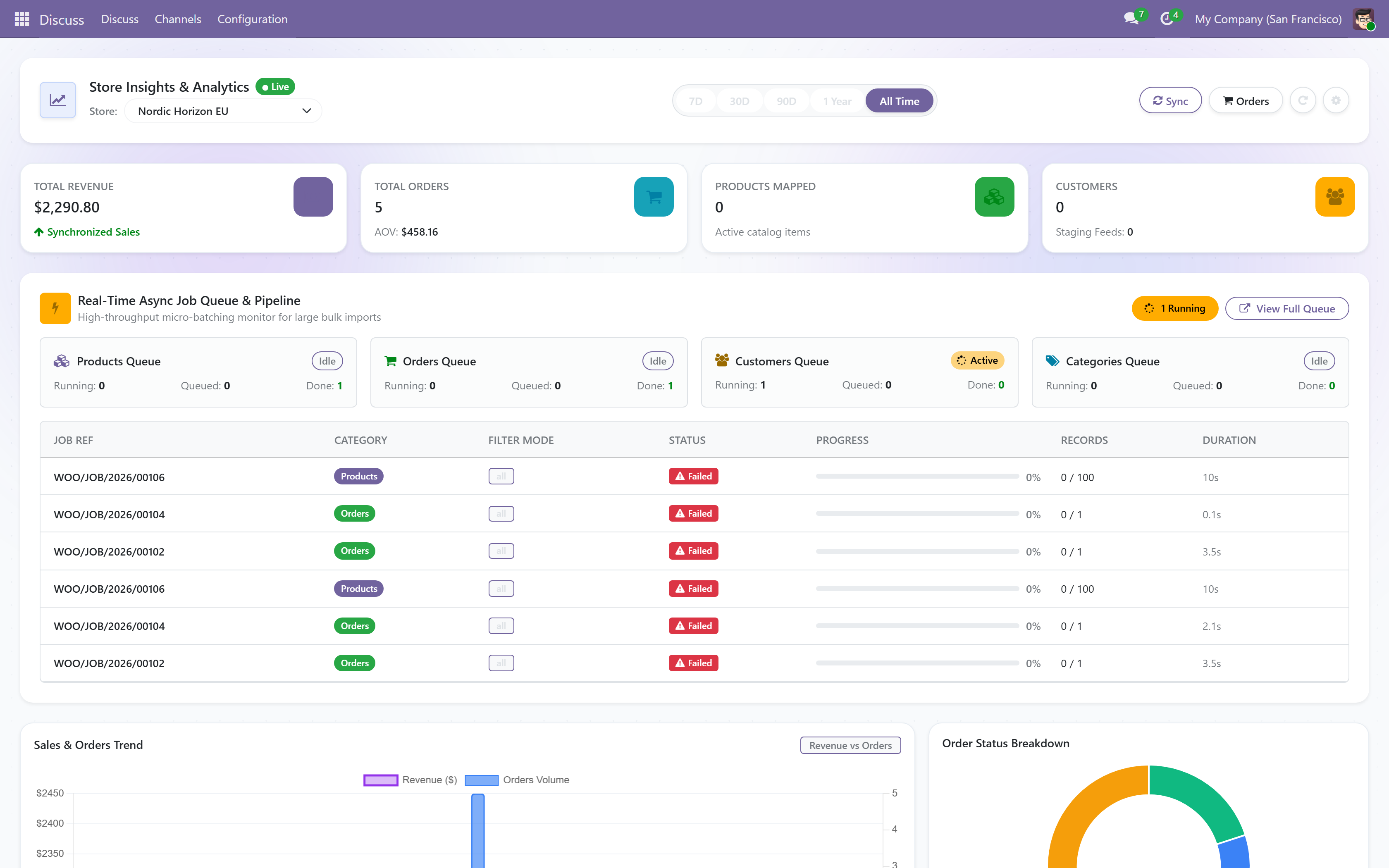
Includes a Power BI-style Store Insights Dashboard offering real-time sales revenue, average order value, order status distributions, top product variations, and synchronization health. An asynchronous job queue and lossless staging feed architecture guarantee high throughput even during flash sales and peak promotions.

Integrates with KalvyAI ConnectIQ and Gemini AI to provide automated error diagnosis, root-cause troubleshooting, and safe one-click retries. Supports multi-store instances, multi-warehouse stock allocations, and zero-duplicate customer and product SKU matching.
Screenshots

Power BI-style store insights dashboard with real-time revenue and order metrics
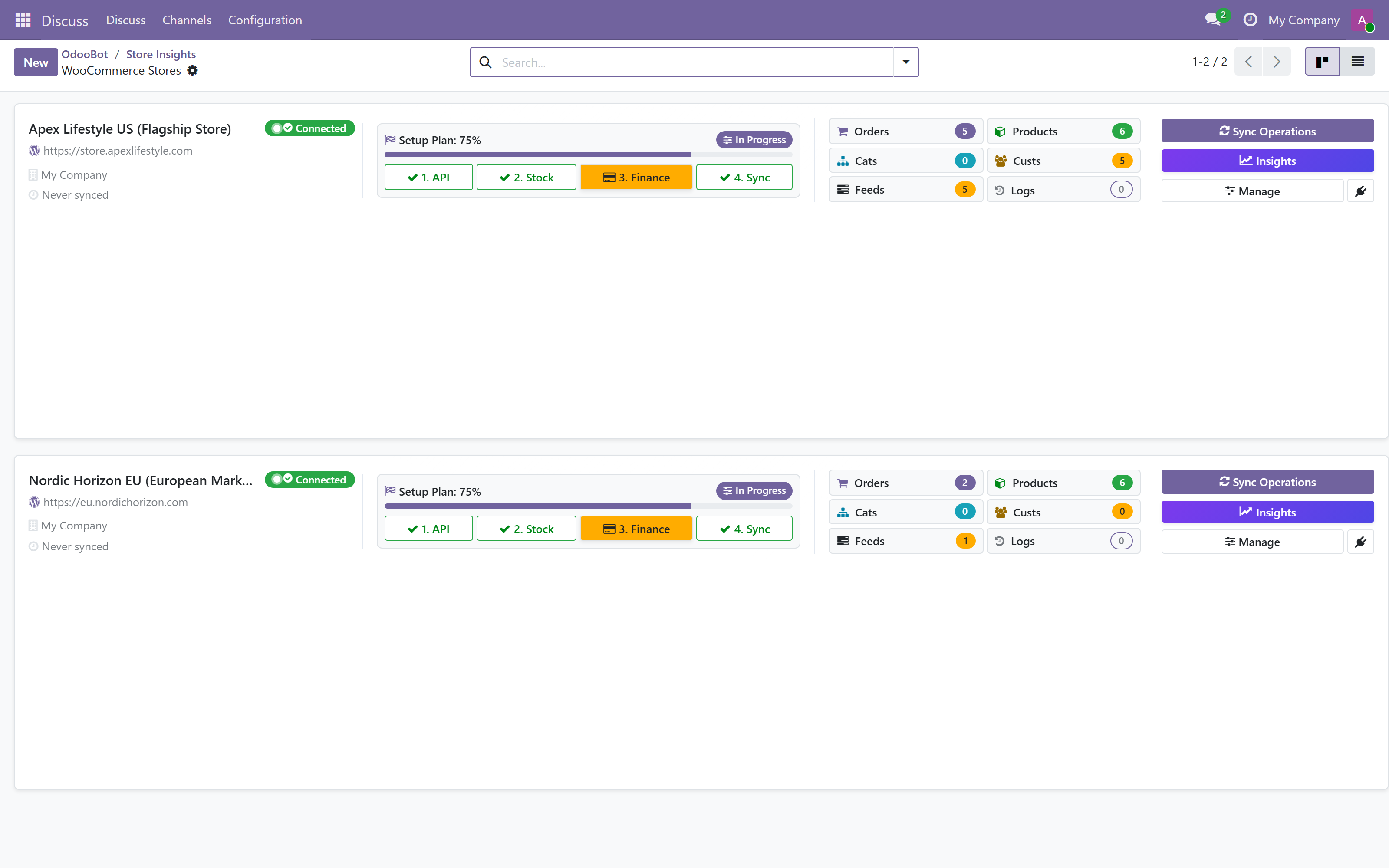
Multi-store WooCommerce instance management in Kanban view
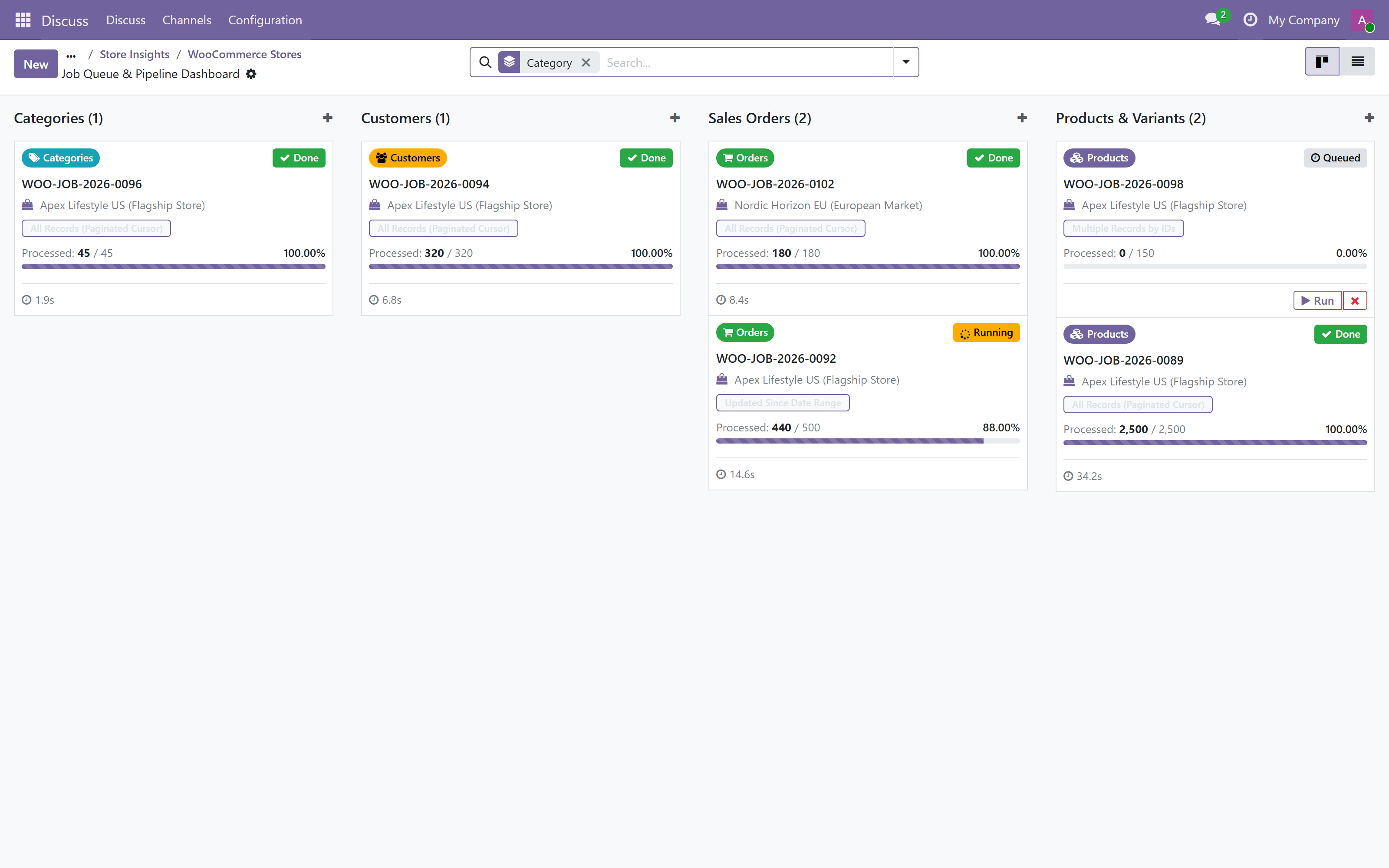
High-throughput asynchronous job queue manager for background operations
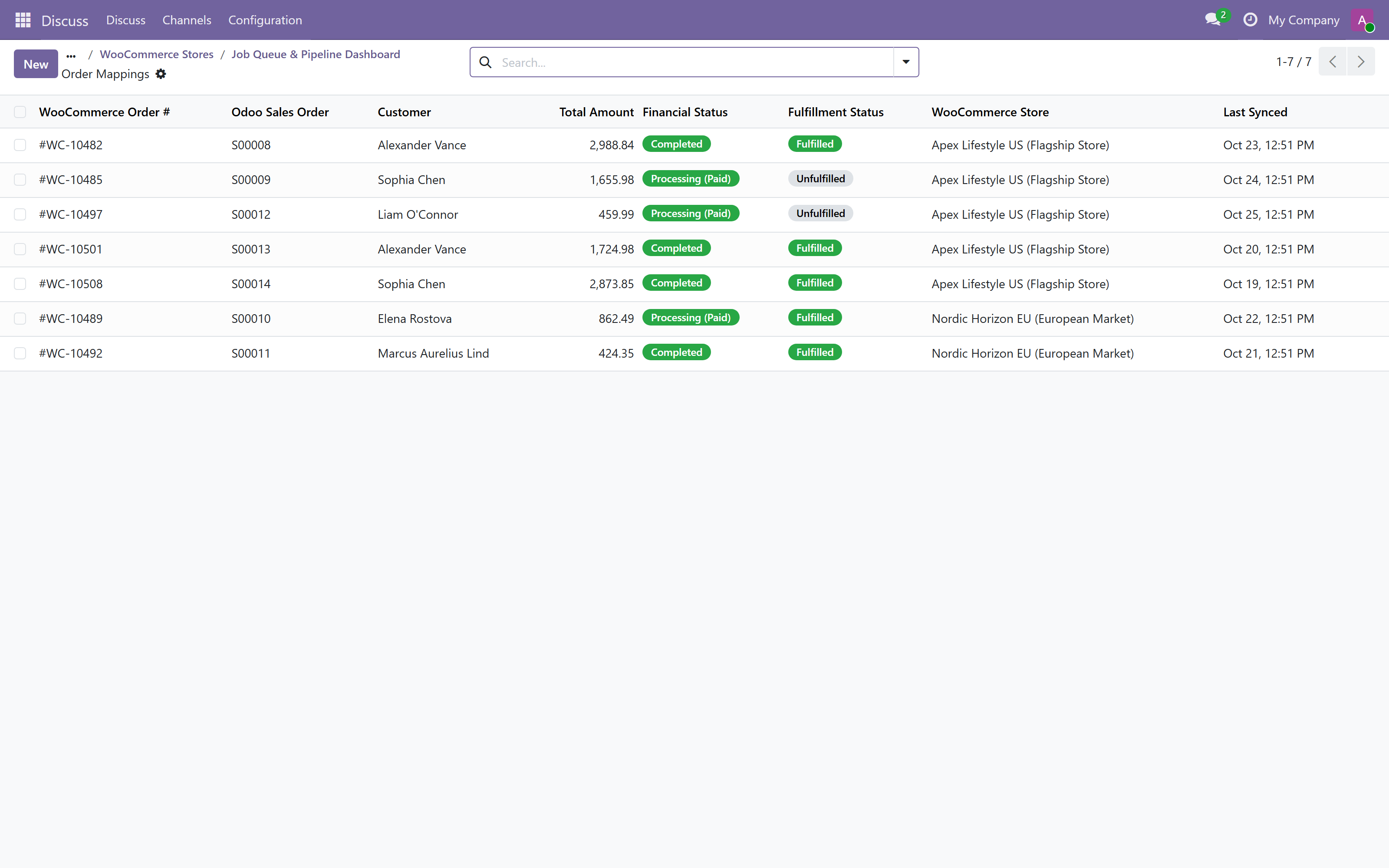
Real-time sales orders mapping ledger and fulfillment status tracker
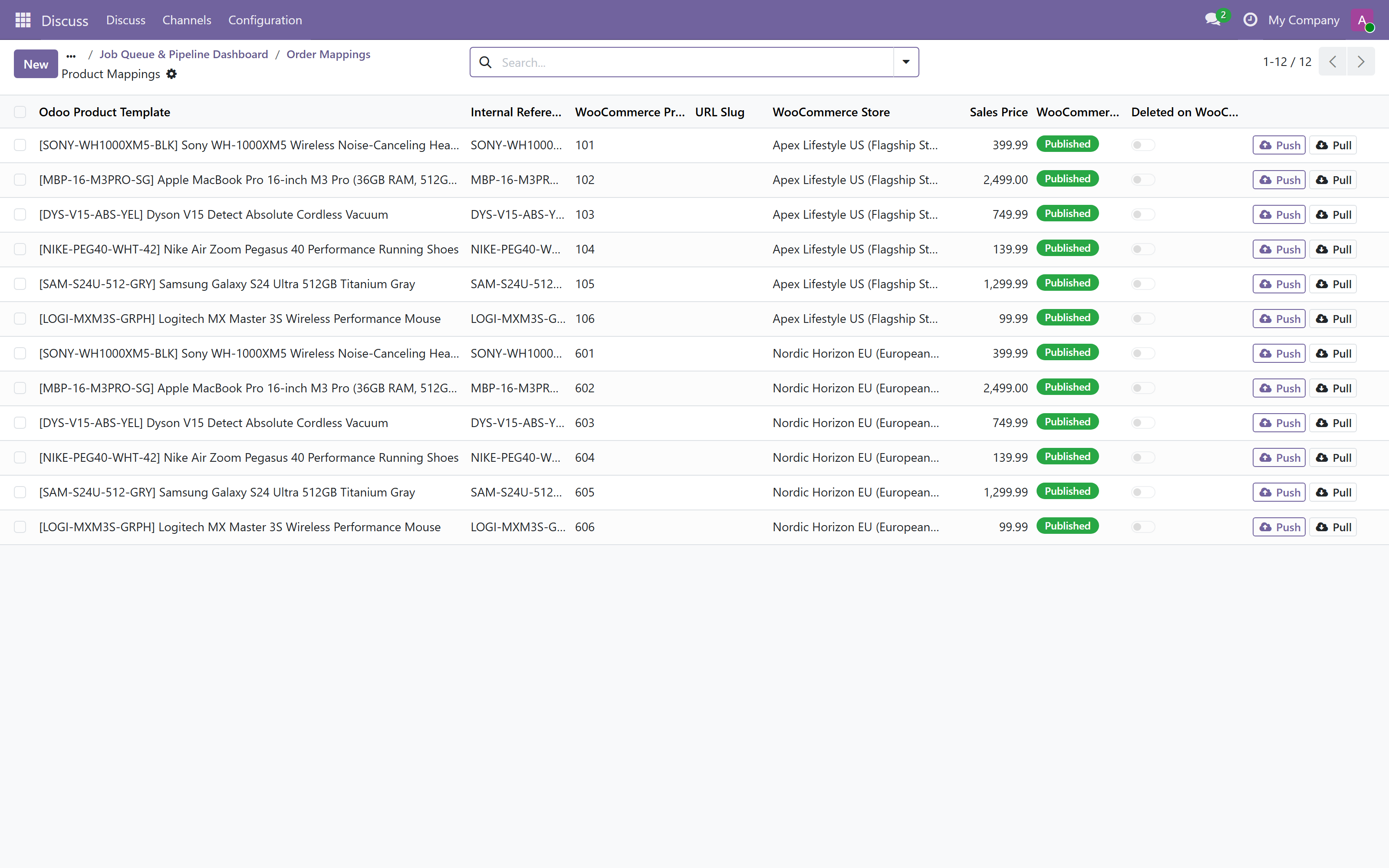
Bi-directional catalog and product variation mapping table with SKU sync

What it does

Power BI Store Insights Dashboard

Executive analytics dashboard tracking live revenue, order volumes, customer acquisition, and fulfillment rates in real time.

Bi-Directional Catalog & Variation Sync

Synchronize simple and variable products, attributes, pricing, images, and descriptions with SKU and barcode matching.

Real-Time Order & Fulfillment Tracking

Instant order ingestion from WooCommerce to Odoo sales orders with automated delivery tracking and shipping status push.

Multi-Location Warehouse Inventory

Map specific WooCommerce stores to designated Odoo warehouses to prevent stock overselling across physical locations.

Asynchronous Lossless Job Queue

High-concurrency background job processing prevents server timeouts during traffic surges and flash sales.

Instant Webhook Listener (HMAC-SHA256)

Cryptographically verified webhooks ingest new orders, cancellations, and customer updates in milliseconds.

Automated Refunds & Credit Notes

Process customer returns and line refunds in WooCommerce and auto-generate credit notes and inventory returns in Odoo.

AI Error Diagnostics & ConnectIQ Ready

Native compatibility with KalvyAI ConnectIQ for automated Gemini AI error diagnosis and one-click self-healing.

Setup

  1. 1

    Install Connector

    Install ki_odoo_woocommerce_connecter in your Odoo database from Apps.

  2. 2

    Create API Keys in WooCommerce

    Go to WooCommerce > Settings > Advanced > REST API and create a key with Read/Write permissions.

  3. 3

    Configure WooCommerce Instance in Odoo

    Navigate to WooCommerce > Instances > Create, paste your store URL and API credentials, and click Test Connection.

  4. 4

    Run Initial Sync & Start Operations

    Use the Sync Wizard to import products, stock, and orders, or enable webhooks for real-time live synchronization.

What you need

  • Odoo 19.0 or 20.0 (Community, Enterprise, or Odoo.sh)
  • WooCommerce 5.0+ running on WordPress with REST API enabled
  • WooCommerce Consumer Key and Consumer Secret with Read/Write permissions
  • Standard Odoo modules: sale_management, account, stock

Good to know

  • Odoo Online (SaaS) is not supported: custom modules require Odoo.sh or self-hosted servers.
  • Real-time webhooks require a publicly accessible HTTPS address for your Odoo server.

Questions

Can I connect multiple WooCommerce stores to one Odoo database?

Yes! You can connect multiple WooCommerce websites, each with dedicated currency, warehouse, pricelist, and accounting settings.

How does product variation synchronization work?

Product attributes, sizes, colors, and variation SKUs in WooCommerce map cleanly to Odoo product template attributes and variants.

Are inventory quantities updated automatically when an order is placed?

Yes. Stock is reserved in Odoo and updated real-time or via scheduled cron sync to WooCommerce stores.

Does this connector support order refunds and returns?

Yes. When refunds are initiated in WooCommerce, Odoo automatically creates credit notes and restocks items based on your policy.

Buy directly, book a demo or ask a question

Buying from us directly suits invoices in your company's name, several databases, or help with installation. We reply with a quote within one business day. Card checkout comes later.

We reply by email within one business day. See our privacy notice.