Cashfree Payments for ERPNext

Take UPI, card, net banking and wallet payments in ERPNext with Cashfree.

Customers pay Payment Requests, orders, invoices and Webshop orders on the Cashfree checkout. Every payment is verified with Cashfree and posted to ERPNext automatically.

  • ERPNext 16
Availableon Other

Free

Cashfree Payments for ERPNext connects the Cashfree payment gateway to ERPNext 16. Send a Payment Request from a Sales Order or Sales Invoice, and your customer pays it on the Cashfree checkout with UPI, cards, net banking, wallets, Pay Later or EMI.

The payment result is always read from the Cashfree API, never from the browser, and the amount and currency are checked before anything is marked paid. The Payment Request is then marked Paid and the Payment Entry is created against the order or invoice, with no manual entry.

Signed webhooks catch payments completed after the customer closed the browser, and an hourly check covers sites that webhooks cannot reach. Webshop customers can pay their orders from the Pay button on the order page. Free and open source under the MIT licence.

Screenshots

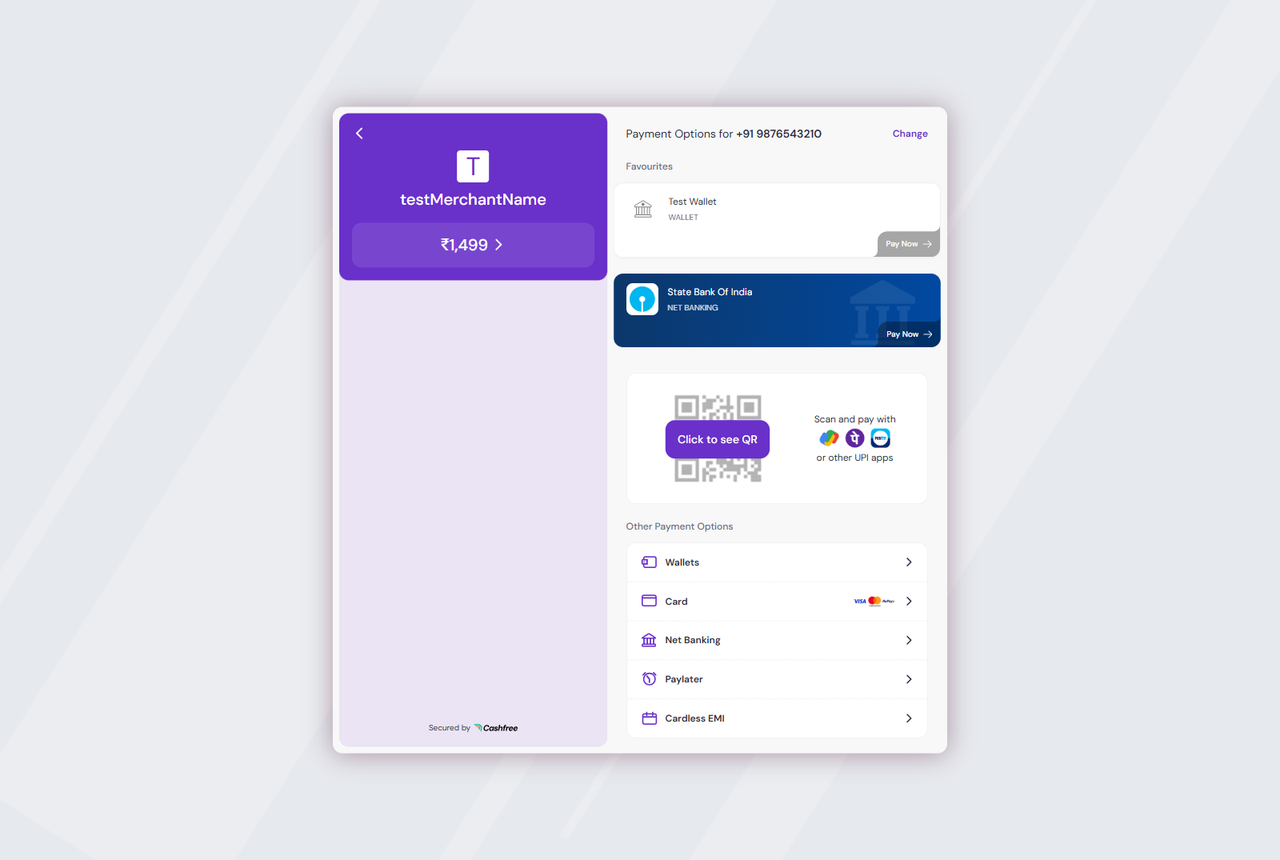
Cashfree checkout opened from an ERPNext payment link
The Cashfree checkout opens from the ERPNext payment link: UPI, cards, net banking, wallets, Pay Later and EMI.
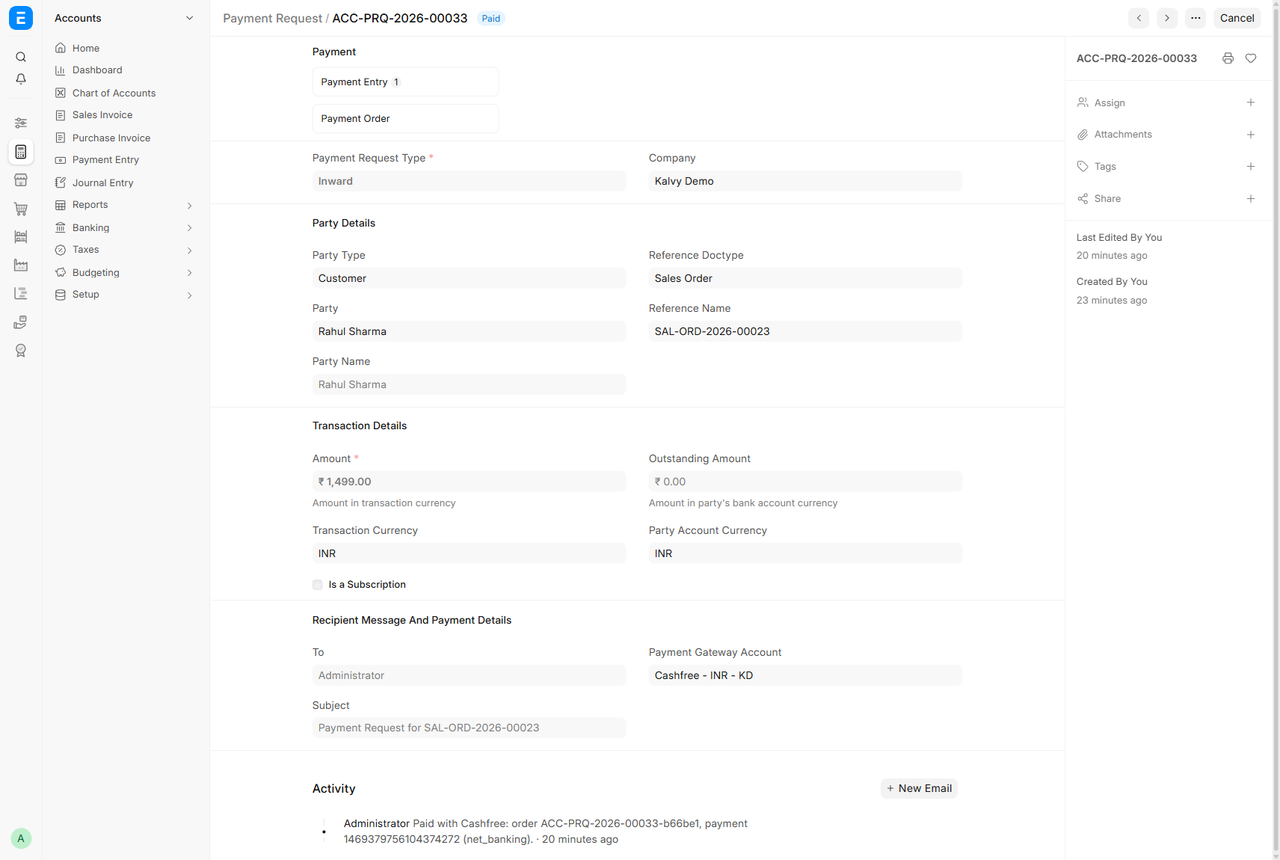
Payment Request marked Paid with the Cashfree payment logged
Payment Request marked Paid, with the Cashfree order and payment ID logged in the activity.
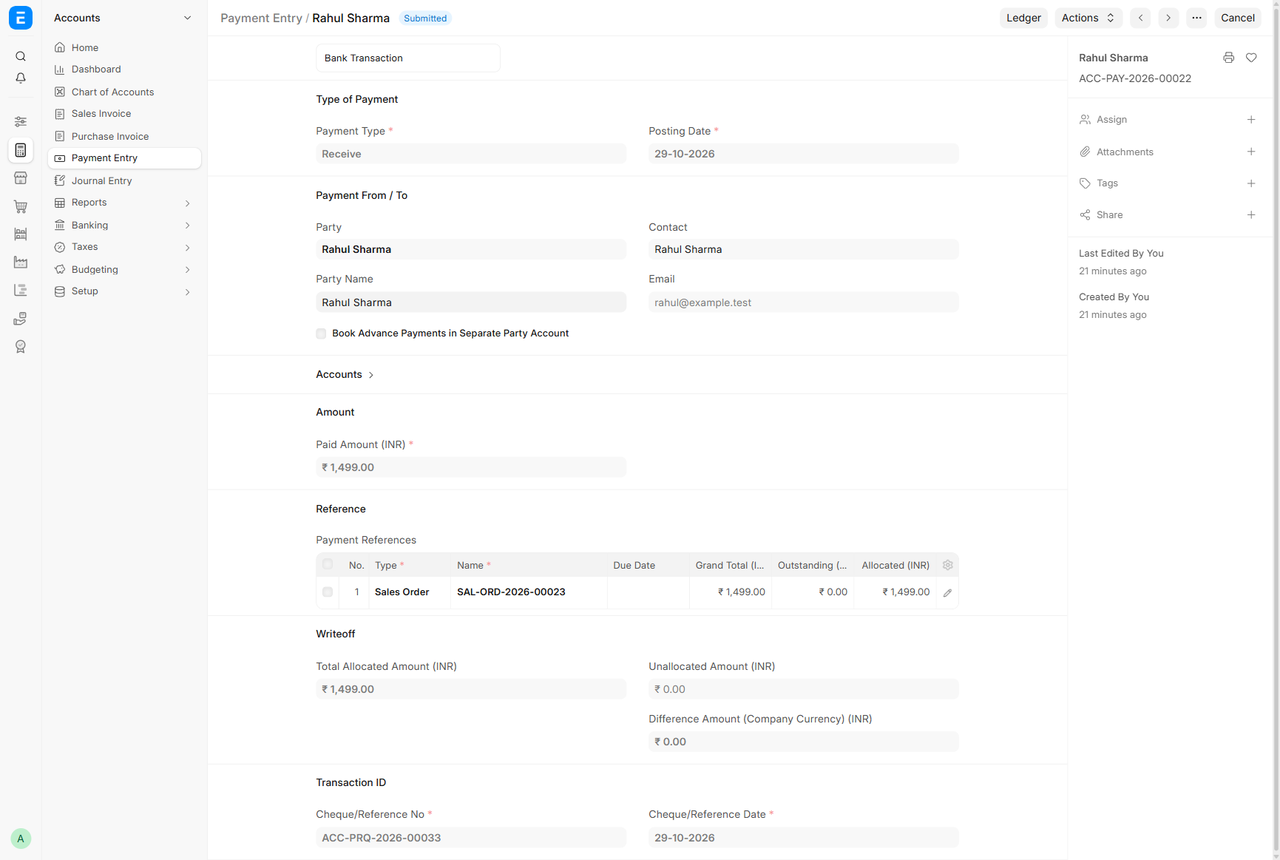
Payment Entry created automatically against the Sales Order
The Payment Entry is created and submitted automatically against the Sales Order.
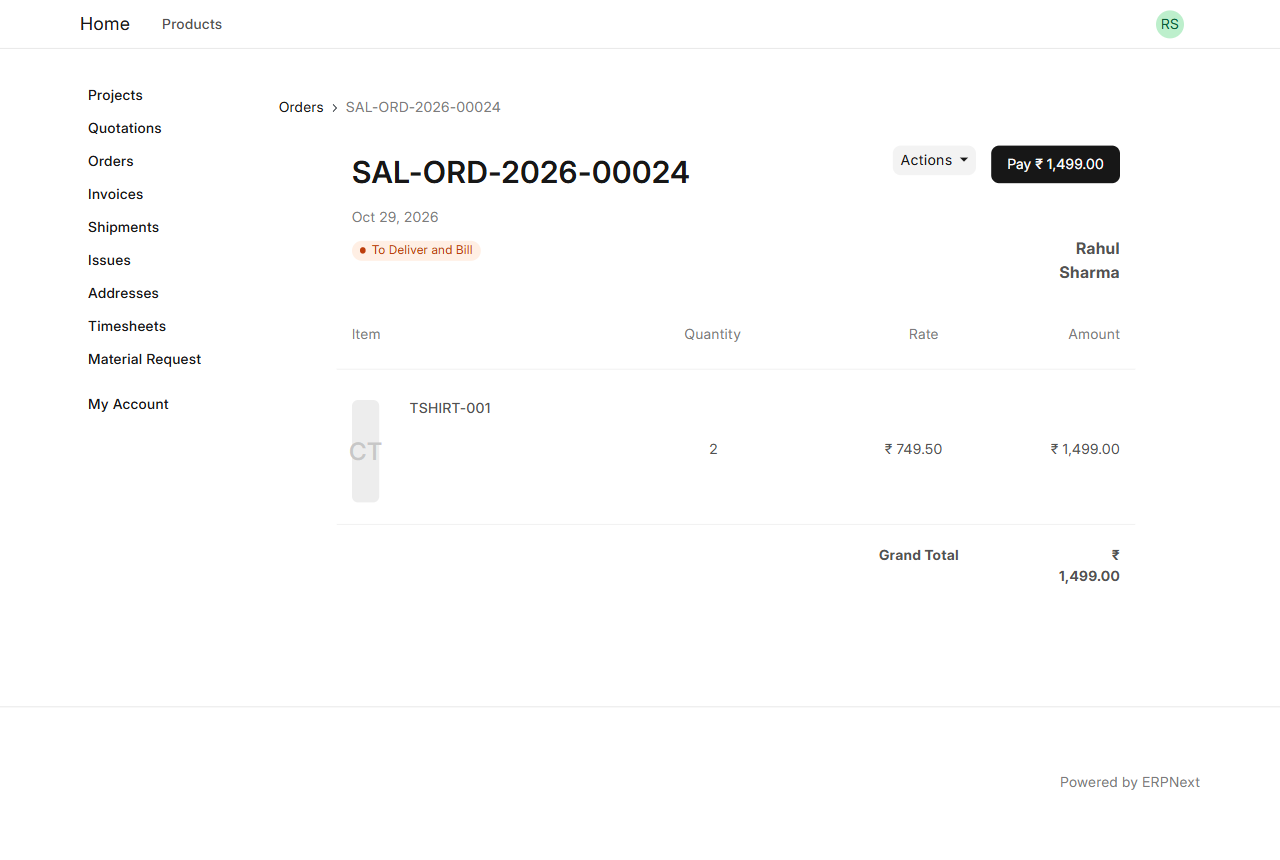
Webshop order page with the Pay button
Webshop customers pay their orders from the Pay button on the order page.
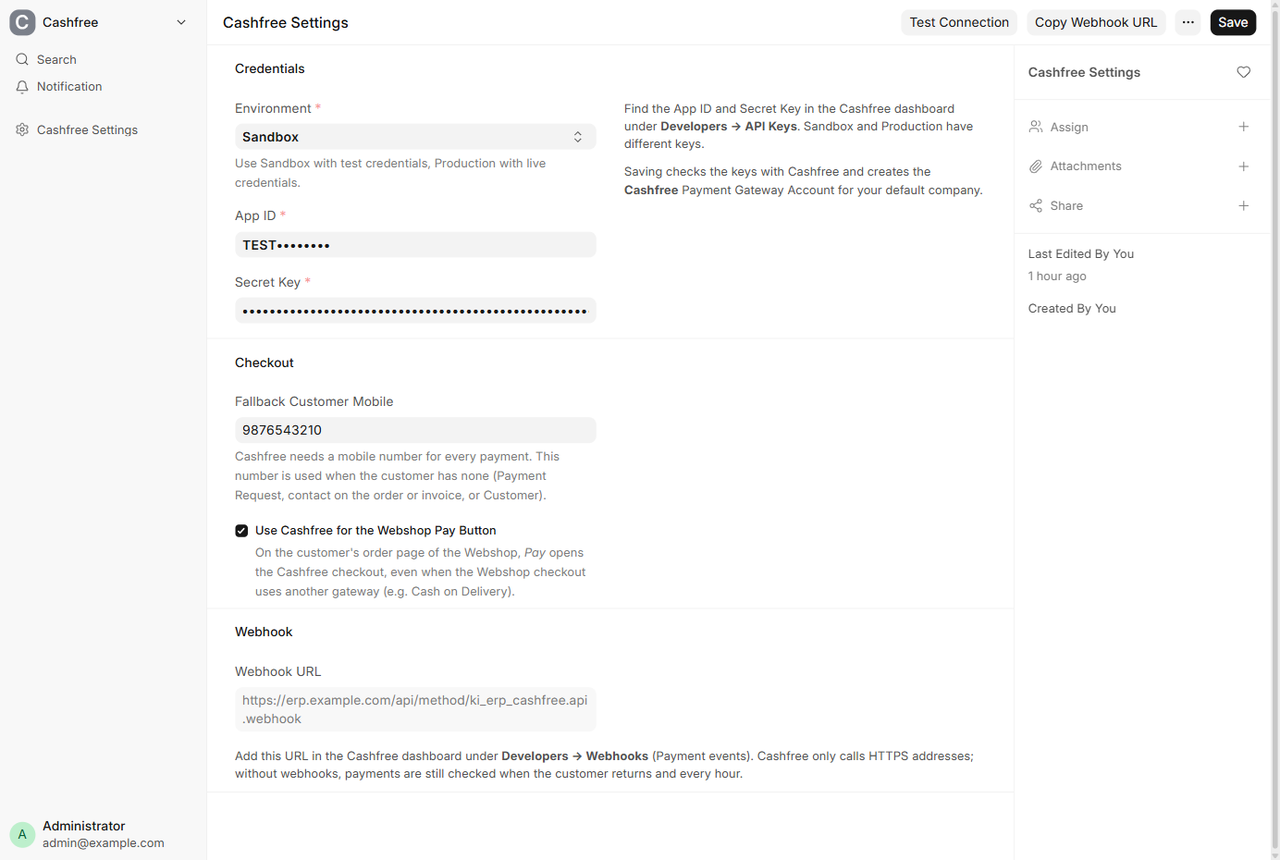
Cashfree Settings in ERPNext
Cashfree Settings: Sandbox or Production keys, fallback mobile, Pay button switch and webhook URL.
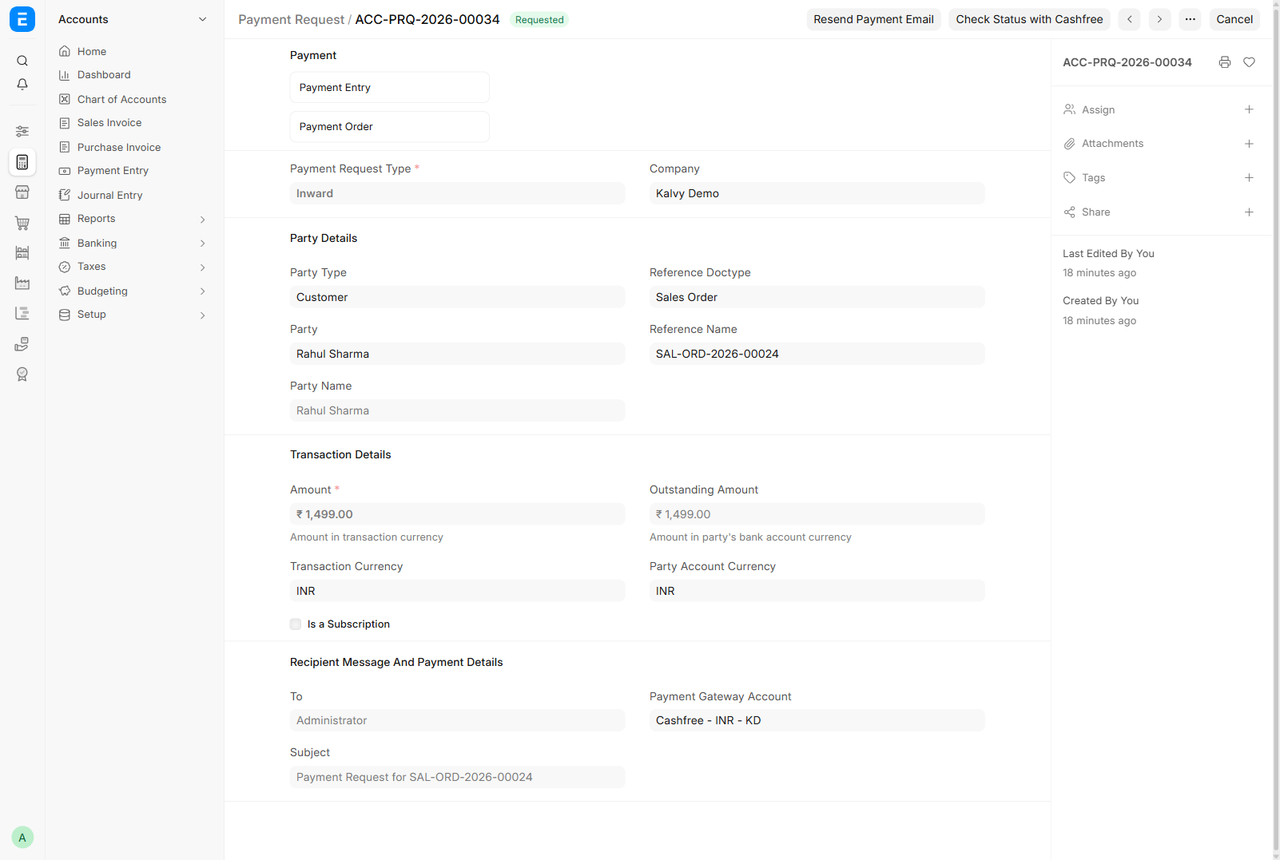
Payment Request with the Check Status with Cashfree button
Check Status with Cashfree reads the payment result on demand from any unpaid Payment Request.
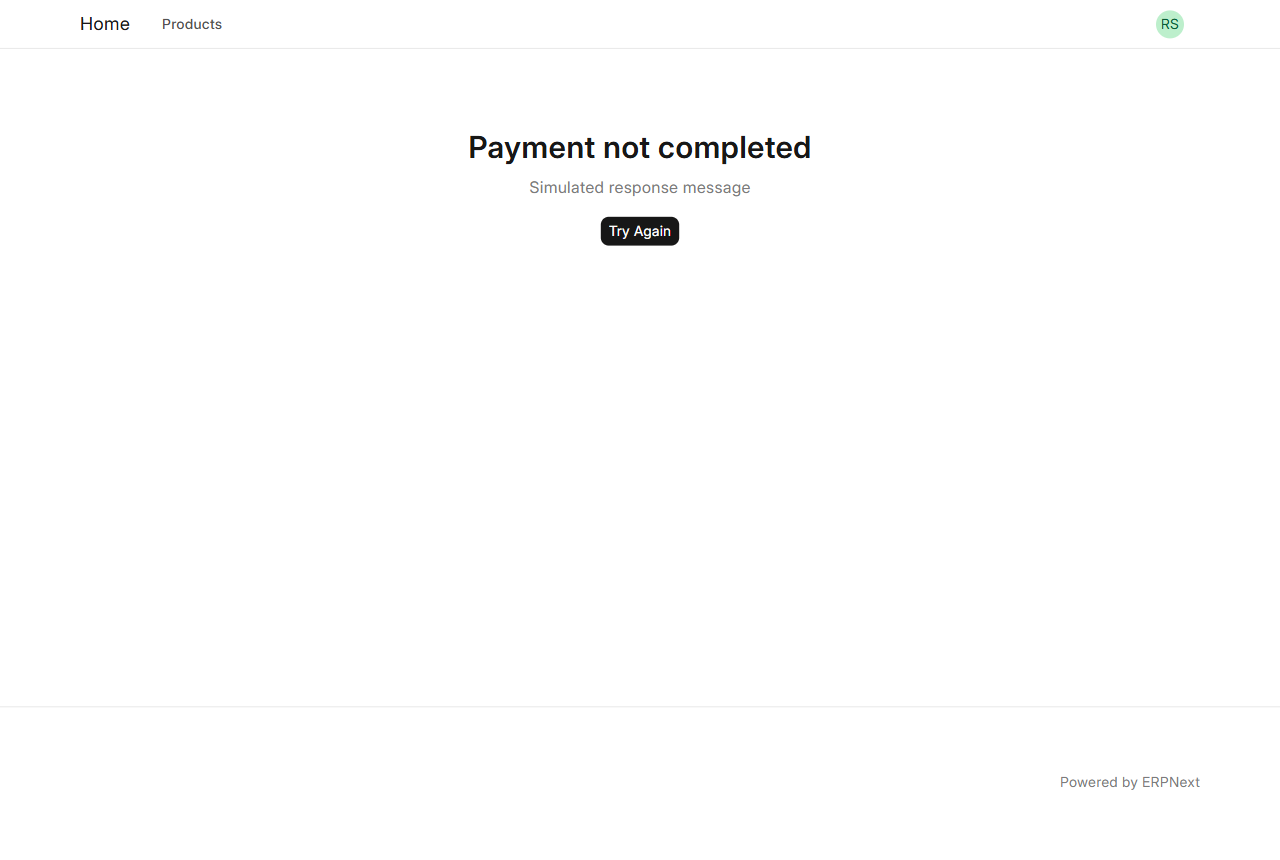
Payment not completed page with Try Again
Failed or cancelled payments show a clear message and a Try Again button (Sandbox message shown).

What it does

All Cashfree payment methods

UPI, credit and debit cards, net banking, wallets, Pay Later and cardless EMI on the hosted Cashfree checkout.

Verified results

The payment status is always read from the Cashfree API, never trusted from the browser. Amount and currency are checked before a request is marked paid.

Automatic Payment Entry

Paid Payment Requests are marked Paid and the Payment Entry is created against the Sales Order or Sales Invoice, also for guest pay links.

Signed webhooks

HMAC-SHA256 signature and timestamp are checked, so payments finished after the customer closed the browser are still recorded.

Hourly safety check

Unpaid orders from the last 72 hours are re-checked every hour, for sites that webhooks cannot reach.

Links that do not expire

The Cashfree order is created when the customer opens the link, so emailed links keep working; retries reuse the active order.

Webshop Pay button

Customers pay their own orders from the order page, even when the Webshop checkout uses another method such as Cash on Delivery. Can be switched off.

Check Status button

Read the latest payment result from Cashfree on any Payment Request, at any time.

Setup

  1. 1

    Install the app

    bench get-app https://github.com/Kalvyai-erpnext/ki_erp_cashfree --branch version-16, then bench --site <site> install-app ki_erp_cashfree.

  2. 2

    Enter your Cashfree keys

    Open Cashfree Settings, choose Sandbox or Production, enter the App ID and Secret Key and save. Test Connection checks them.

  3. 3

    Add the webhook

    Copy the Webhook URL from Cashfree Settings into the Cashfree dashboard under Developers, Webhooks (payment events).

  4. 4

    Send a Payment Request

    Create a Payment Request with the Cashfree - INR gateway account. The customer pays from the link; ERPNext records the payment.

What you need

  • ERPNext 16 (Frappe 16)
  • The Frappe Payments app
  • A Cashfree merchant account (Sandbox for testing, Production for live payments)
  • An HTTPS address for the site, for webhooks
  • The scheduler enabled, for the hourly check (bench enable-scheduler)
  • Webshop app, only for the Webshop Pay button

Good to know

  • ERPNext 16 only; versions 15 and older are not supported.
  • One Cashfree account per site.
  • Refunds are made from the Cashfree dashboard, not from ERPNext.
  • Cashfree needs a mobile number for every payment; set a fallback number in Cashfree Settings.
  • Currencies other than INR need international payments enabled on your Cashfree account.
  • Customers do not choose between gateways: each Payment Request uses one gateway.

Questions

Is it free?

Yes. The app is free and open source under the MIT licence. Cashfree charges its own transaction fees.

What if the customer closes the browser after paying?

The signed webhook records the payment. Without webhooks, the hourly check or the Check Status button picks it up.

Can I test without real money?

Yes. Use Sandbox keys from the Cashfree dashboard; Cashfree simulates successful and failed payments.

Does it work with another gateway app, such as PayU?

Yes. Both can be installed. Turn off "Use Cashfree for the Webshop Pay Button" to hand the Pay button to the other app.

Can it refund payments?

Not yet. Make refunds from the Cashfree dashboard.

Ask a question

We reply by email within one business day.

We reply by email within one business day. See our privacy notice.