AI Base for ERPNext

Plug any AI model into ERPNext, with a hard monthly cap.

Connect ERPNext and any Frappe app to OpenAI, Claude, Gemini, Grok, Azure OpenAI and four more providers from one screen. Set a monthly token cap per provider and see every call in a usage log.

  • ERPNext 16
Availableon Other

Free

AI Base is the connection layer between ERPNext and the AI providers you choose. Add a provider, paste your own API key, and any Frappe or ERPNext app, yours or ours, can call that model through one function, with the same logging and limits everywhere.

The point is control. Each provider has a hard monthly token cap that is checked before a call is sent, so a runaway script or a busy month can't produce a surprise bill. Every call is recorded with the user, model, feature, linked document, tokens, duration and result, so you can see exactly where AI is used and what it costs.

Keys are stored encrypted and stay with managers: AI users can use the providers but never see the keys. With ERPNext, providers and usage are kept per company. It also runs on a plain Frappe site without ERPNext. You pay the AI providers directly at their prices; AI Base adds no subscription and no commission on usage.
Screenshots

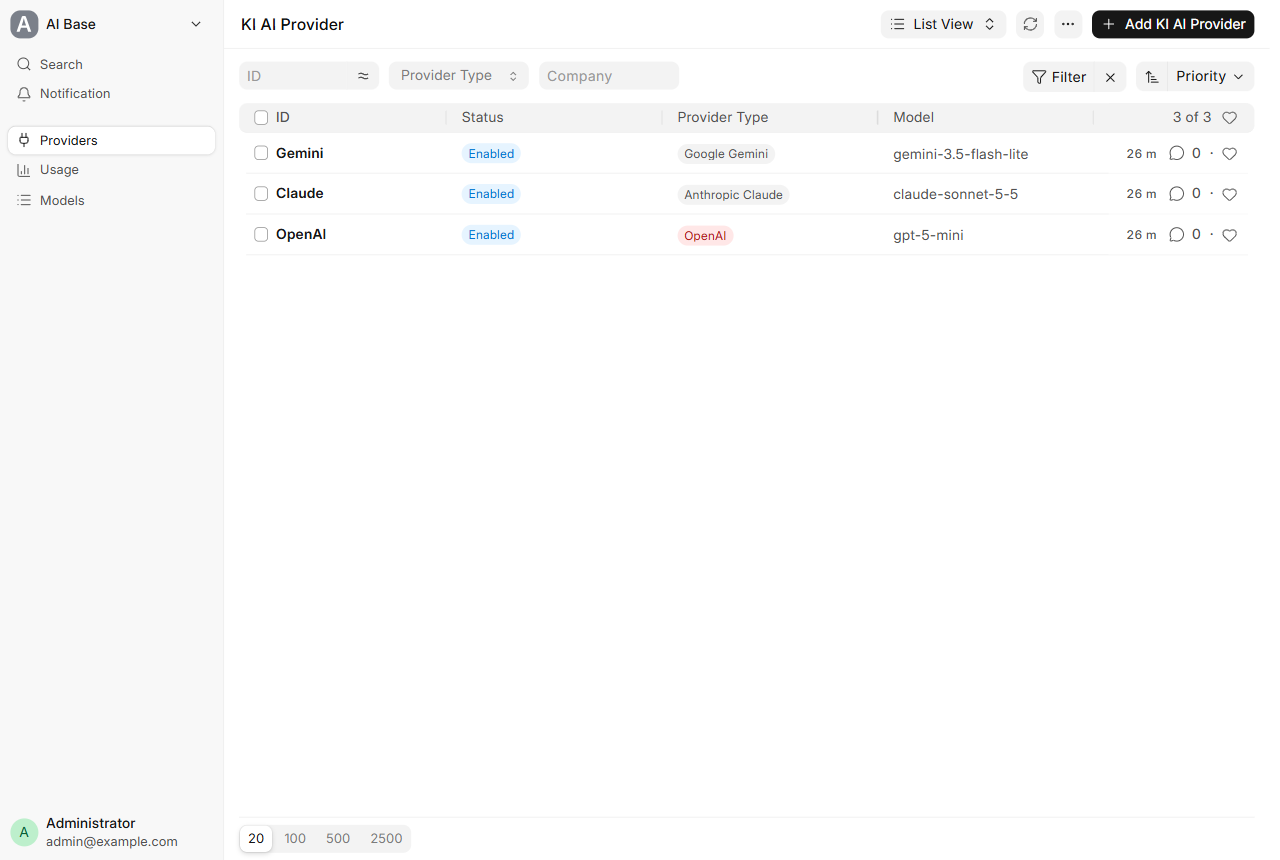
AI providers list in ERPNext: each provider with its type and model, tried in priority order
Providers, one per AI service, tried in priority order.
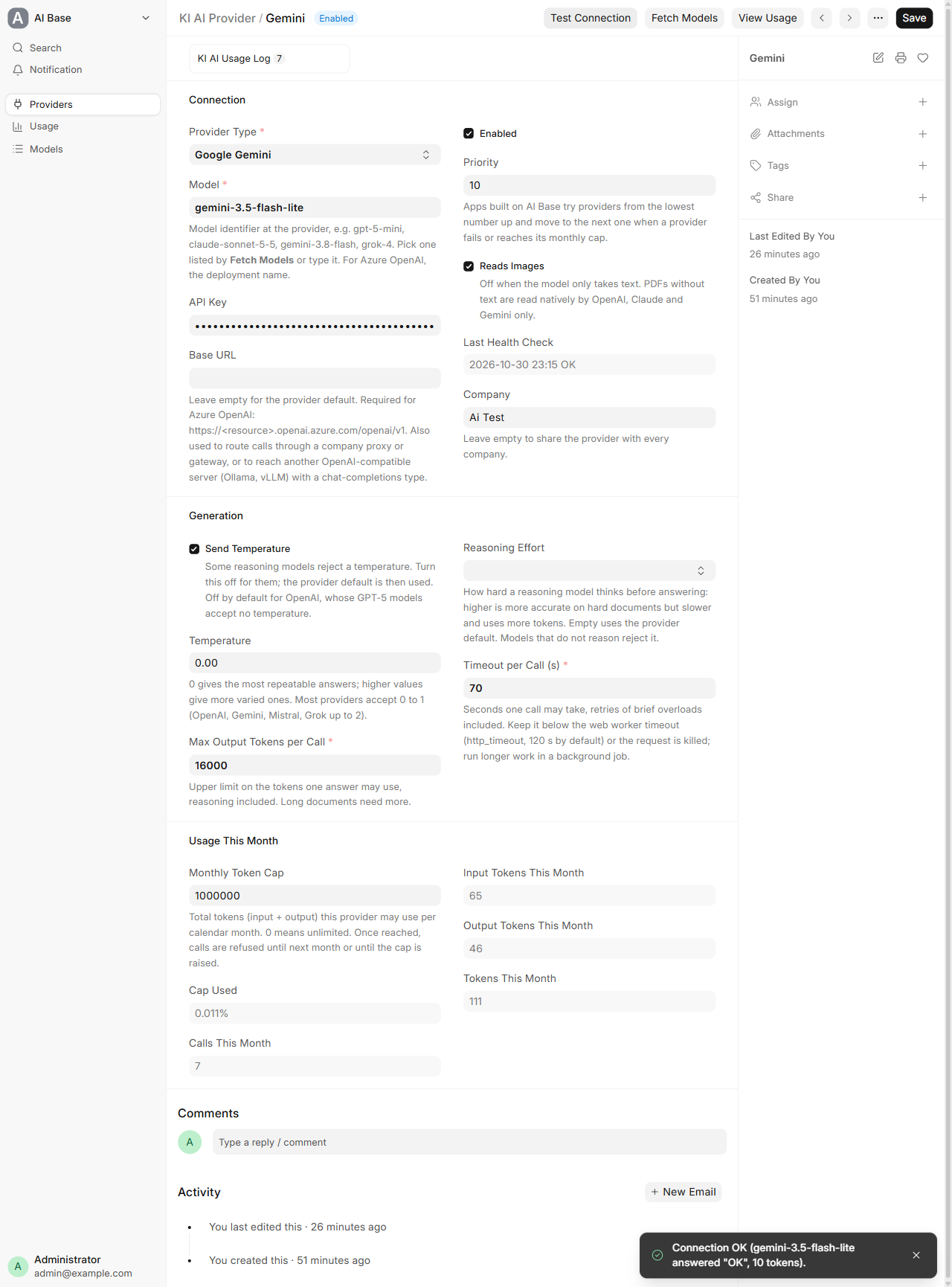
AI provider form in ERPNext with Test Connection confirming the API key and model work
The provider form: key, model, base URL, generation settings and the monthly cap. Test Connection checks the key and model with a tiny prompt.
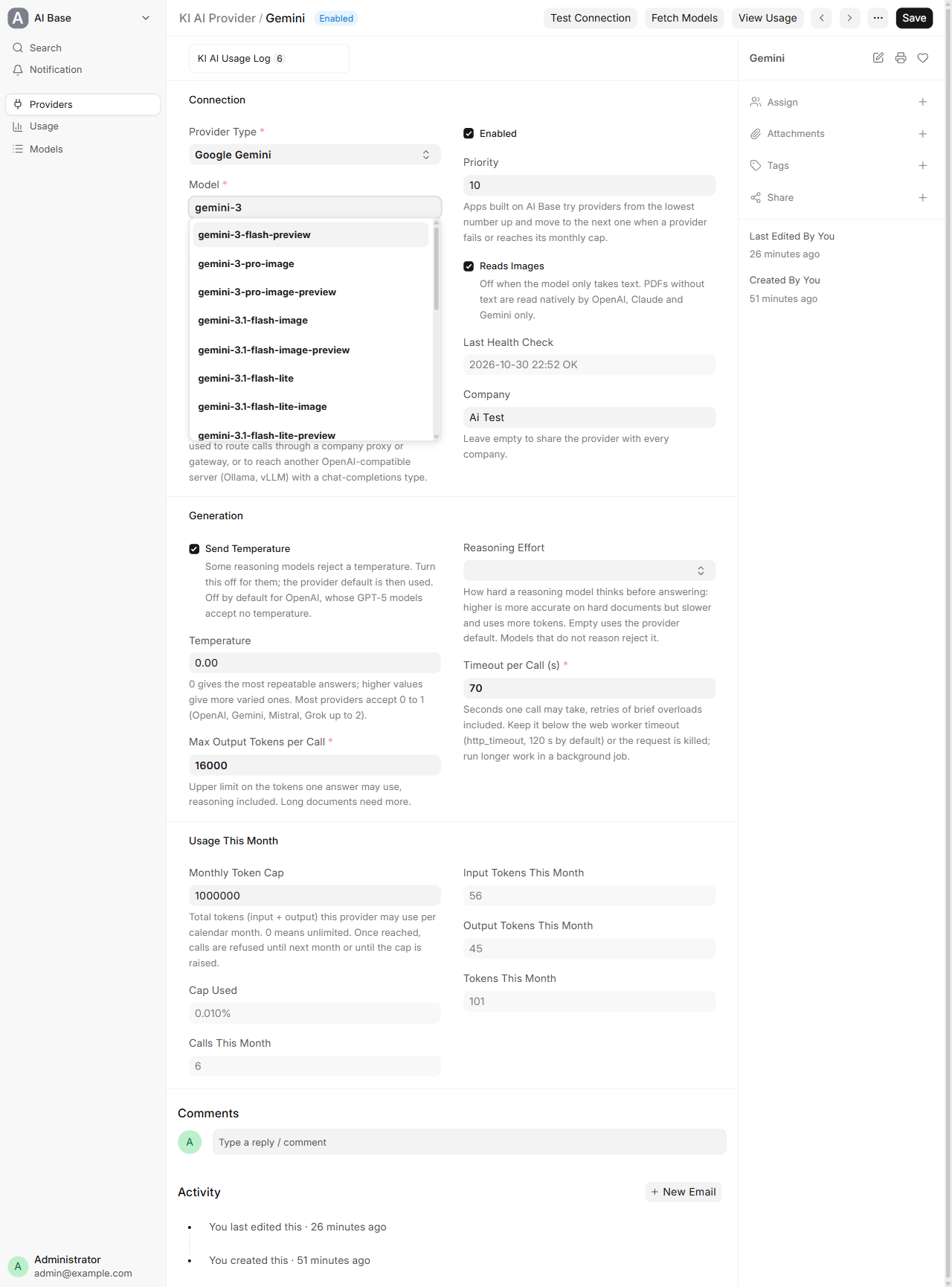
Model dropdown in ERPNext listing the models Fetch Models found at the provider
Fetch Models lists every model your key can use; any other model can be typed in.
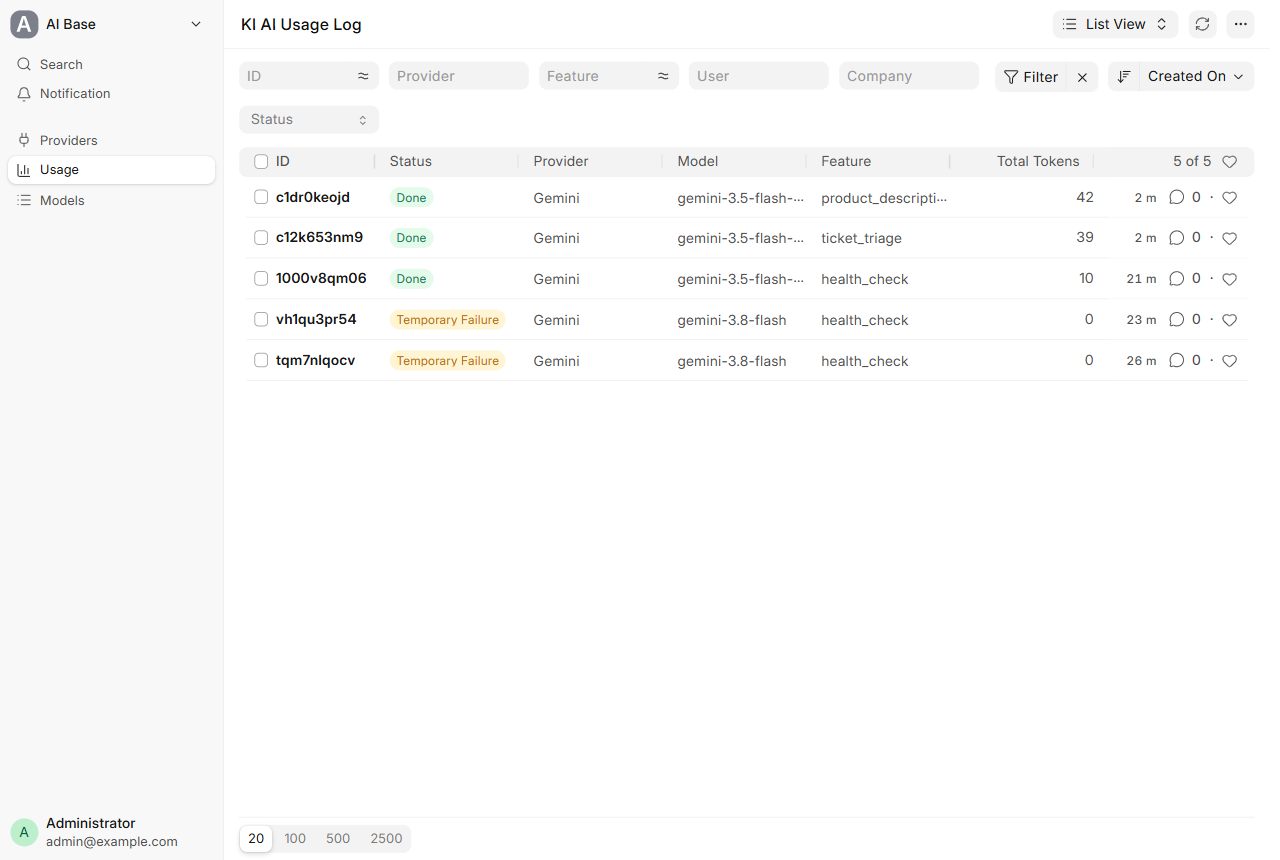
AI usage log in ERPNext listing every call with status, provider, model, feature and tokens
Every call is logged: status, provider, model, feature and tokens.
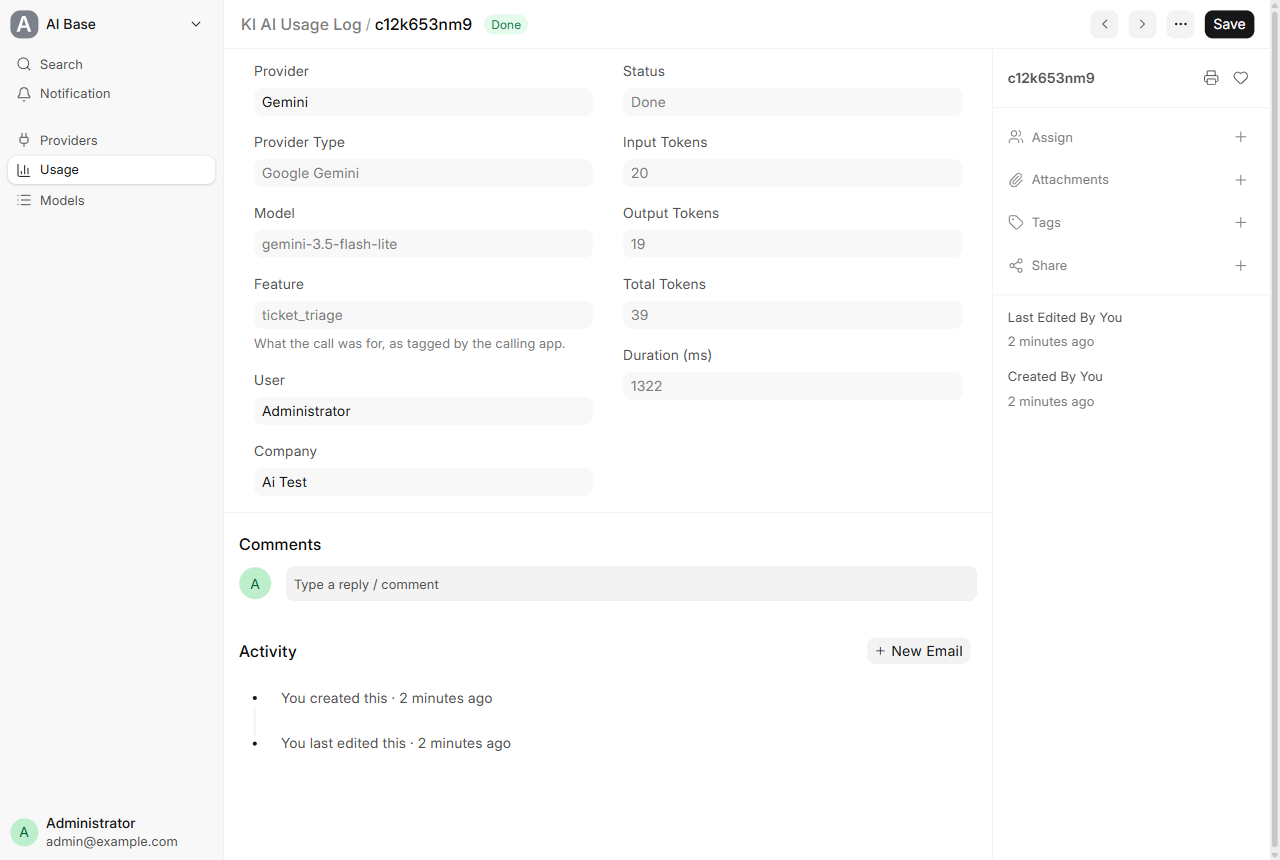
One AI usage log entry in ERPNext: provider, model, feature, user, company, tokens and duration
Each entry shows who made the call, for which company, the tokens used and how long it took.

What it does

Nine providers, one form

OpenAI, Anthropic Claude, Google Gemini, xAI Grok, Azure OpenAI, Mistral, Cohere, Perplexity and NVIDIA NIM. Pick a provider, paste your key, and a sensible default model is filled in. Fetch Models lists every model your key can use, and any other model can be typed in.

Hard monthly token cap

Limit input and output tokens per provider per month. The cap is checked before a call is sent, not after the bill arrives. Zero means unlimited.

Every call logged

Provider, model, user, feature, linked document, company, tokens, duration and status. Failed calls are logged too, and tokens billed for a rejected answer still count.

One-click Test Connection

Sends a tiny prompt to confirm the key and model work before anyone relies on them.

Keys stay with managers

API keys are stored encrypted. AI Users can use the providers; only AI Managers and System Managers can add providers and enter or see keys.

Automatic fallback

Providers are tried in priority order. When one is busy, over its cap or can't read the file, the next one answers.

Reads PDFs and photos

Send PDFs and images (JPEG, PNG, WebP, TIFF). Photos are rotated upright and resized to 2,400 px before sending, which keeps token use down.

Structured JSON answers

Pass a JSON schema and get back a Python dict, ready to write into ERPNext fields without parsing free text.

Setup

  1. 1

    Install the app

    bench get-app https://github.com/Kalvyai-erpnext/ki_erp_ai_base --branch version-16, then bench --site <site> install-app ki_erp_ai_base. An AI Base icon appears on the desk.

  2. 2

    Add a provider

    Open AI Base › Providers › Add, choose the provider type and paste your API key. Click Fetch Models to pick from the models your key can use.

  3. 3

    Set a cap and test

    Enter a monthly token cap and click Test Connection.

  4. 4

    Give people access

    Give staff the AI User role (use providers, see usage) or the AI Manager role (add providers and keys).

What you need

  • ERPNext 16 or Frappe 16 (ERPNext is optional)
  • Your own server, or a private bench on Frappe Cloud
  • Your own API key from at least one AI provider. The provider bills you directly.
  • Depends only on Frappe; the Python libraries it uses ship with Frappe.

Good to know

  • AI Base is the connector, not an assistant: it gives your ERPNext apps and custom apps a safe way to call AI. Features that use it are built on top.
  • Image input, native PDF reading and JSON schemas depend on the model you choose. Native PDF reading works with OpenAI, Claude and Gemini.
  • Calls time out after 70 seconds by default (set per provider or per call); keep it below the web worker timeout and run longer work in a background job.
  • Frappe / ERPNext 16 only; version 15 and older are not supported.

Questions

Is it free?

Yes. The app is free and open source under the MIT licence. You use your own API keys and pay the AI providers directly at their prices. There is no subscription and no commission.

What happens when the monthly cap is reached?

Calls to that provider stop until the next month or until a manager raises the cap. The cap is checked before each call is sent, so you are never billed past it.

Can developers use it in their own apps?

Yes. Add required_apps = ["ki_erp_ai_base"] to hooks.py and call generate() from ki_erp_ai_base.api. It raises BudgetExceeded when a cap is reached, ProviderBusy for temporary failures you can retry, FileNotSupported when a provider can't read a file, and AIError for permanent ones. Usage is logged automatically.

Can I use a self-hosted model?

Yes. Set the Base URL to your Ollama, vLLM or NVIDIA NIM endpoint, or to a gateway or proxy.

Does it work with several companies?

Yes. With ERPNext installed, each provider and usage entry has a Company, and User Permissions on Company apply. A provider without a company is shared by all companies.

Does it need ERPNext?

No. It needs only Frappe, so CRM, Helpdesk, HRMS or your own Frappe apps can use it too.

Ask a question

We reply by email within one business day.

We reply by email within one business day. See our privacy notice.