

Upgrade Autopilot: AI Odoo Module Upgrade & Migration

Move custom Odoo apps to the next version, automatically upgraded & tested.

AI-powered Odoo module migration toolkit: scans breaking changes, applies deterministic and AI code refactoring (OWL, ORM, views), and runs automated installation tests for 17.0, 18.0, 19.0 and 20.0.

  • Odoo 19.0
  • Odoo 20.0
Availableon Odoo Apps

$25$49one-timeLaunch offer

Upgrade Autopilot is an automated, AI-assisted migration toolkit that slashes the cost and friction of upgrading custom Odoo modules between versions (16.0 to 17.0, 17.0 to 18.0, 18.0 to 19.0, and 19.0 to 20.0).

The engine analyzes custom and third-party modules against curated migration rule packs. It applies deterministic AST code fixers and leverages your AI provider for complex ORM, OWL frontend, and XML view refactoring. Once modernized, it installs the module into an isolated target test environment and executes the unit tests to prove functionality.

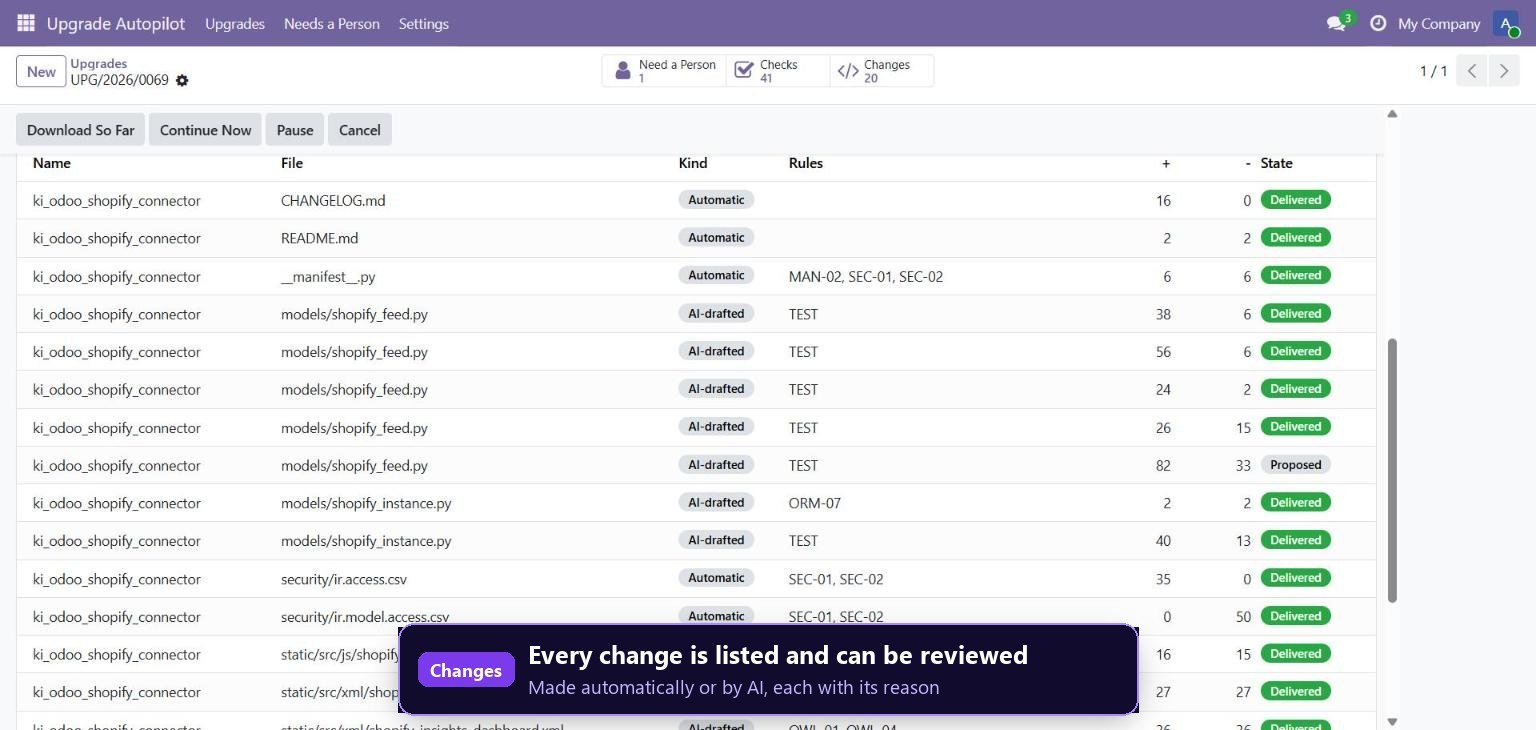
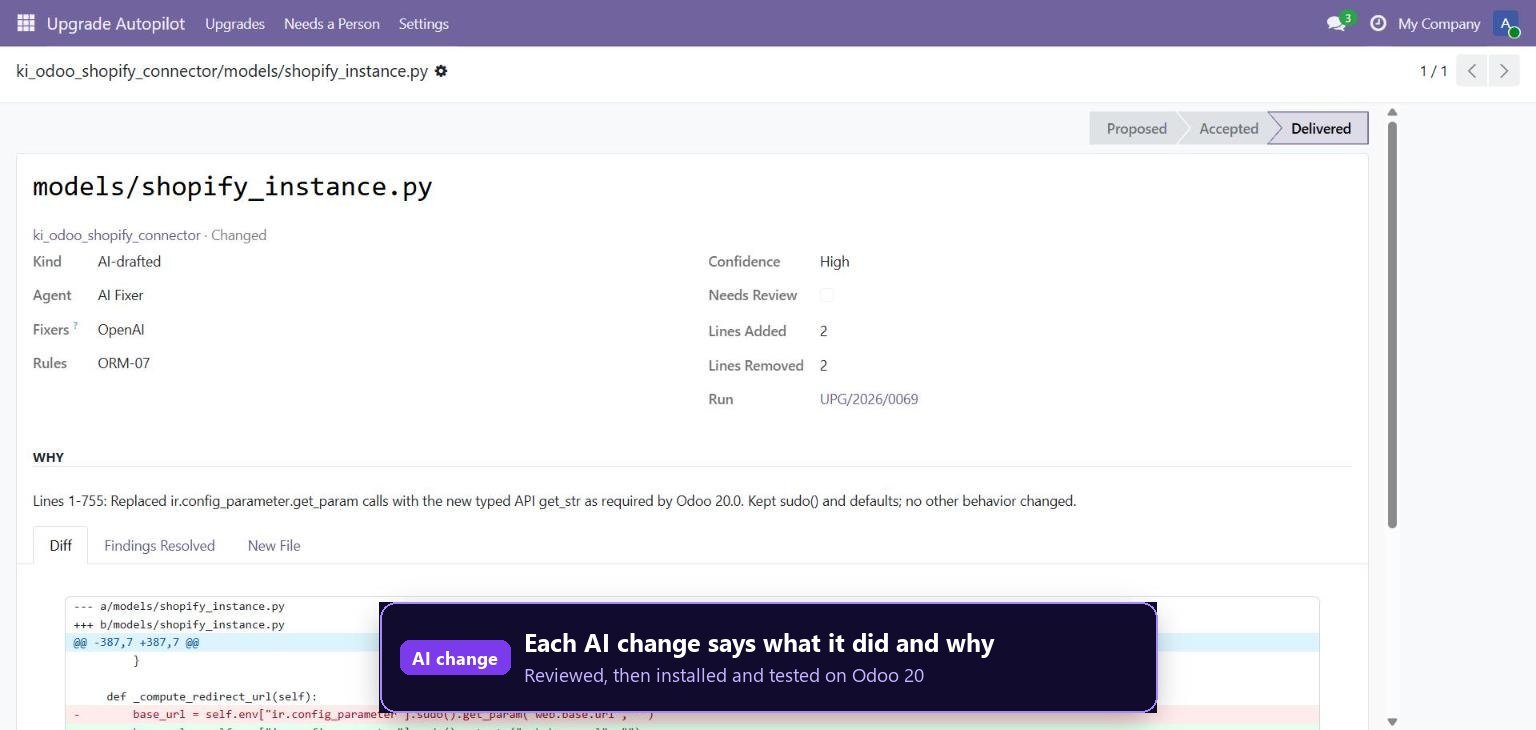
Safe by design: analysis only inspects files and your live production instance is never modified. Any breaking changes requiring architectural or human business decisions are flagged with detailed diagnostic reports and side-by-side git diffs.

Screenshots

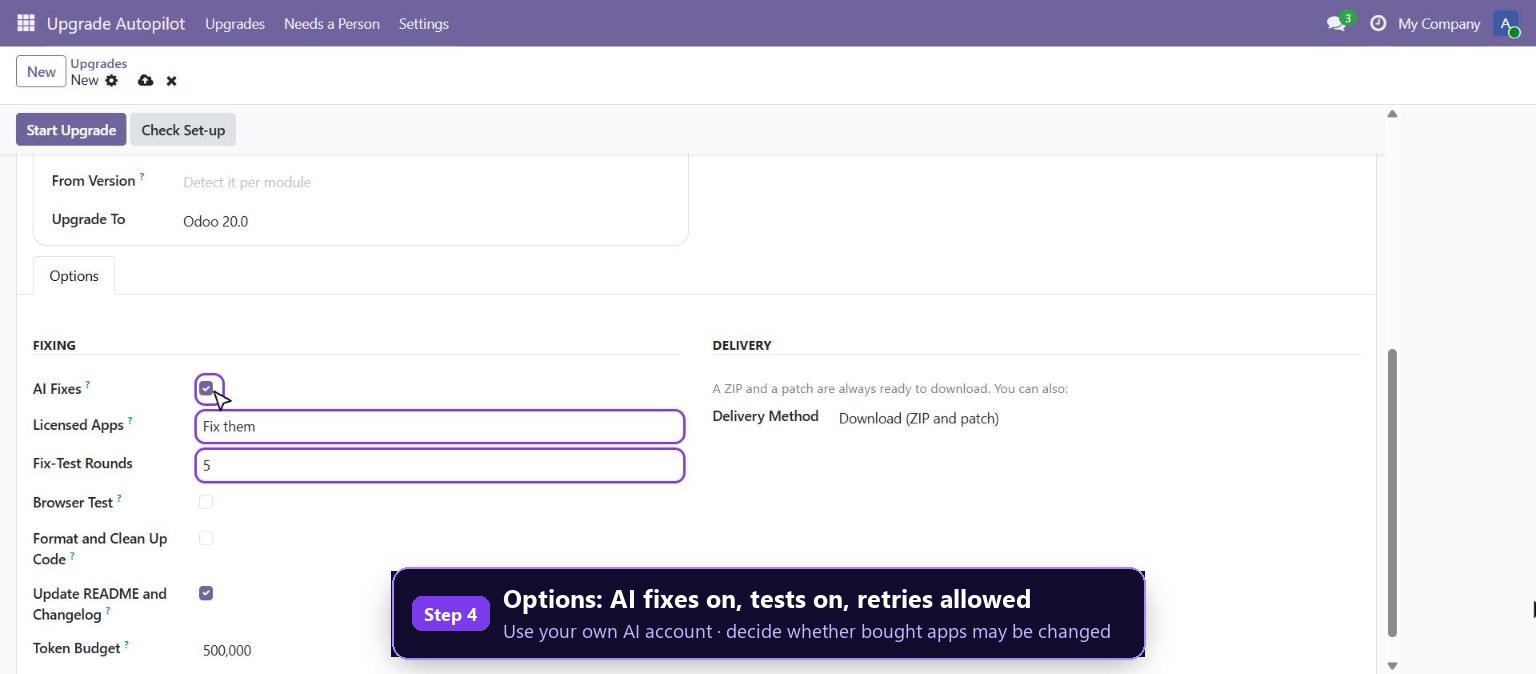
Create an upgrade run: choose source and target Odoo versions with single or bulk modules
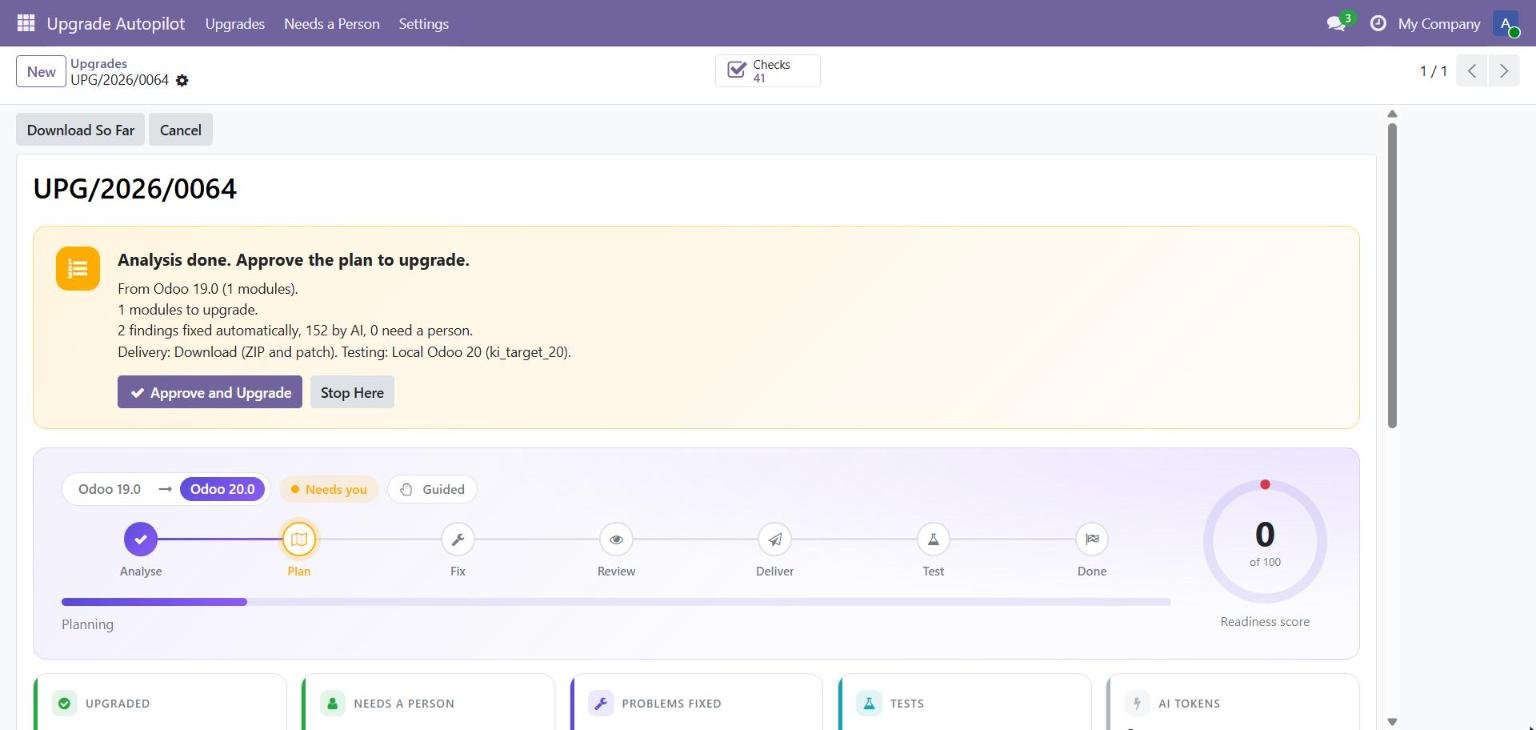
Automated readiness scan: deterministic rules breakdown, breaking changes and migration plan
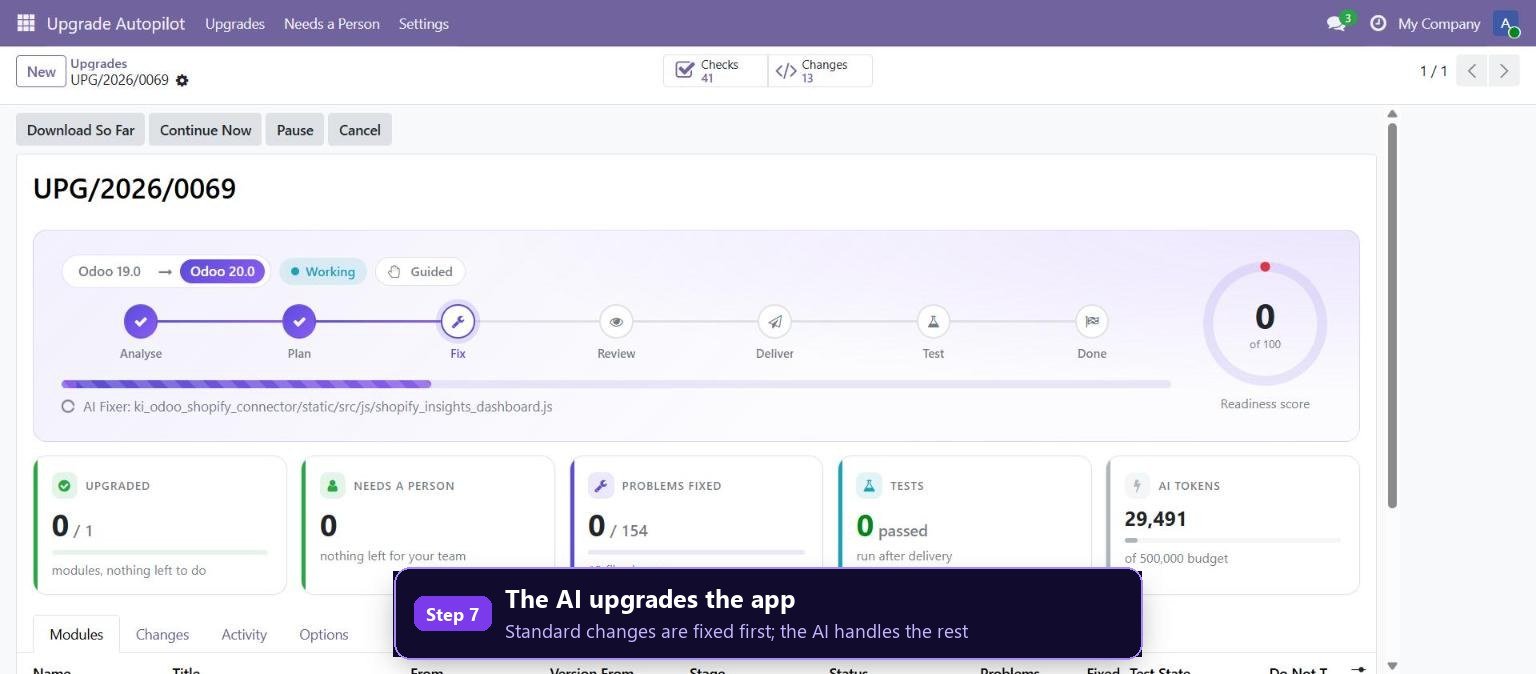
AI Fixer in action: automated resolution of complex ORM and view breaking changes
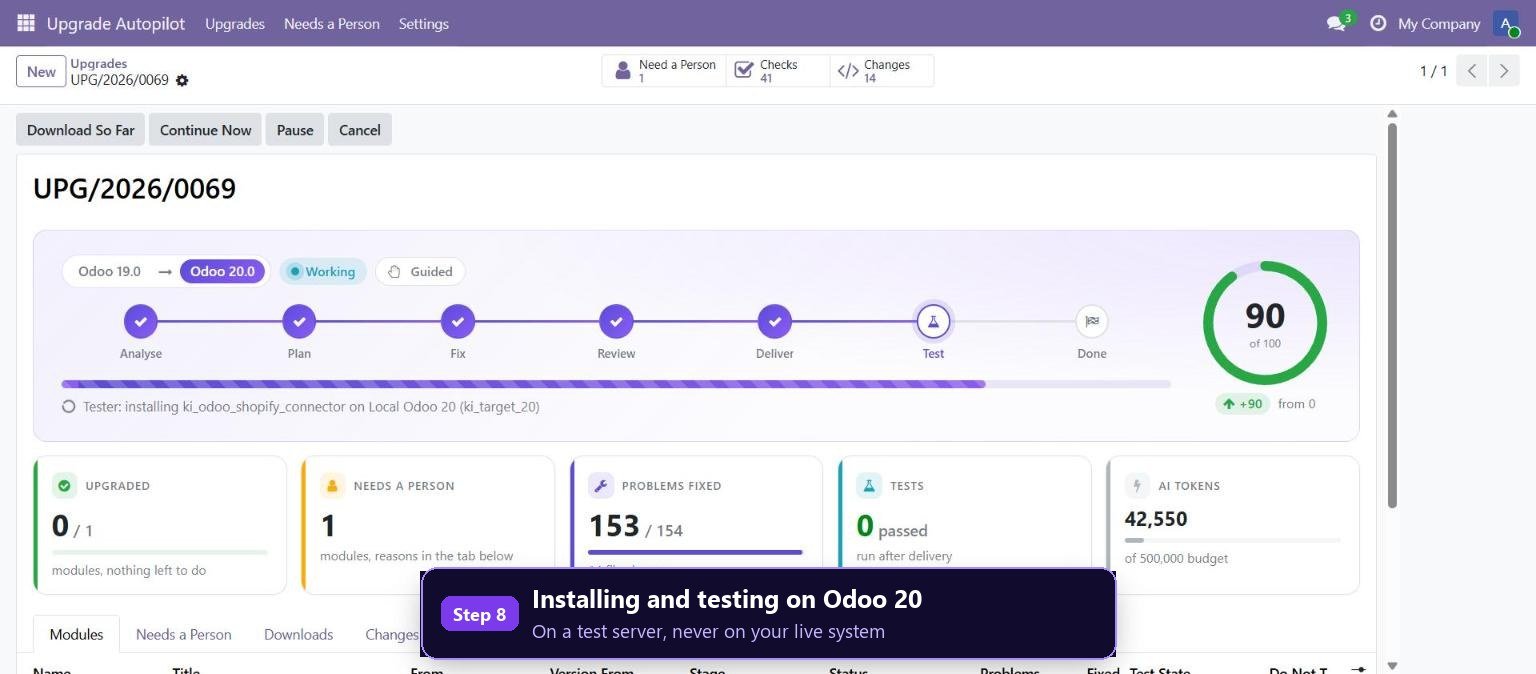
Isolated test runner: installs upgraded module and executes unit tests on target version
Comprehensive upgrade summary: passing modules, applied fixes, and detailed diffs
Side-by-side code diff viewer comparing legacy code with modernized Odoo implementation

What it does

Automated Version Rule Packs

Curated migration rules spanning Odoo 16 to 17, 17 to 18, 18 to 19, and 19 to 20 covering ORM, views, OWL, and controllers.

Hybrid Deterministic & AI Fixer

Applies safe AST code transformations for known syntax changes and invokes LLMs (Gemini, Claude, GPT-4) for nuanced refactoring.

Isolated Target Test Runner

Launches a test container of the target Odoo version to verify module installation, schema loading, and unit test pass rates.

Side-by-Side Git Diff Viewer

Review every modified line of Python, XML, and JavaScript before accepting upgraded codebase changes.

Zero Live Impact Safety

Reads files as source text and builds upgraded copies in staging directories—your live database is never touched.

Clear Human-Action Checklist

Items requiring business domain decisions or external dependencies are categorized into an actionable team backlog.

Multi-Module Bulk Processing

Scan and upgrade entire custom repository folders and addon suites in one unified migration run.

Bring Your Own AI Key

Connect your own Google Gemini, Anthropic Claude, or OpenAI API key with customizable monthly token caps.

Setup

  1. 1

    Install Upgrade Autopilot

    Install ki_upgrade_autopilot on your development or staging Odoo instance.

  2. 2

    Create an Upgrade Run

    Select your source module directory and define target version (e.g. 19.0 to 20.0).

  3. 3

    Run Scan & Automated Fixer

    Review detected breaking changes and let deterministic fixers and AI update the code.

  4. 4

    Verify Test Results & Export

    Inspect the automated installation test results and export your modernized, ready-to-deploy module.

What you need

  • Odoo 19.0 or 20.0 (Community, Enterprise, or Odoo.sh)
  • Docker or target Odoo Python environment for automated test runs
  • ki_ai_base for AI-powered code fixing

Good to know

  • Odoo Online (SaaS) is not supported: custom modules require Odoo.sh or self-hosted servers.
  • Proprietary binary or encrypted modules without source code cannot be refactored.

Questions

Can it upgrade modules to Odoo 20?

Yes! Full rule packs and breaking-change checkers are included for migrating modules from 19.0 to 20.0 (OWL 3, ORM, new view syntax).

Does this touch or risk my live production database?

No. It reads code statically and performs fix runs on isolated working copies, testing in separate sandboxes.

Does it require an AI API key for basic upgrades?

No. Deterministic rule packs, scan reports, and syntax migrations work completely offline without an AI key.

Which AI models can be used for the AI Fixer?

Google Gemini, OpenAI GPT-4o, Anthropic Claude, and Groq via ki_ai_base.

Buy directly, book a demo or ask a question

Buying from us directly suits invoices in your company's name, several databases, or help with installation. We reply with a quote within one business day. Card checkout comes later.

We reply by email within one business day. See our privacy notice.