Claude Connector | Odoo Remote MCP Server

Connect Anthropic Claude to Odoo ERP with remote MCP and OAuth 2.1.

Turn Odoo into a secure remote Model Context Protocol (MCP) server. Query Sales, CRM, Inventory, and Accounting in plain English from claude.ai, Claude Desktop, or Claude Code with OAuth 2.1 and strict per-user access control.

  • Odoo 19.0
  • Odoo 20.0

Claude Connector for Odoo turns your Odoo ERP into a secure, remote Model Context Protocol (MCP) server. Connect Anthropic Claude (claude.ai web, Claude Desktop, and Claude Code CLI) directly to your ERP database to query live business data using conversational natural language.

Ask Claude about sales figures, order statuses, inventory levels, customer history, vendor bills, and accounting summaries in plain English. Claude translates questions into precise MCP tool operations (search, read, count, aggregate group) while strictly enforcing Odoo user security groups, access rights, and multi-company record rules.

Built with enterprise security at its core: OAuth 2.1 authentication with PKCE, Dynamic Client Registration, Refresh Token Rotation, per-model access blocklist/allowlist controls, read-only defaults, and a comprehensive real-time audit log of every AI prompt and tool execution.

Screenshots

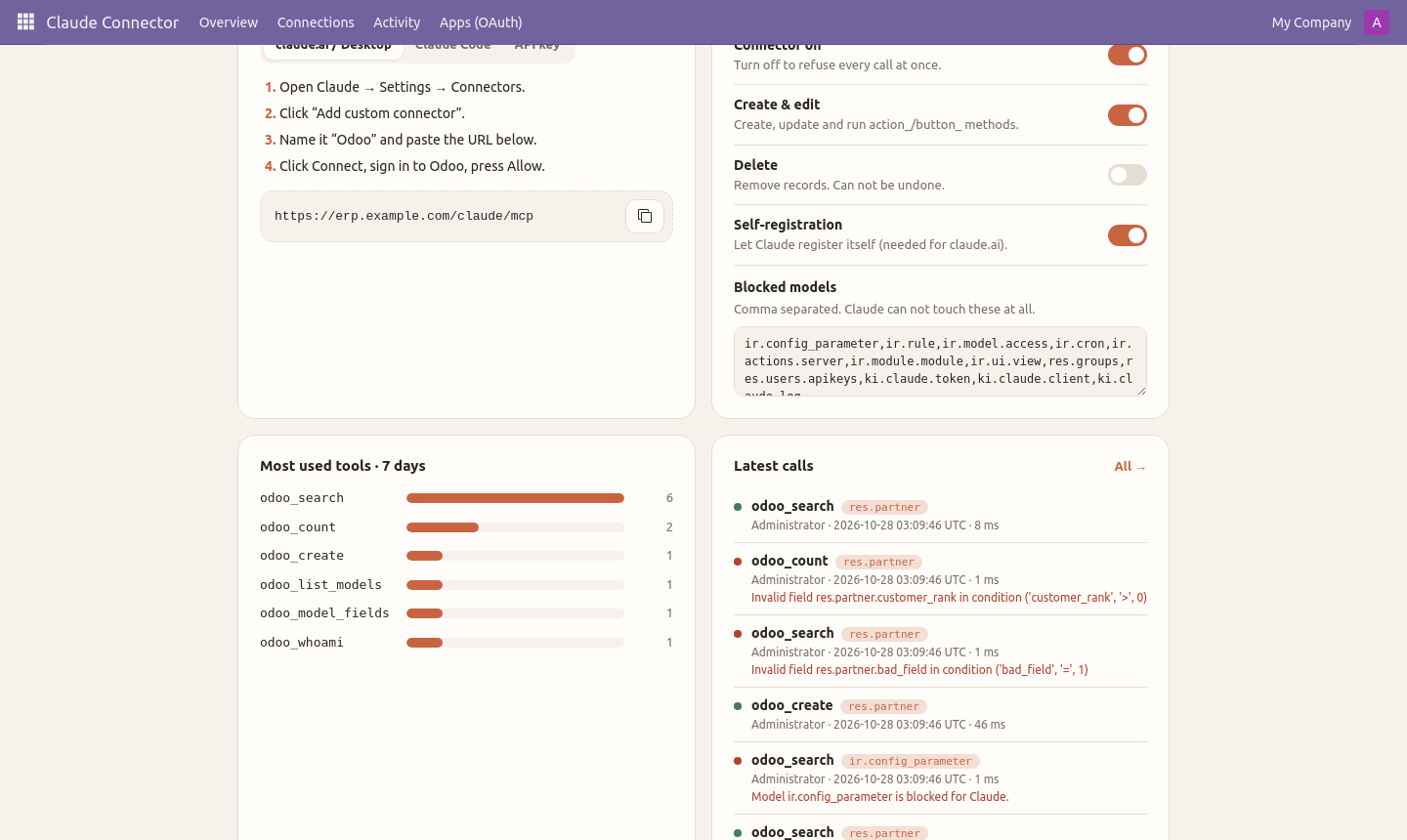
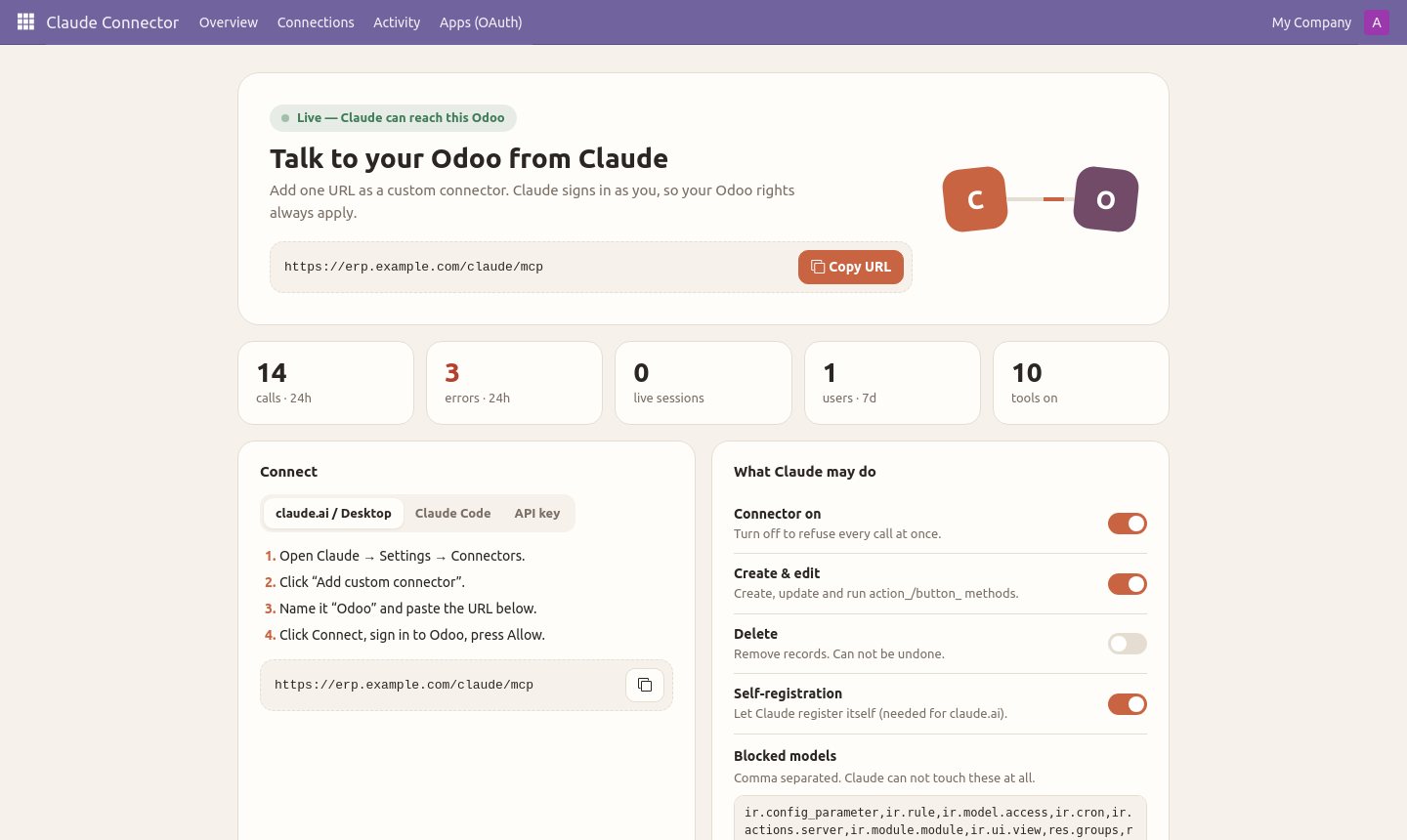
Claude Connector live dashboard with quick-connect and metrics
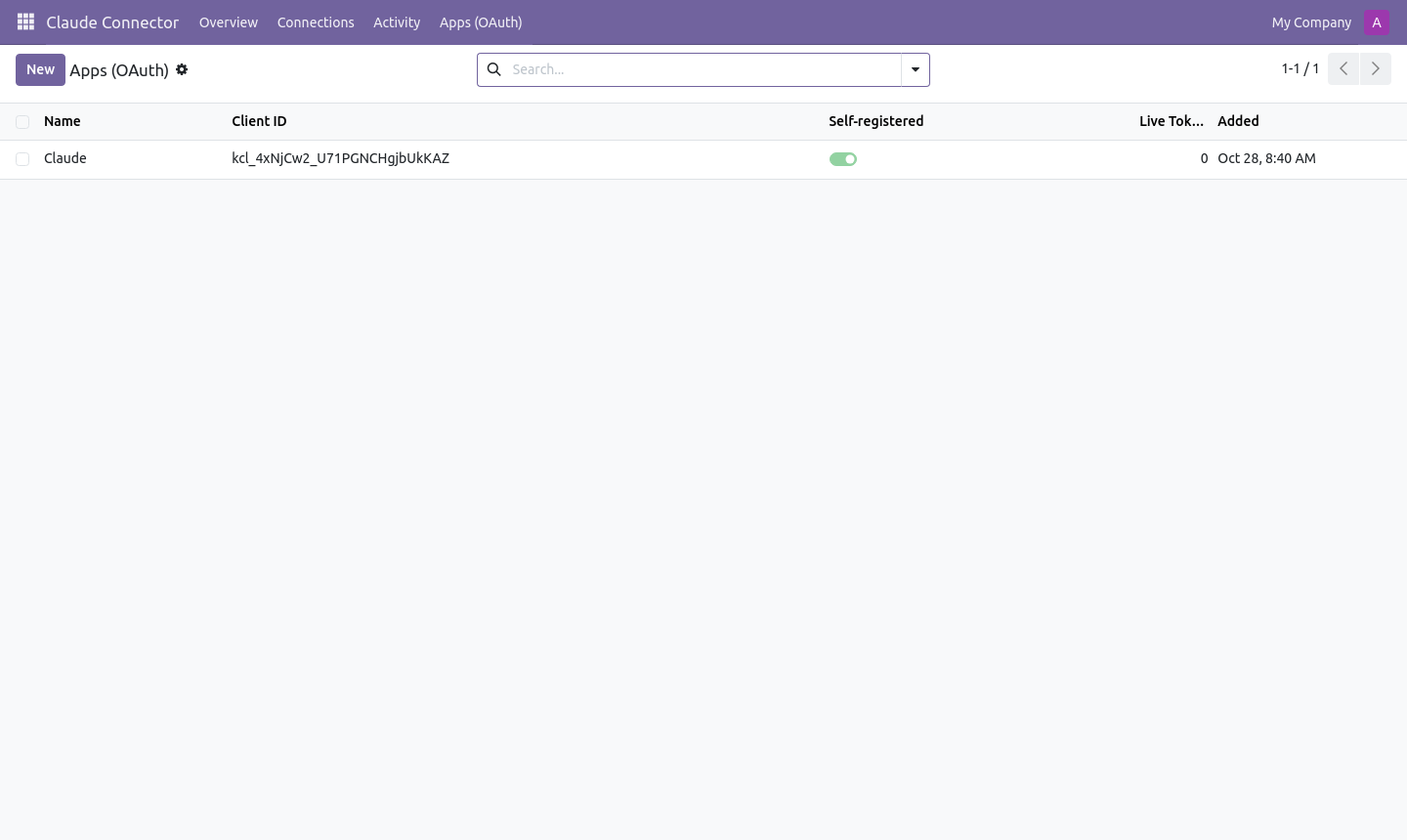
Client application manager and registered OAuth tokens
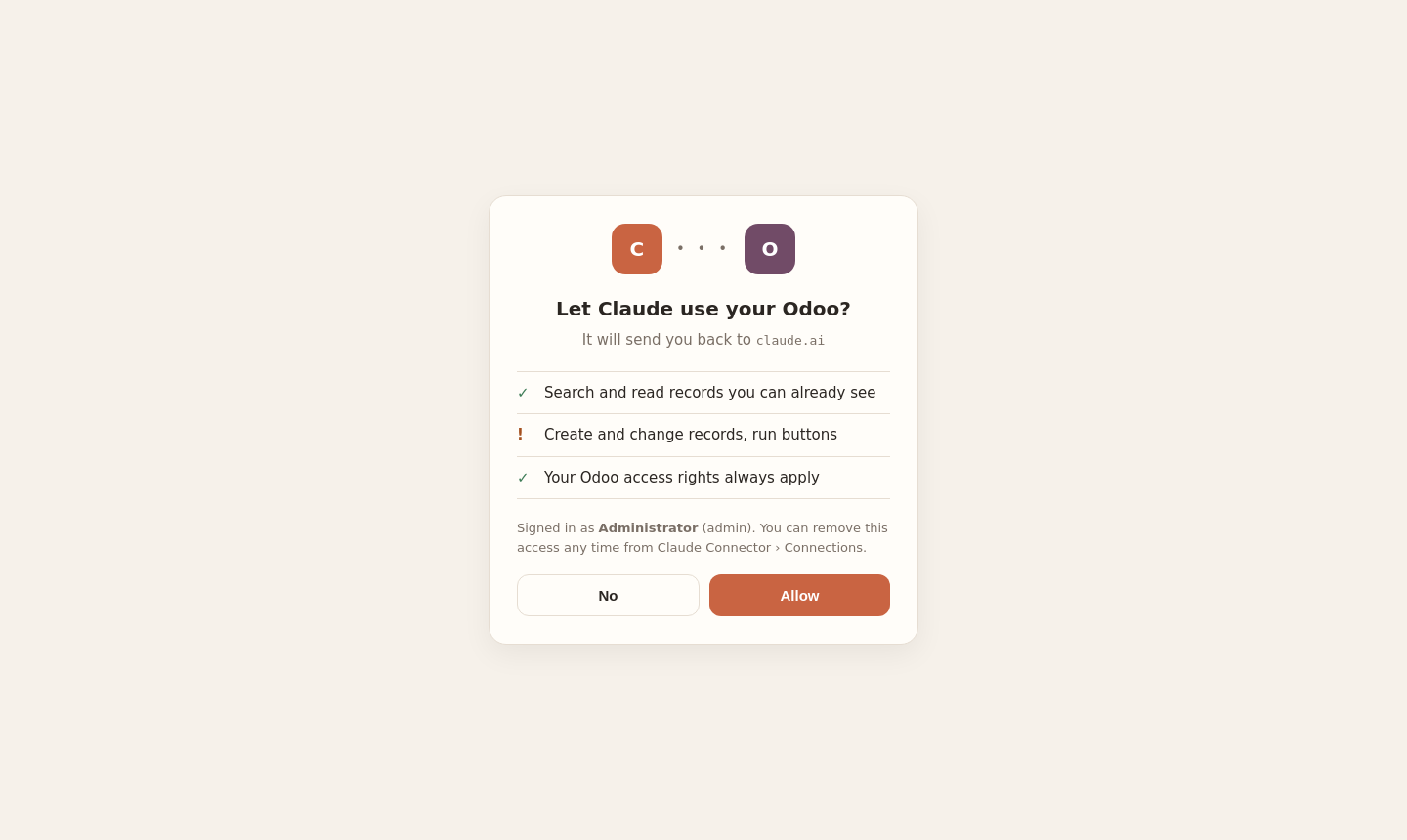
OAuth 2.1 authorization consent screen with PKCE
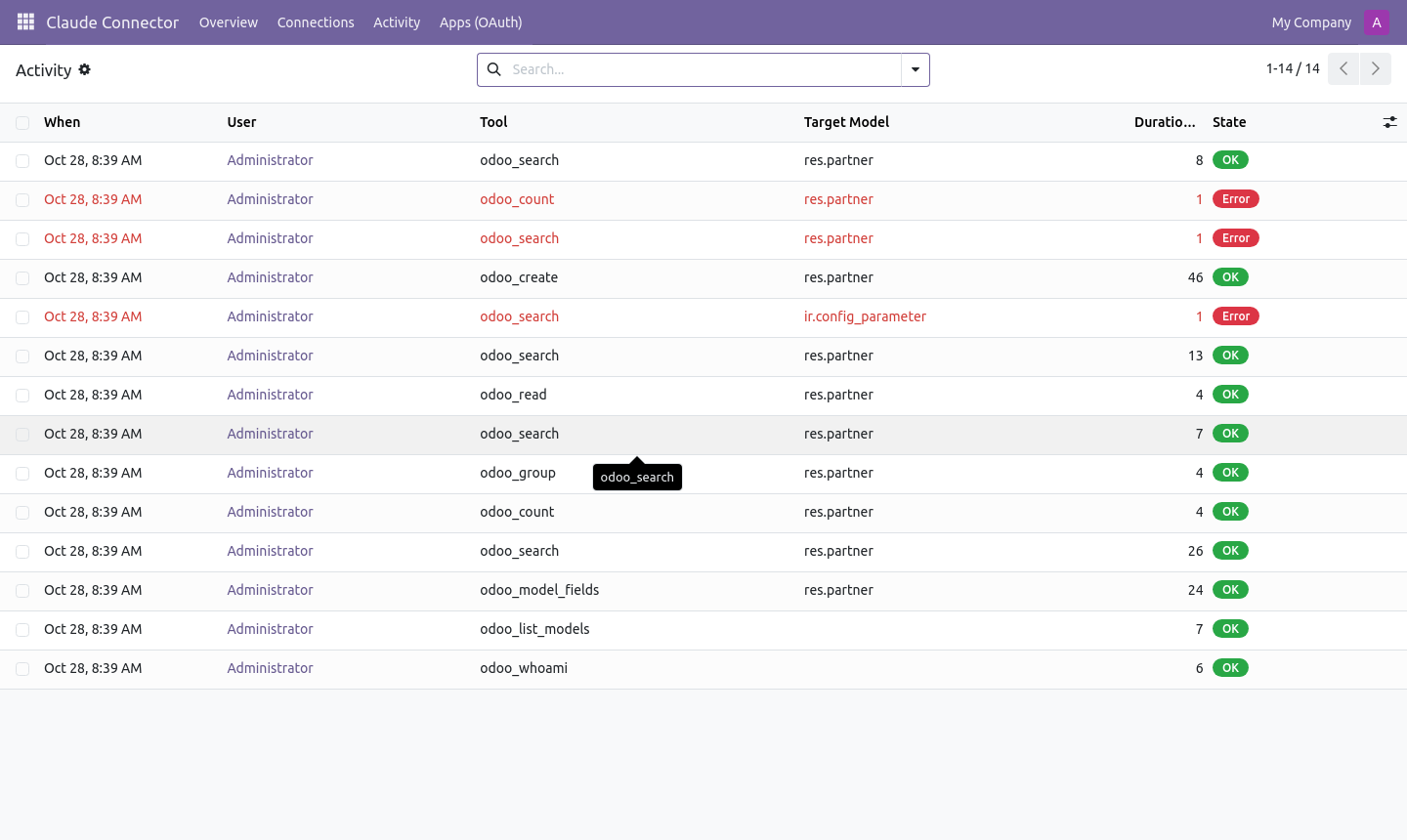
Real-time MCP audit log tracking AI tool invocations
Model access permissions and granular tool allowlists

What it does

Remote MCP Server (Model Context Protocol)

Standardized JSON-RPC protocol powering seamless integrations with Claude Desktop, claude.ai web, and Claude Code CLI.

Conversational ERP Intelligence

Ask questions about orders, revenue, inventory stockouts, and unpaid invoices in natural English and get instant answers.

Secure OAuth 2.1 with PKCE

Industry-standard authorization with Proof Key for Code Exchange, Dynamic Client Registration, and Refresh Token Rotation.

Respects Native Odoo Permissions

Executes strictly under the authenticated user session—Odoo access rights, record rules, and company boundaries apply automatically.

Read-Only Safeguards by Default

Querying and reporting tools are enabled by default. Write, update, and action triggers require explicit administrator configuration.

Granular Model Access Controls

Easily allowlist or blocklist specific models and define per-model permissions (Read, Edit, Create, Delete).

Real-Time Activity Audit Trail

Logs all tool calls, parameters, user IDs, and timestamps for enterprise compliance and security monitoring.

One-Click Session Management

View all active Claude connections in the dashboard and revoke tokens or disconnect clients with a single click.

Setup

  1. 1

    Install Claude Connector

    Install ki_claude_integration on your Odoo database from the Apps menu.

  2. 2

    Open Claude Integration Dashboard

    Go to Claude AI > Dashboard to view your MCP server endpoint and configuration instructions.

  3. 3

    Connect Claude Desktop or claude.ai

    Copy the MCP configuration snippet into your Claude Desktop config or add custom MCP server on claude.ai.

  4. 4

    Authorize & Start Chatting

    Click Connect in Claude to complete OAuth 2.1 authentication, then ask Claude anything about your Odoo business.

What you need

  • Odoo 19.0 or 20.0 (Community, Enterprise, or Odoo.sh)
  • Anthropic Claude account (Claude Pro, Team, or Enterprise for Claude Desktop / claude.ai)
  • Public HTTPS address for remote OAuth authorization

Good to know

  • Odoo Online (SaaS) is not supported: custom modules require Odoo.sh or self-hosted servers.
  • OAuth 2.1 dynamic login requires HTTPS connectivity between Claude and your Odoo server.
  • Destructive actions (write/delete) are disabled by default and must be explicitly enabled per model.

Questions

Which Claude apps can connect to Odoo?

claude.ai (browser), Claude Desktop application (macOS/Windows), and the Claude Code terminal CLI.

Can Claude see confidential data from other departments?

No. Claude operates with the exact Odoo credentials and access rights of the person logged in. Record rules and groups are strictly enforced.

Can Claude accidentally delete or alter ERP records?

No. The connector runs in Read-Only mode by default. Modification tools must be explicitly unlocked and whitelisted by an admin.

Does this require any external subscription beyond Claude?

No extra fees. You only need your standard Anthropic Claude subscription and your self-hosted or Odoo.sh instance.

Buy directly, book a demo or ask a question

Buying from us directly suits invoices in your company's name, several databases, or help with installation. We reply with a quote within one business day. Card checkout comes later.

We reply by email within one business day. See our privacy notice.