
Access Management Pro app icon

Access Management Pro

Simplify user access: hide menus, buttons, tabs, fields, reports and actions, read-only users, record rules,...

Simplify user access: hide menus, buttons, tabs, fields, reports and actions, read-only users, record rules, condition-based button blocking (e.g.

  • Odoo 19.0
Availableon Odoo Apps

Free

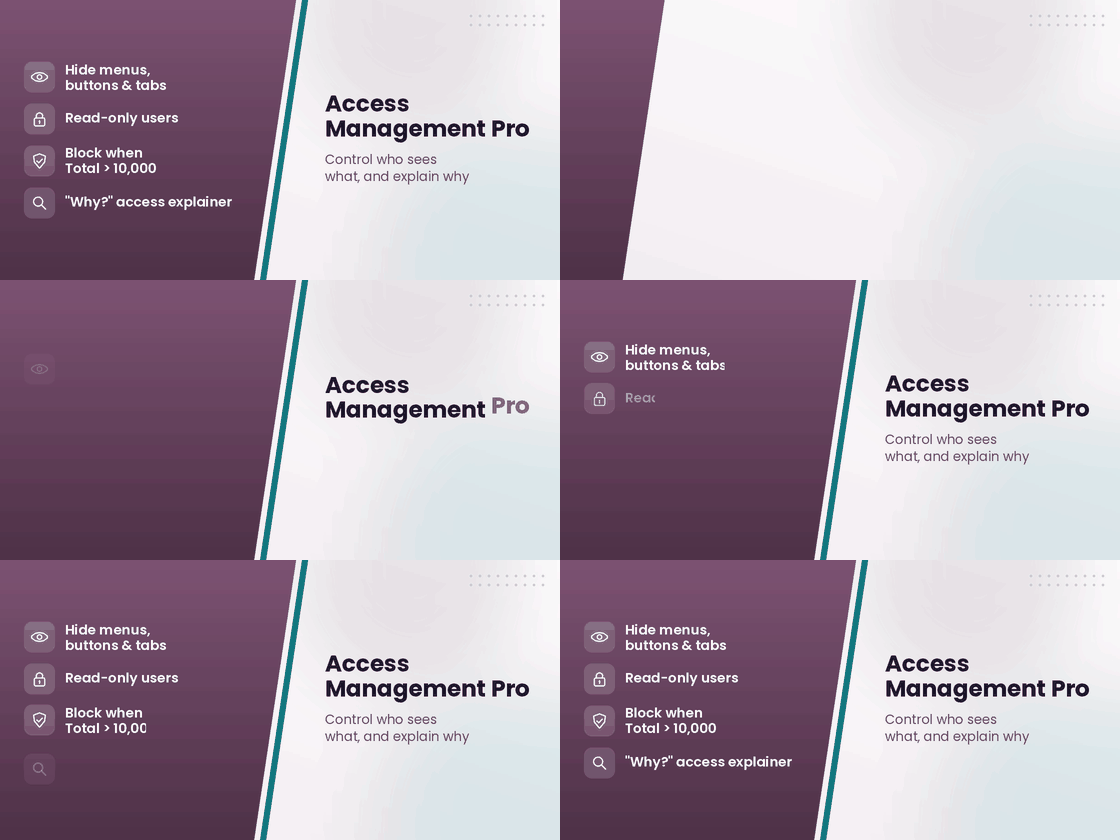
Hide menus, buttons, tabs and fields, make users read-only, filter records and block an action only when the record matches a condition. A "Why?" shield explains every restriction to your users, and every blocked action is logged.

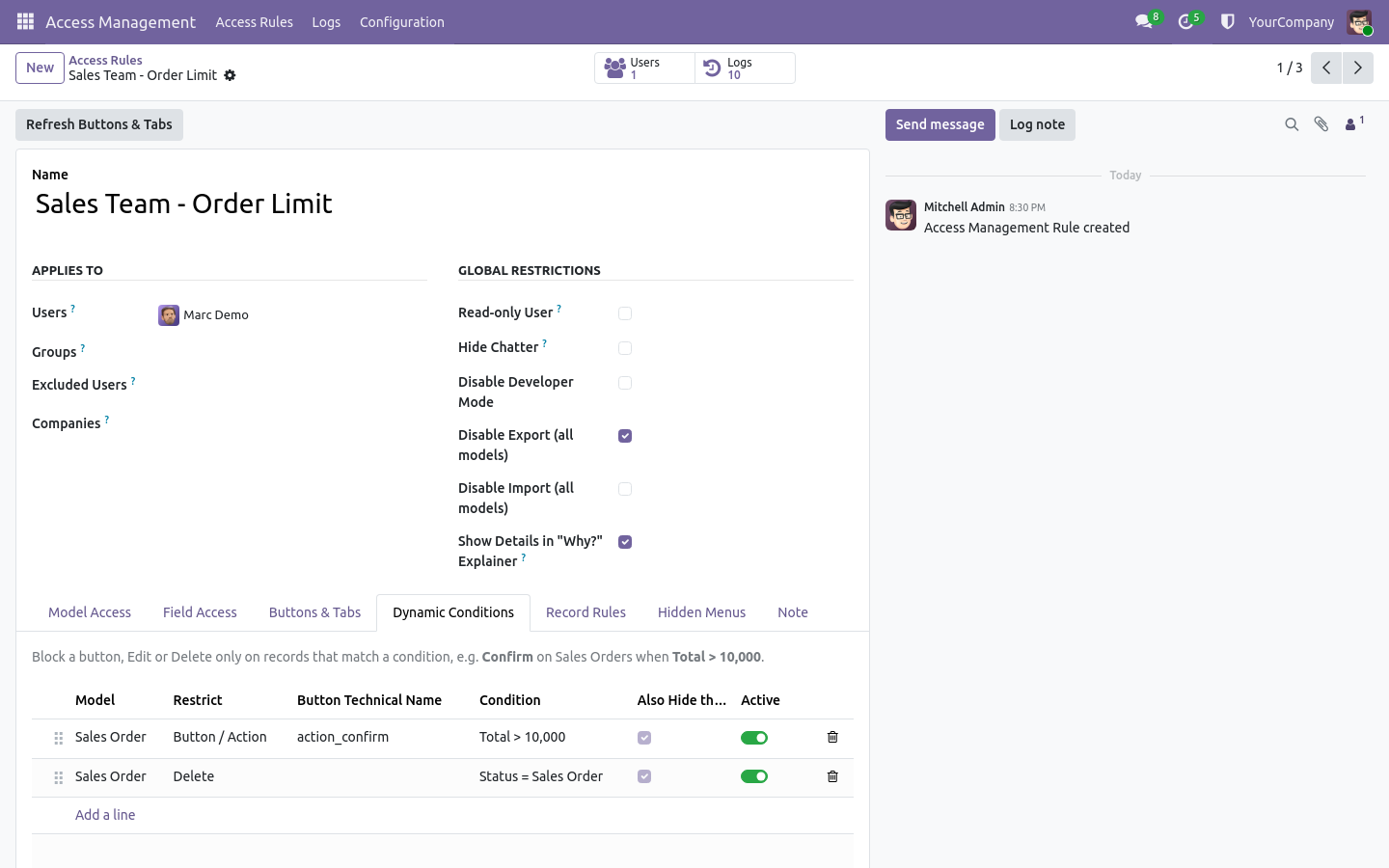
On big orders Confirm is hidden, and blocked on the server if called anyway.

The shield icon shows the rule and lets them ask for access.

Screenshots

Kalvyai Access Management Pro for Odoo: Simplify user access: hide menus, buttons, tabs, fields, reports and actions, read-only users, record rules,...
Simplify user access: hide menus, buttons, tabs, fields, reports and actions, read-only users, record rules,...
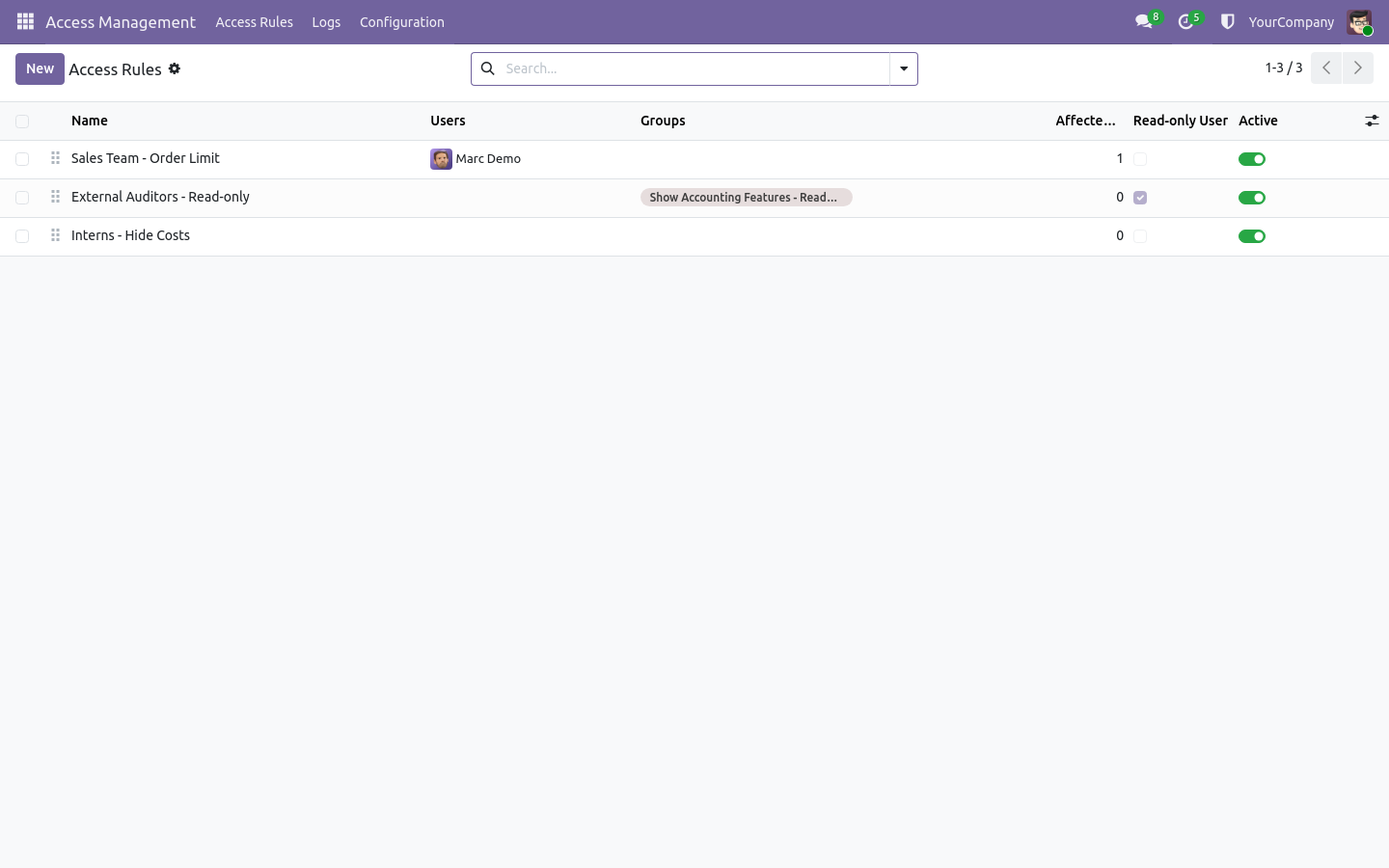
All access rules in one list
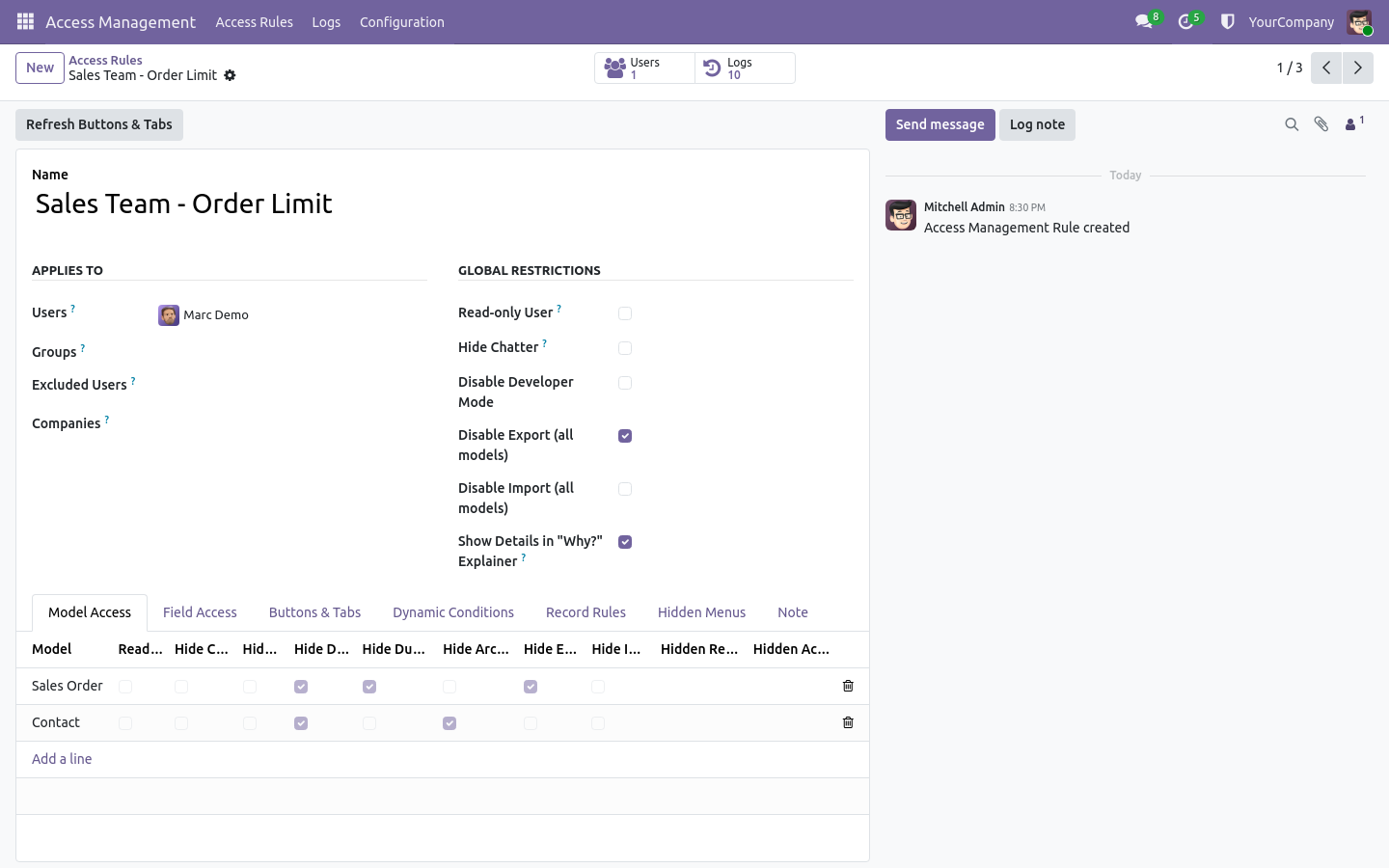
Who the rule applies to, global switches and Model Access
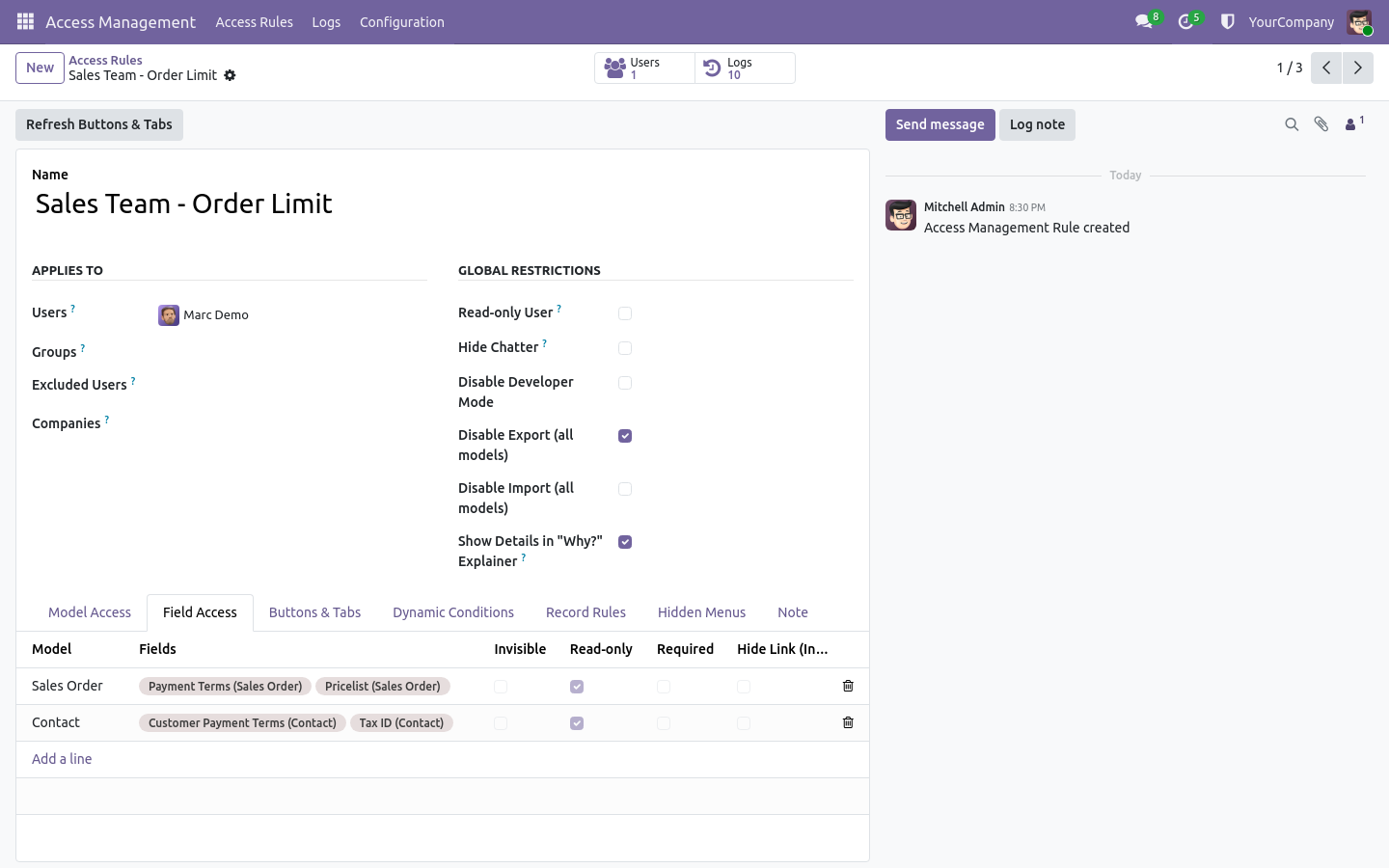
Field Access: invisible, read-only, required
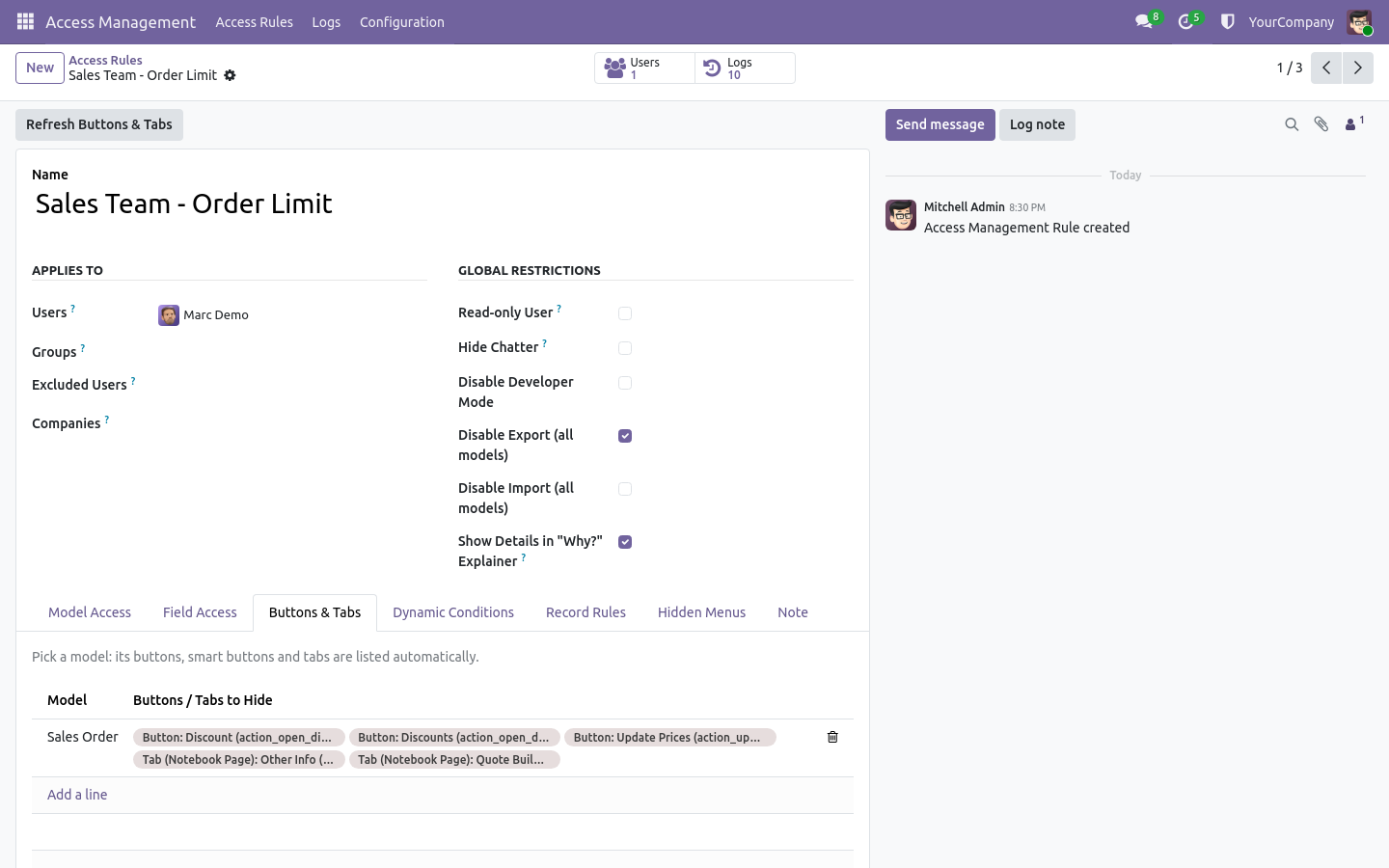
Buttons & Tabs to hide
Dynamic Conditions: block Confirm when Total > 10,000
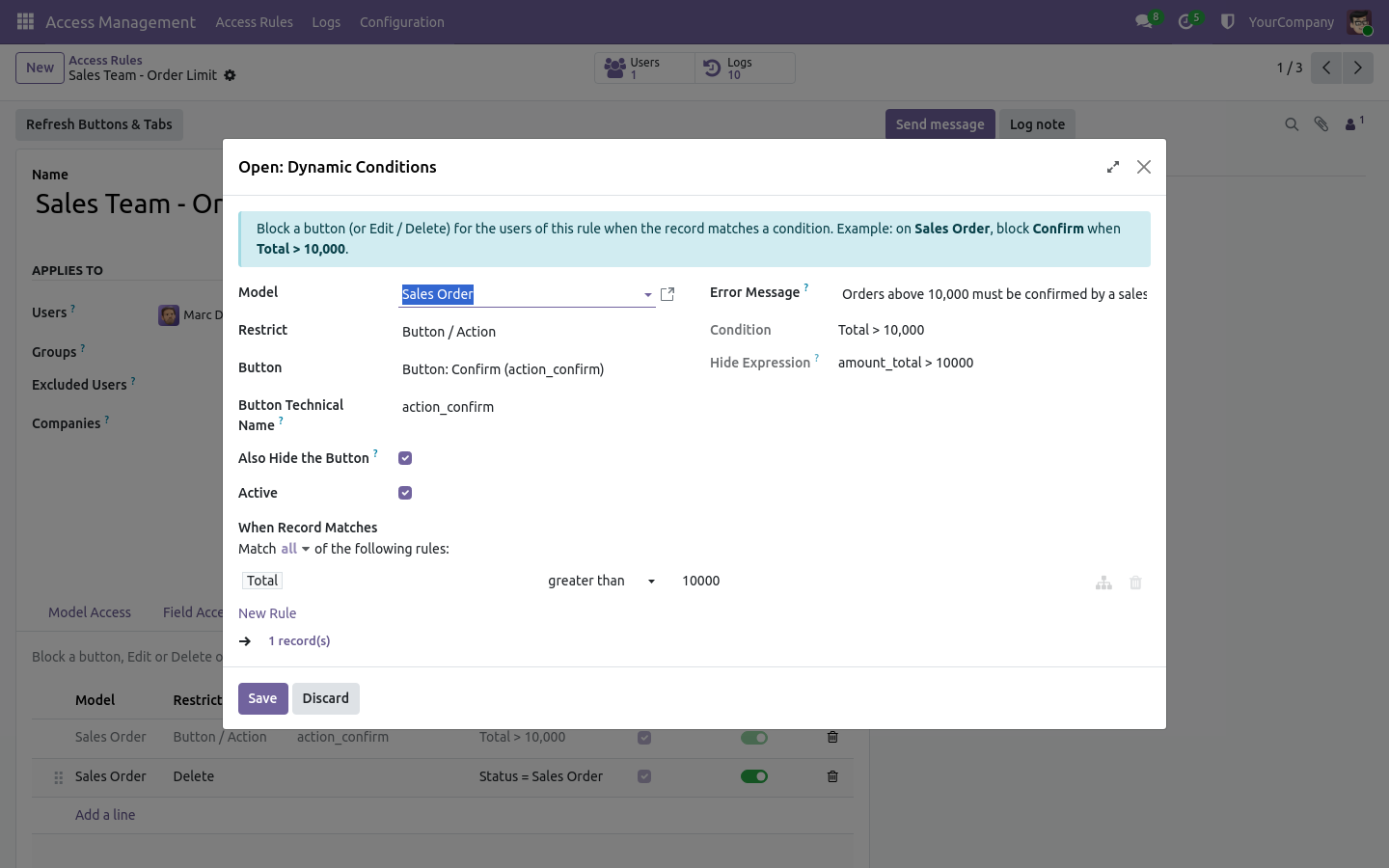
Editing a dynamic condition
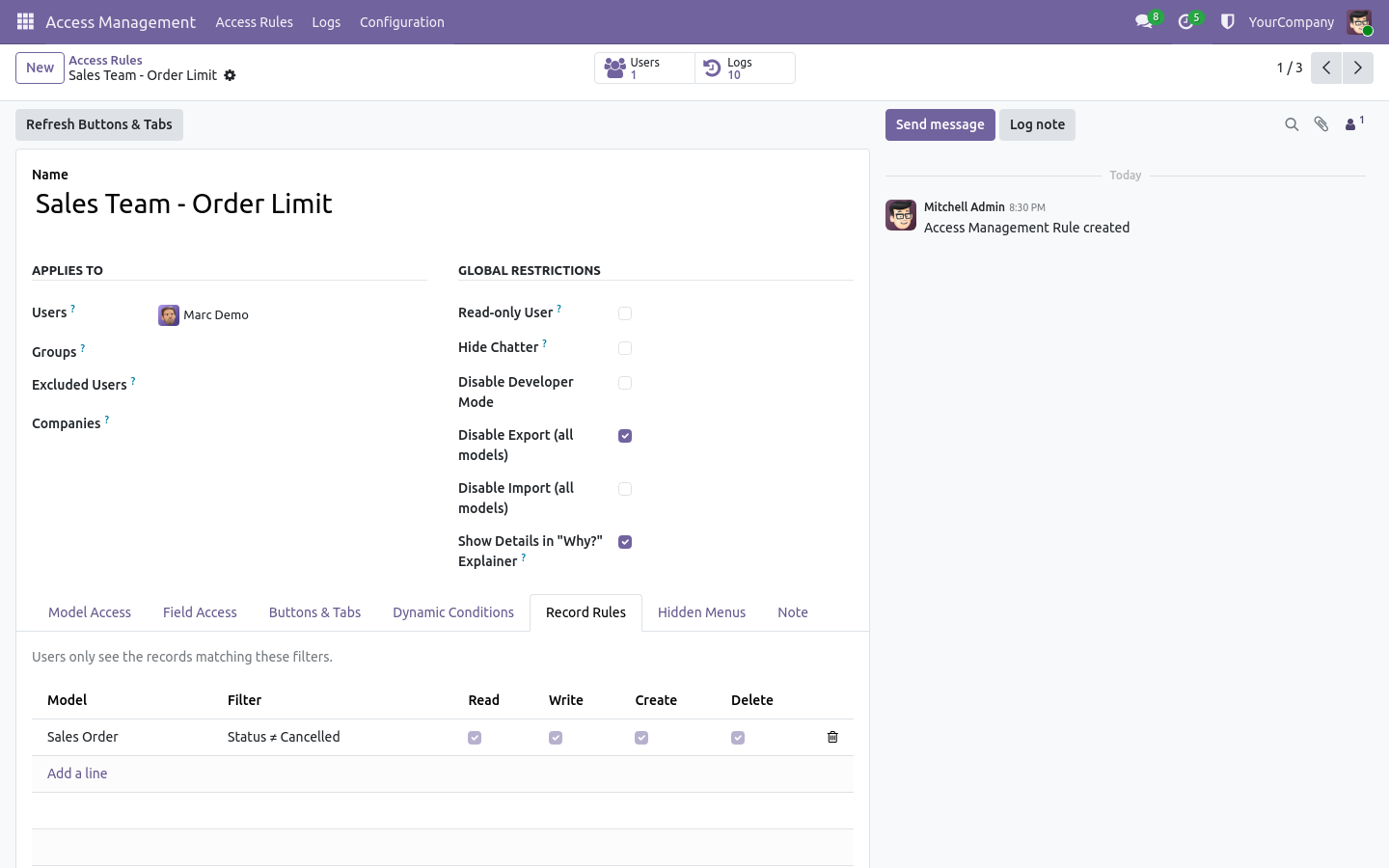
Record Rules: show only matching records
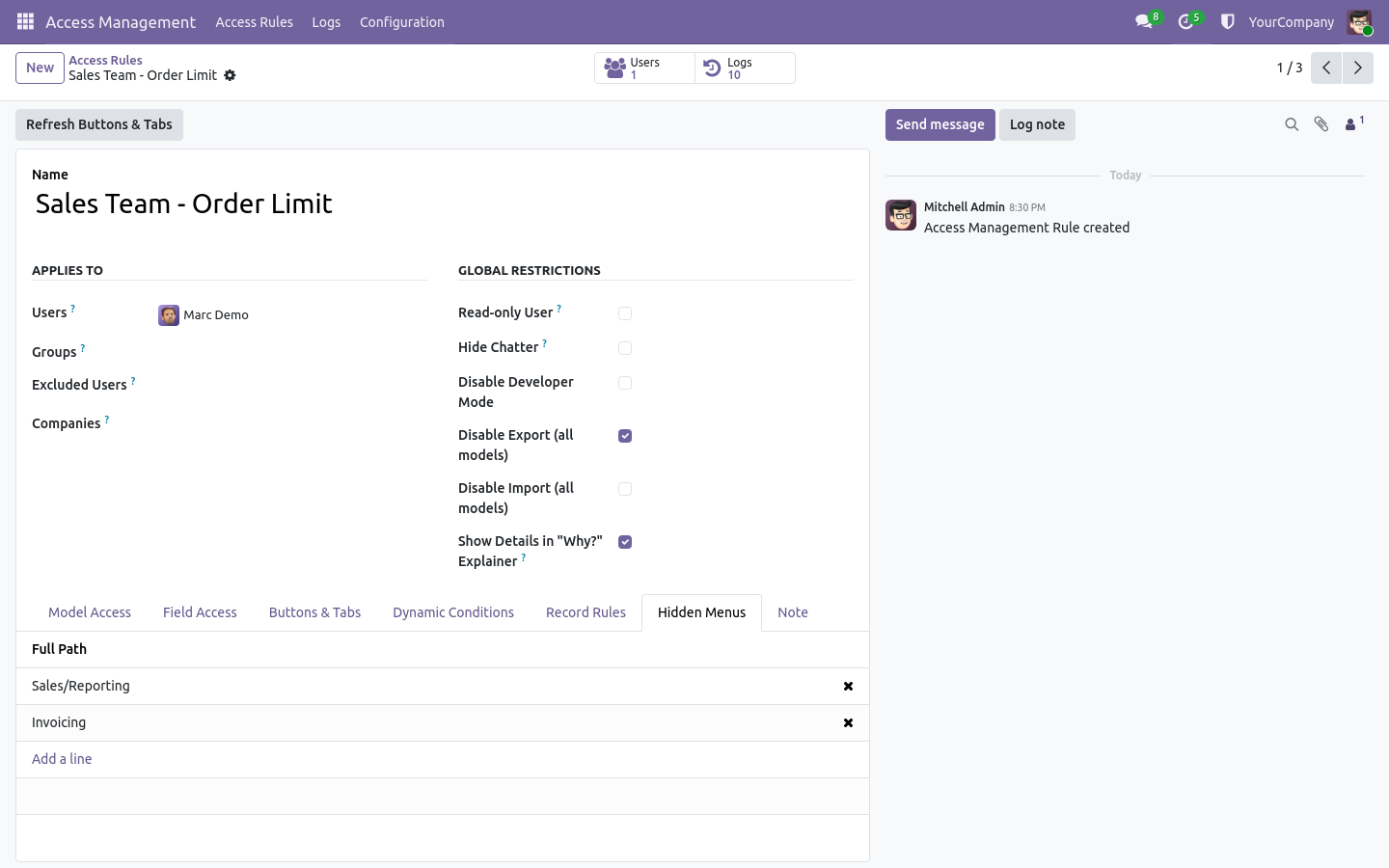
Hidden Menus
Hidden Menus

What it does

companies

, and exclude single users.

read-only

In one click: they can open everything but change nothing.

required

, or hide the link to the record.

found automatically

In each model's views.

Refresh Buttons & Tabs

After installing a new app.

Confirm

On sales orders when

shield icon

In the top bar opens the explainer on any screen.

Show Details

On a rule to show only that an access policy applies.

Ask a question

We reply by email within one business day.

We reply by email within one business day. See our privacy notice.

More apps

AI Studio: No-Code App Builder with AI Copilot for Odoo Community app icon

Odoo · 19.0

AI Studio: No-Code App Builder with AI Copilot for Odoo Community

Odoo Studio for Community: drag and drop fields and views, calendar, pivot and graph views, buttons, approvals and...

Odoo Studio for Community: drag and drop fields and views, calendar, pivot and graph views, buttons, approvals and PDF reports, ready-made templates, app dashboards, user groups, test mode, versions and change log, or describe your app to the AI Copilot (Claude, OpenAI, Gemini) and deploy in one cli

Free

Available