

Skip to content
KalvyAI

KalvyAI Supplier Promise Manager

Track supplier delivery promises, trace downstream delay impacts and let AI read WhatsApp replies.

Suppliers confirm, move or split deliveries through a secure portal or WhatsApp, while AI turns their replies into dates and quantities. Immutable revisions and downstream stock trace reveal exactly which sales and manufacturing orders are put at risk.

  • Odoo 19.0
  • Odoo 20.0
Availableon Odoo Apps

$49$99one-timeLaunch offer

Supplier Promise Manager tracks the delivery date your suppliers actually promised for every purchase order line in Odoo. Confirming a purchase order automatically creates supplier promises with requested delivery dates, quantities, and installment schedules.

Suppliers confirm, move, or split deliveries through a secure tokenized portal link without needing an Odoo login, or simply reply on WhatsApp in plain text. Any AI model configured in AI Base (Google Gemini, Anthropic Claude, OpenAI, xAI Grok, and more) turns natural language replies like '300 pcs on the 3rd and the rest on the 10th' into structured dates and delivery installments.

When a supplier is delayed, downstream impact tracing follows stock moves to immediately identify which make-to-order customer deliveries and manufacturing orders are at risk. Every change is preserved in an immutable revision audit trail, giving your purchasing team complete visibility and control.

Screenshots

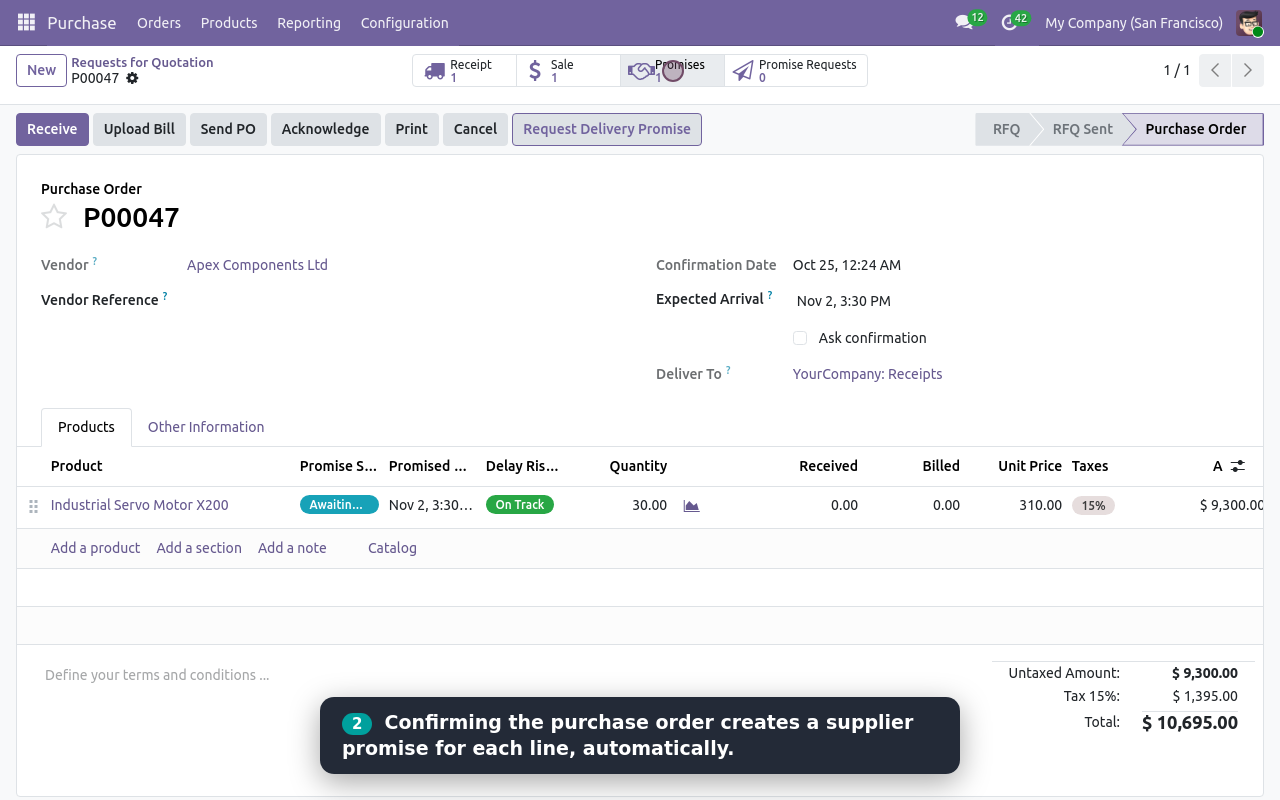
Purchase order with promise status and risk
Purchase order with promise status, delay risk and Request Delivery Promise
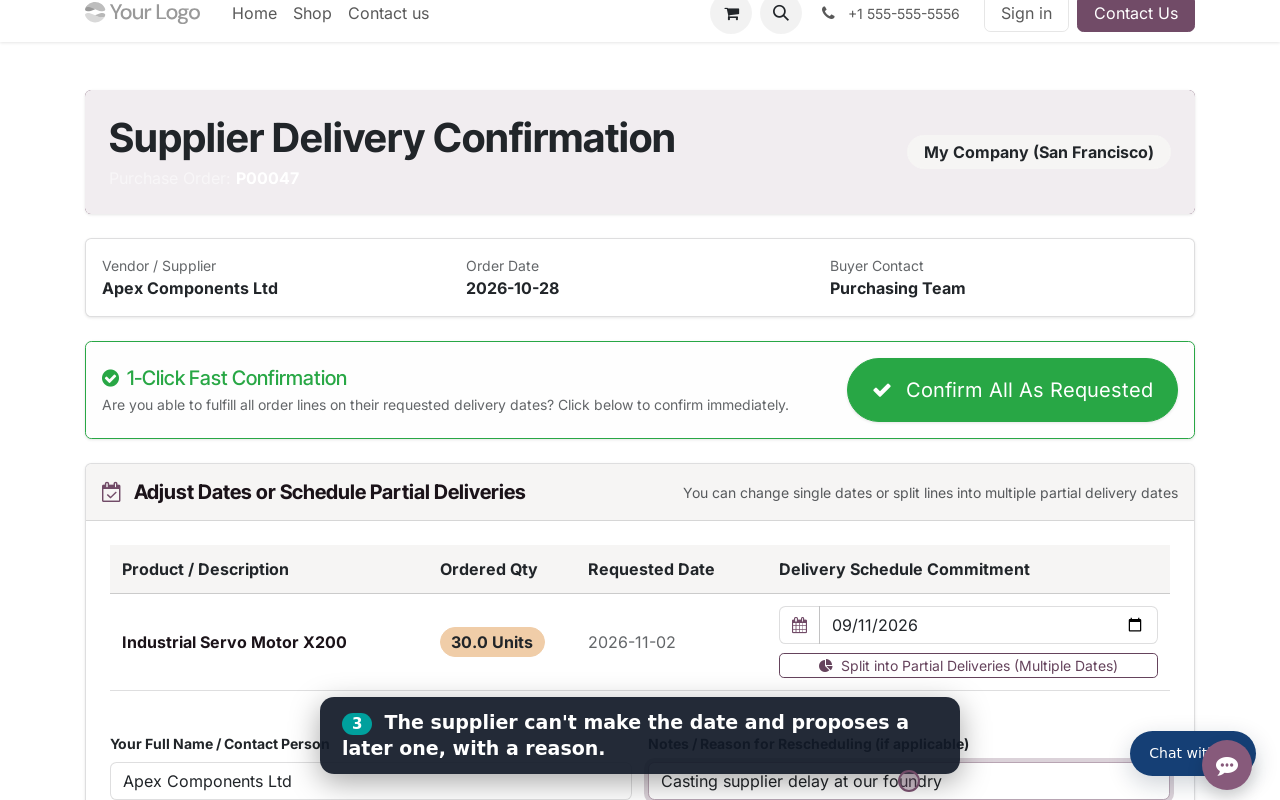
Supplier portal: confirm or change delivery dates
Supplier portal: confirm all, change a date or split a delivery
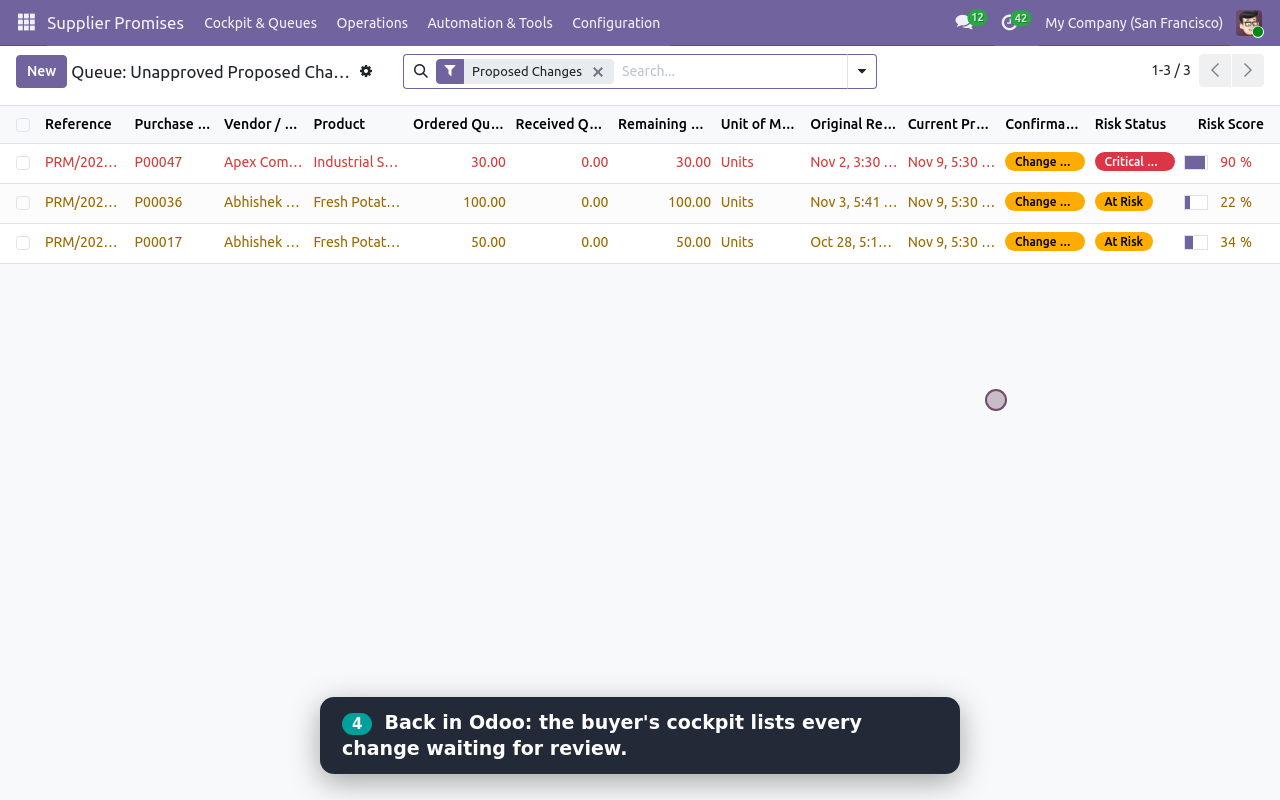
Buyer cockpit: proposed changes
Cockpit: proposed changes waiting for the buyer
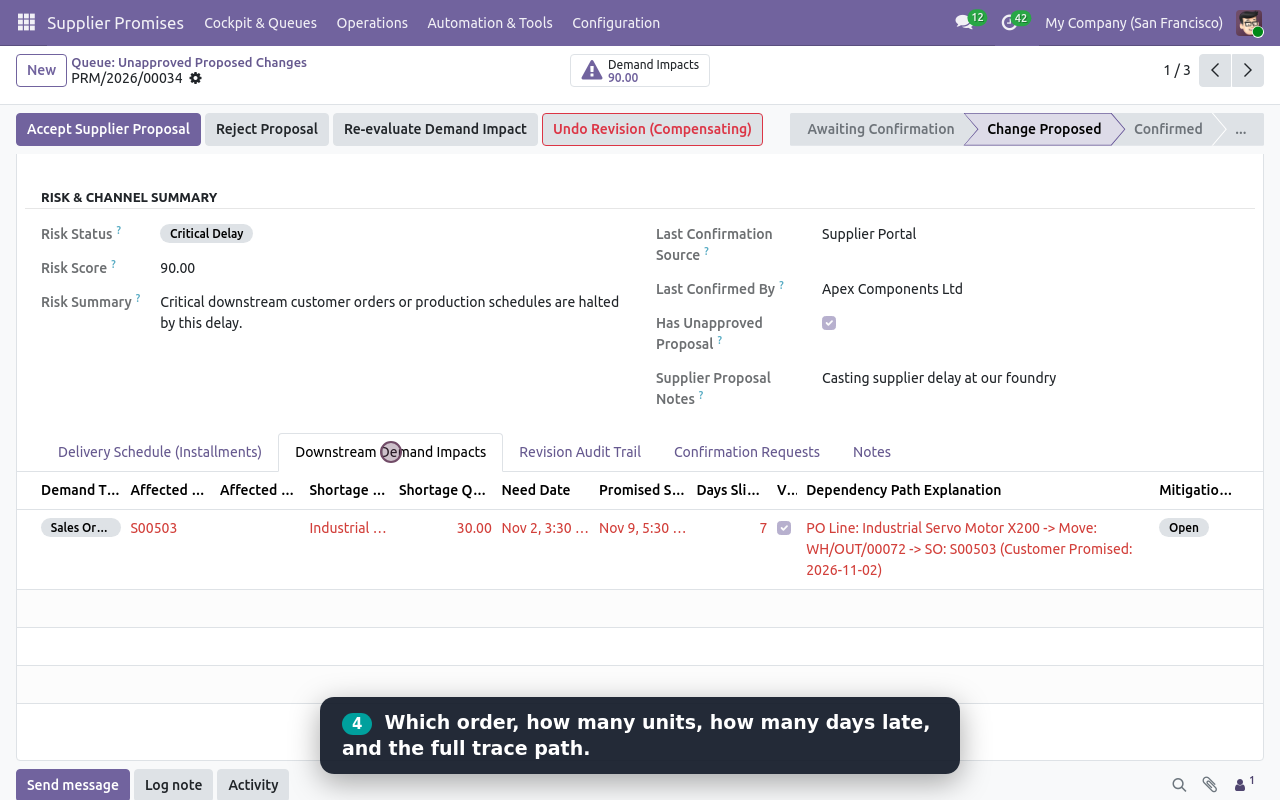
Downstream demand impacts with trace path
Downstream demand impacts with the full trace path
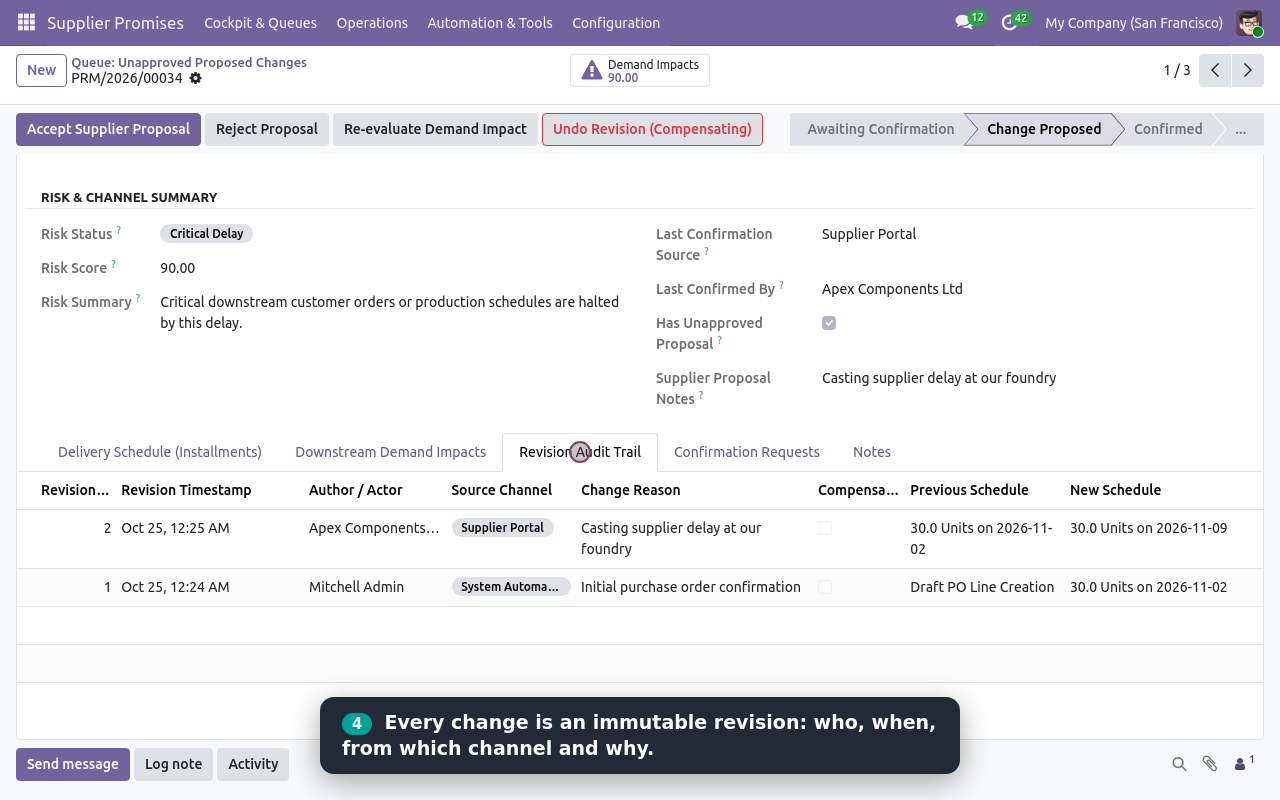
Revision audit trail
Revision audit trail: who, when, which channel and why
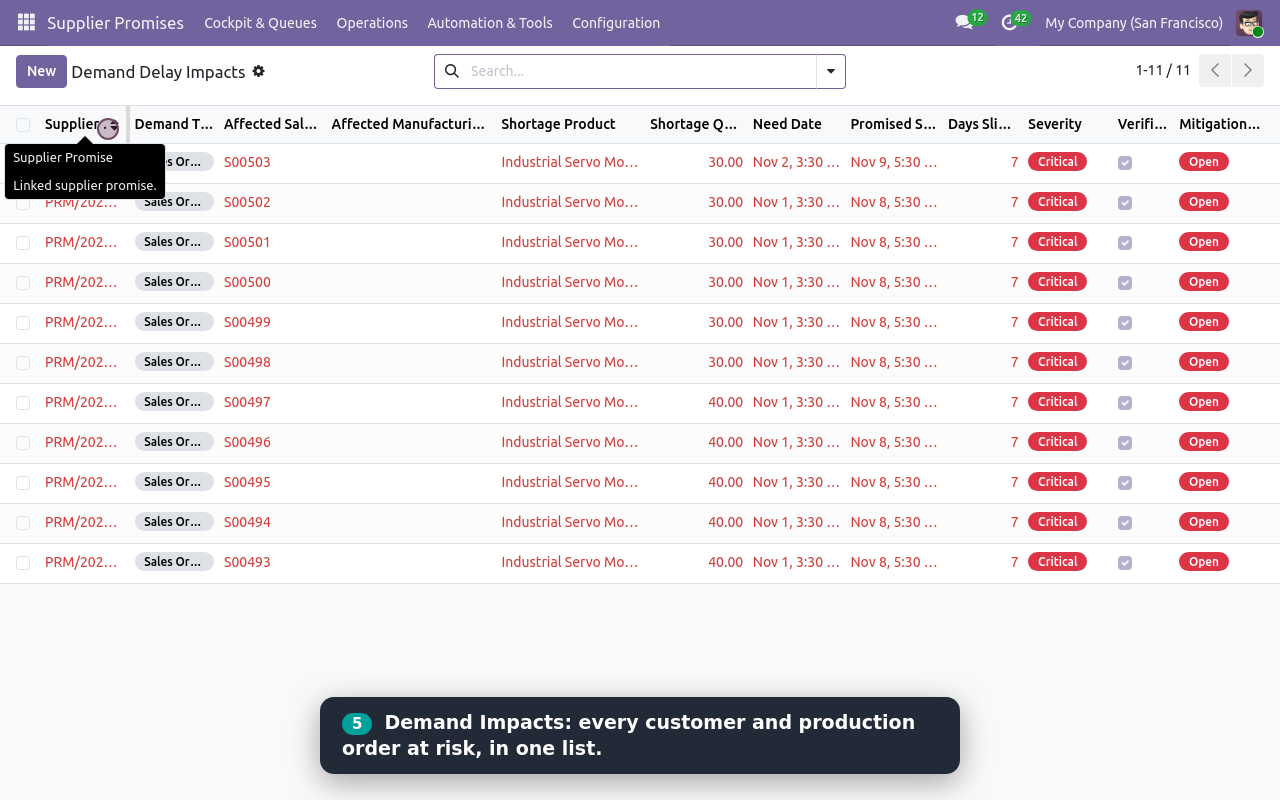
Demand delay impacts list
All demand delay impacts in one list
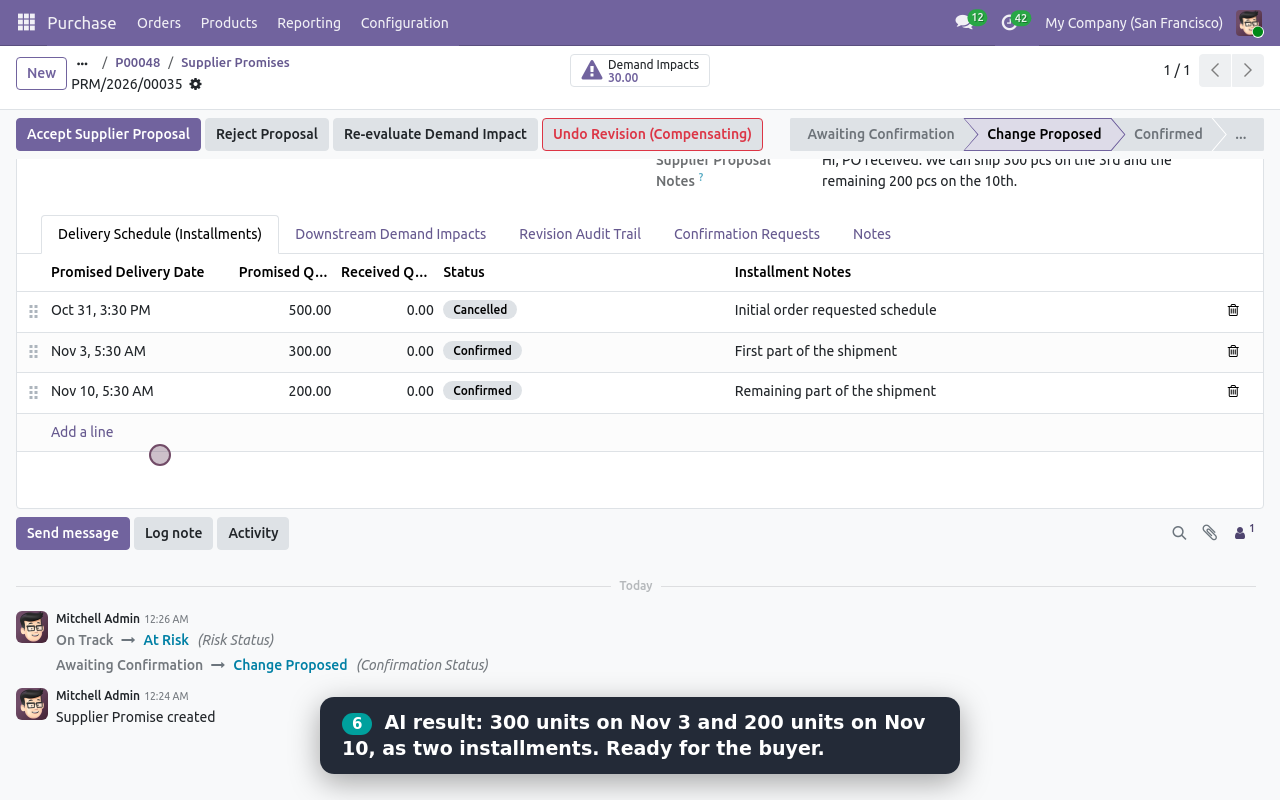
Delivery installments created by AI from a WhatsApp reply
AI turned a WhatsApp reply into two delivery installments
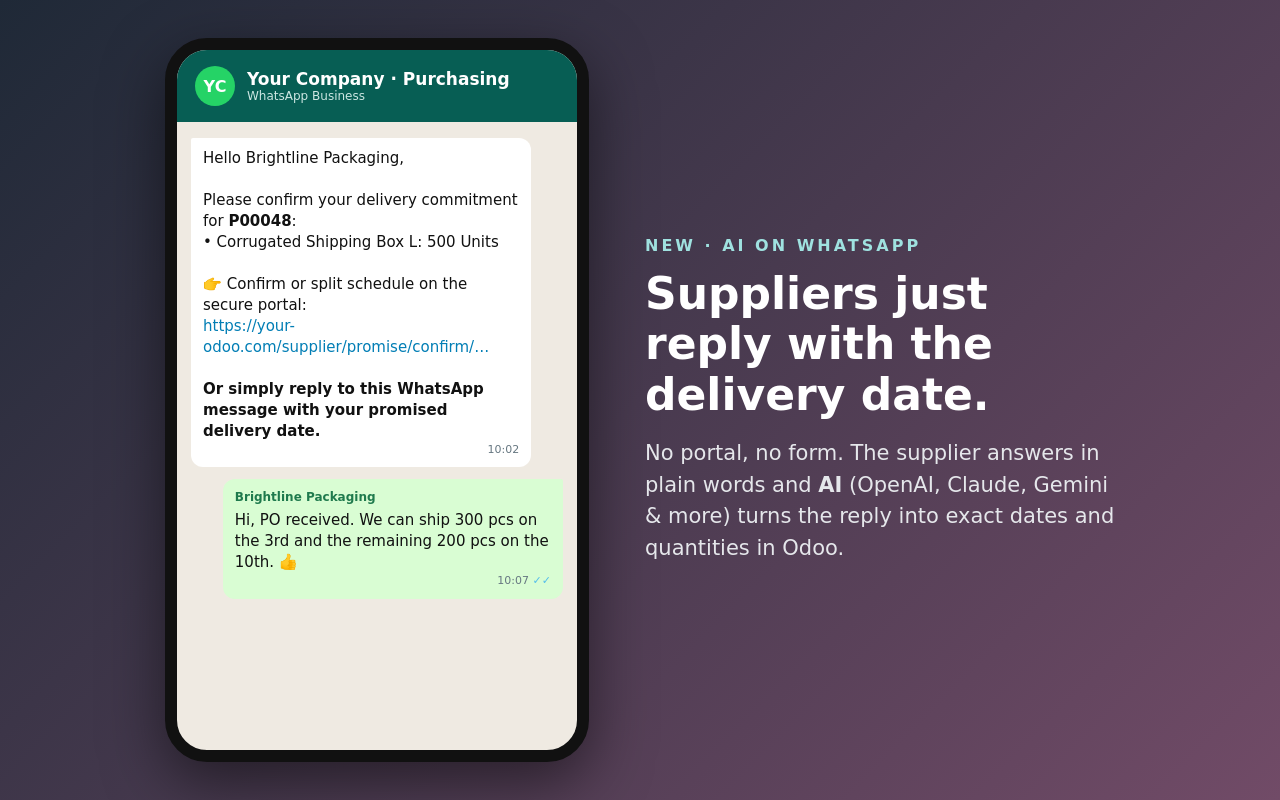
WhatsApp conversation: the supplier replies with the delivery date
The supplier simply replies on WhatsApp with the delivery date
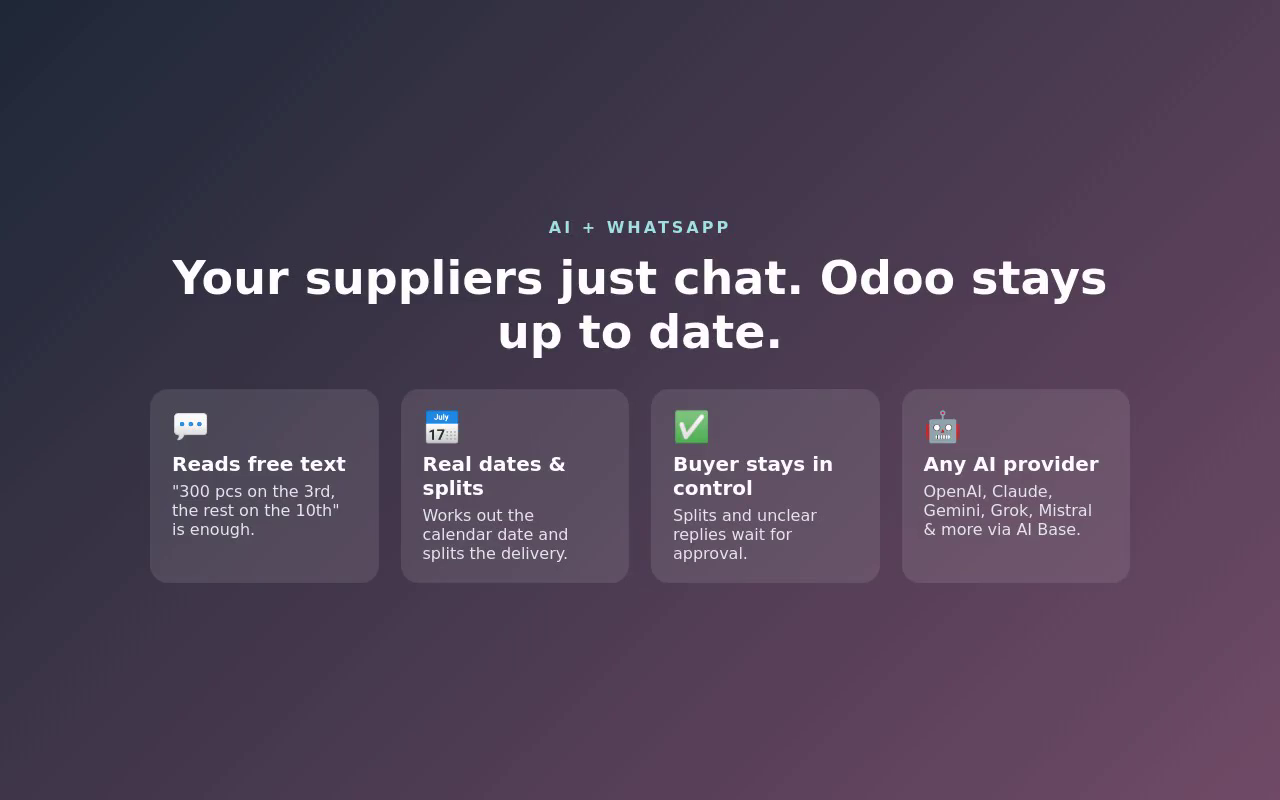
AI and WhatsApp highlights
AI + WhatsApp at a glance
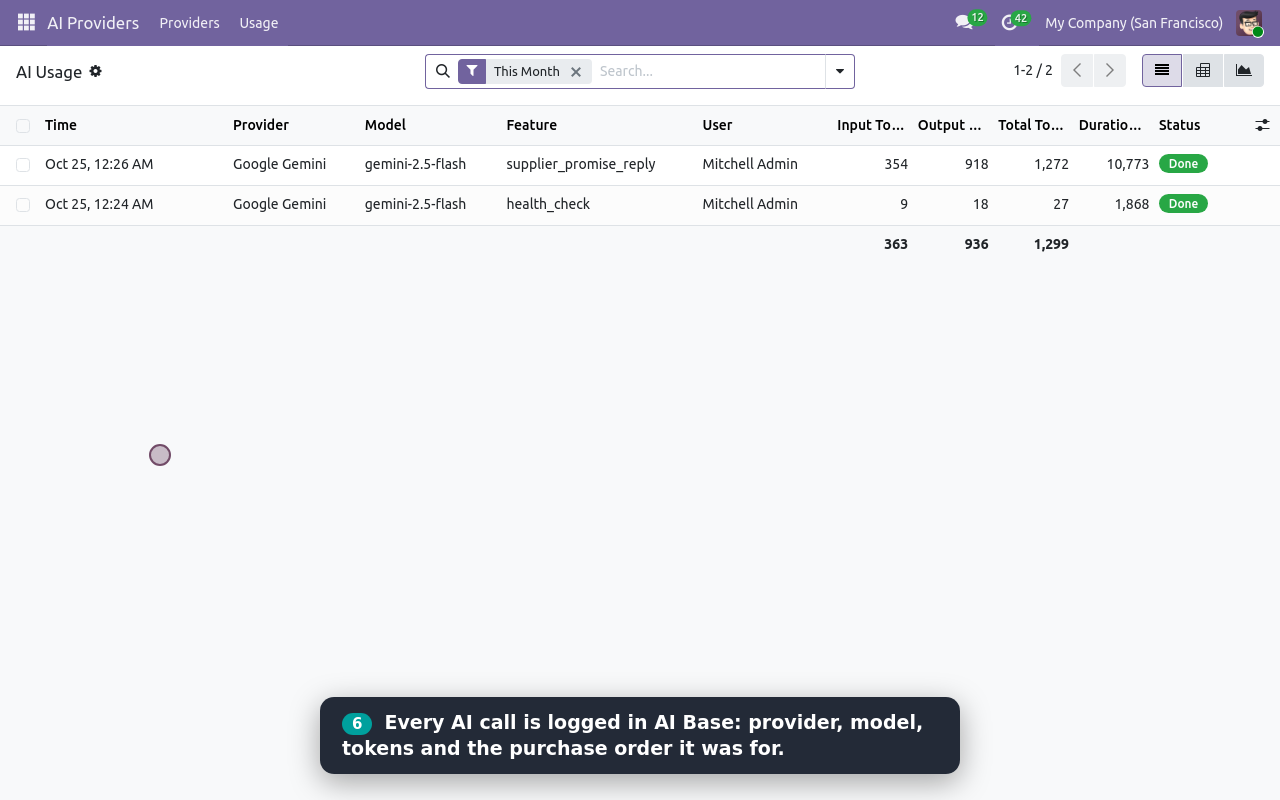
AI Base usage log with the supplier_promise_reply call
Every AI call logged in AI Base, with tokens

What it does

AI reads supplier replies on WhatsApp

Suppliers reply in plain words ('300 pcs on the 3rd, the rest on the 10th'). Any AI provider from AI Base (Gemini, Claude, OpenAI, Grok, Azure) parses dates and partial shipments into Odoo delivery installments.

Secure one-click supplier portal

Suppliers open a private tokenized link (no login required) to confirm promises in one click, propose new delivery dates, or split deliveries with explanations.

Downstream demand impact tracing

Traces stock moves to instantly show which customer sales orders (MTO) and manufacturing orders (MRP) are delayed when a supplier moves a delivery date.

Buyer cockpit & priority queues

Work by exception with dedicated queues: Awaiting Confirmation, Proposed Changes, Verified Demand Risks, Overdue Deliveries, and Failed Communications.

Immutable revision audit trail

Every date change, installment split, or supplier communication is logged with author, timestamp, channel, reason, previous vs new schedule, and raw payload.

Built-in WhatsApp simulator

Test confirm, delay, split, ambiguous, or custom replies through the real webhook pipeline directly from Odoo without needing a live Meta connection.

Unclear replies go to a human

Vague or ambiguous messages like 'maybe next Friday' never corrupt data: the promise is flagged and an automatic to-do activity is created for the buyer.

PO line integration & auto-sync

Promise status and delay risk indicators appear directly on purchase order lines, with optional auto-sync to update purchase line planned dates upon confirmation.

Setup

  1. 1

    Install the module

    Install Supplier Promise Manager. Dependencies including Purchase, Inventory, Sales, Manufacturing, Portal and AI Base are configured automatically.

  2. 2

    Confirm purchase orders

    Confirm purchase orders as usual; supplier promises with requested delivery dates and quantities are created automatically for each line.

  3. 3

    Configure channels (optional)

    In Purchase › Configuration › Settings, enter your Meta WhatsApp Cloud API credentials. In AI Base, add your preferred AI provider (Gemini, OpenAI, Claude, etc.).

  4. 4

    Request and track promises

    Click Request Delivery Promise on purchase orders to send portal or WhatsApp links, and monitor supplier updates in the Buyer Cockpit.

What you need

  • Odoo 19.0 or 20.0 (Community or Enterprise), hosted on Odoo.sh or your own server
  • Standard Odoo modules: Purchase, Inventory, Sales, Manufacturing, Portal and Mail
  • KalvyAI AI Base module (free, included automatically)
  • A public HTTPS address for portal links and incoming Meta WhatsApp webhooks
  • Optional: Meta WhatsApp Cloud API credentials with a permanent System User token
  • Optional: API key from any AI provider (Google Gemini, OpenAI, Claude, Grok, Azure, etc.)

Good to know

  • Odoo Online (SaaS) is not supported: custom modules require Odoo.sh or self-hosted servers.
  • Outgoing WhatsApp messages use free-form session messages within Meta's 24-hour window; use portal links outside that window.
  • AI reply parsing requires an active provider configured in AI Base with your own API key.
  • Email channel records the communication and generates the portal link; link can be shared via email.
  • Supplier phone numbers must include country code and be stored without spaces or dashes for WhatsApp matching.
  • Tokenized supplier portal links expire after 7 days by default and can be revoked at any time.

Questions

Which Odoo editions and hostings are supported?

Community and Enterprise editions on Odoo.sh or self-hosted servers. Odoo Online (SaaS) does not support custom modules.

Do suppliers need an Odoo user login?

No. Each request generates a private tokenized portal link that opens only that purchase order's lines. It expires after 7 days and can be revoked anytime.

Do I need WhatsApp to use this module?

No. The tokenized portal link works completely on its own. WhatsApp integration is optional.

Which AI providers can I use for WhatsApp replies?

Any provider supported by AI Base: Google Gemini, Anthropic Claude, OpenAI, xAI Grok, Azure OpenAI, Mistral, Cohere, Perplexity, or self-hosted OpenAI-compatible LLMs.

Does accepting a new date change the purchase order?

Only if you enable 'Auto-Sync PO Line Planned Dates' in Settings. Otherwise, the promise keeps its own schedule and the PO remains unchanged.

Buy directly, book a demo or ask a question

Buying from us directly suits invoices in your company's name, several databases, or help with installation. We reply with a quote within one business day. Card checkout comes later.

We reply by email within one business day. See our privacy notice.