ConnectIQ: Multi-Channel E-Commerce Cockpit & AI Sync Intelligence

Unified multi-store sync telemetry, queue tracking & AI error diagnostics.

Unified multi-channel e-commerce cockpit for Odoo 19: aggregate Shopify & WooCommerce connectors, monitor asynchronous queues, and diagnose sync errors instantly with built-in AI intelligence.

  • Odoo 19.0
  • Odoo 20.0

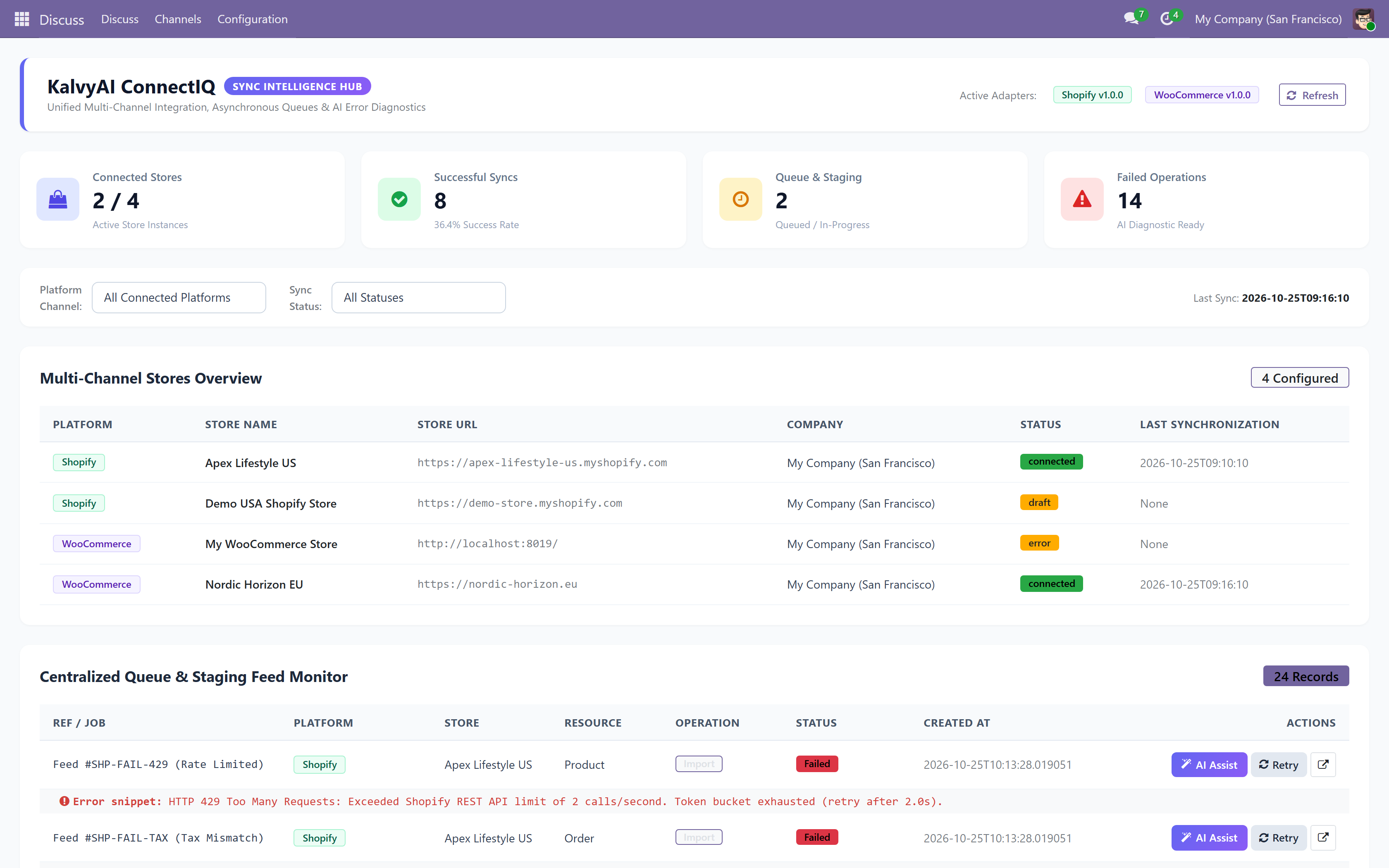
KalvyAI ConnectIQ is a centralized multi-channel e-commerce sync cockpit and AI diagnostic assistant for Odoo ERP. It aggregates all active storefront connectors (Shopify, WooCommerce, and more) into a single, unified operational headquarters.

Provides real-time telemetry across orders, feeds, inventory levels, and asynchronous queue jobs. When sync errors or webhook bottlenecks occur, ConnectIQ uses integrated LLM reasoning (Google Gemini, OpenAI GPT-4o, Anthropic Claude) to analyze raw tracebacks, diagnose root causes in plain English, and provide step-by-step resolution advice.

Engineered with enterprise safety: includes automated sensitive credential redaction before AI inspection, zero-collision safe retry orchestration, and multi-company data isolation so teams can manage high-throughput e-commerce without downtime.
Screenshots

ConnectIQ centralized multi-store e-commerce telemetry dashboard
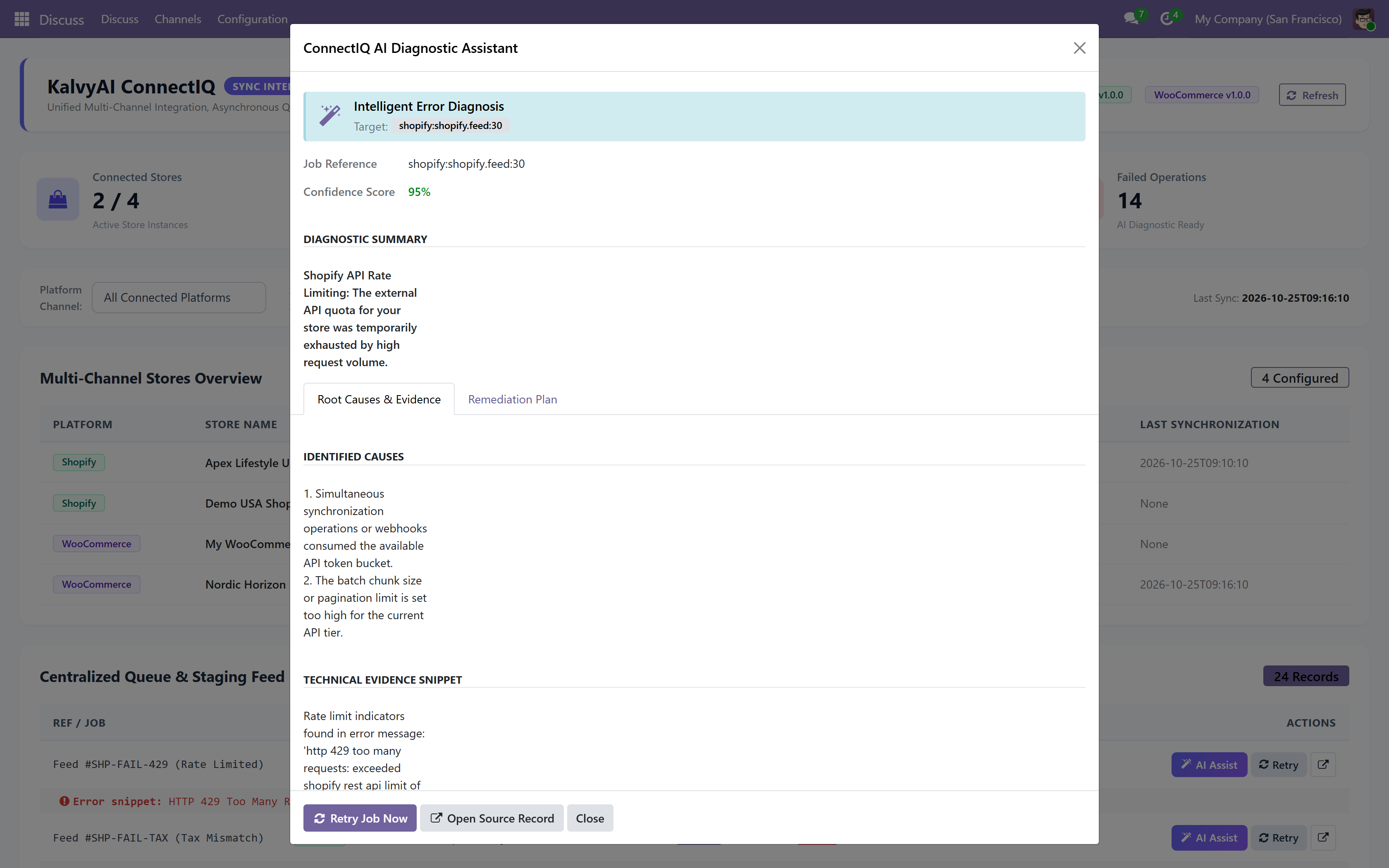
Interactive AI error diagnostics assistant with root-cause insights
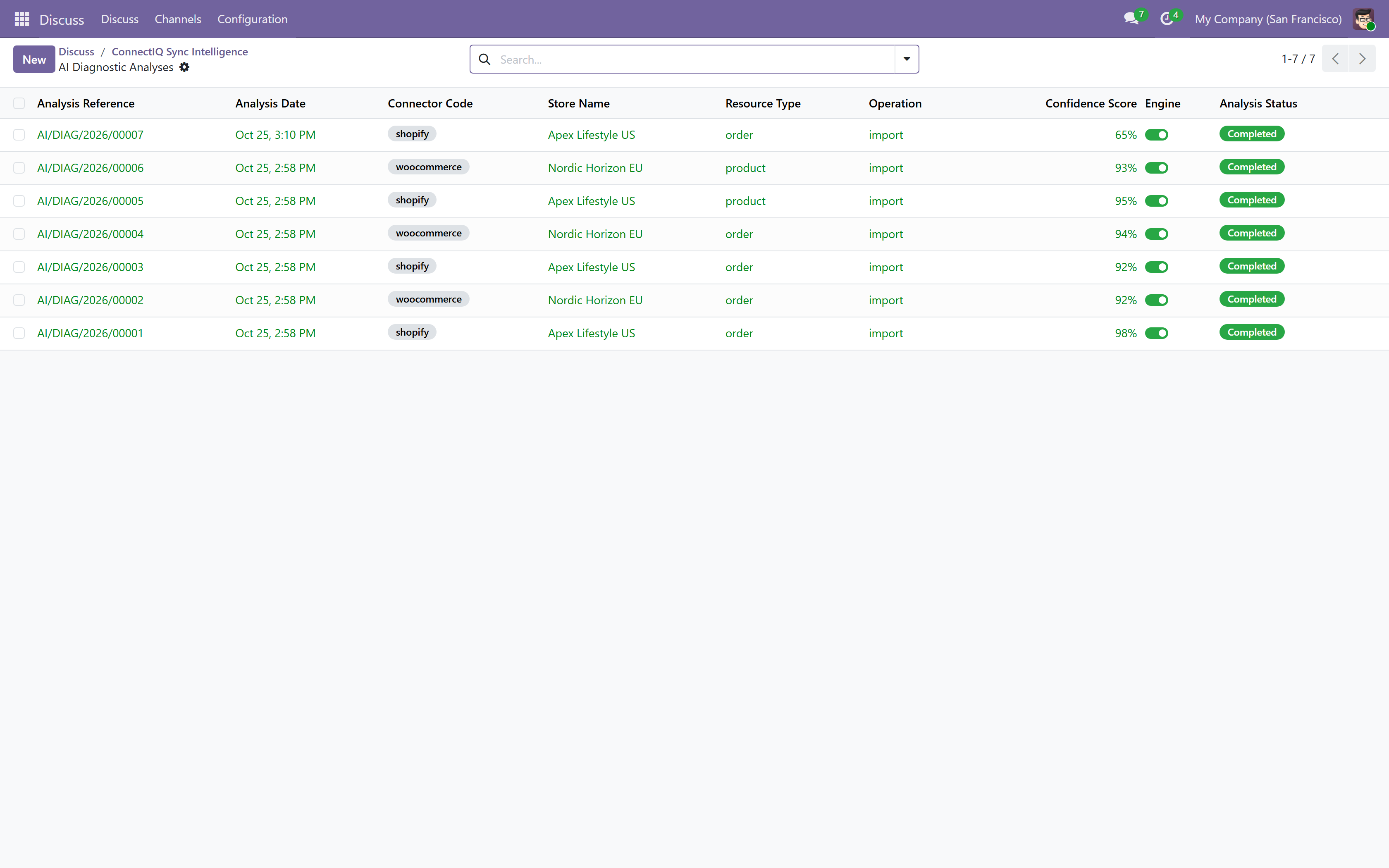
Historical AI analysis logs and one-click safe retry orchestration
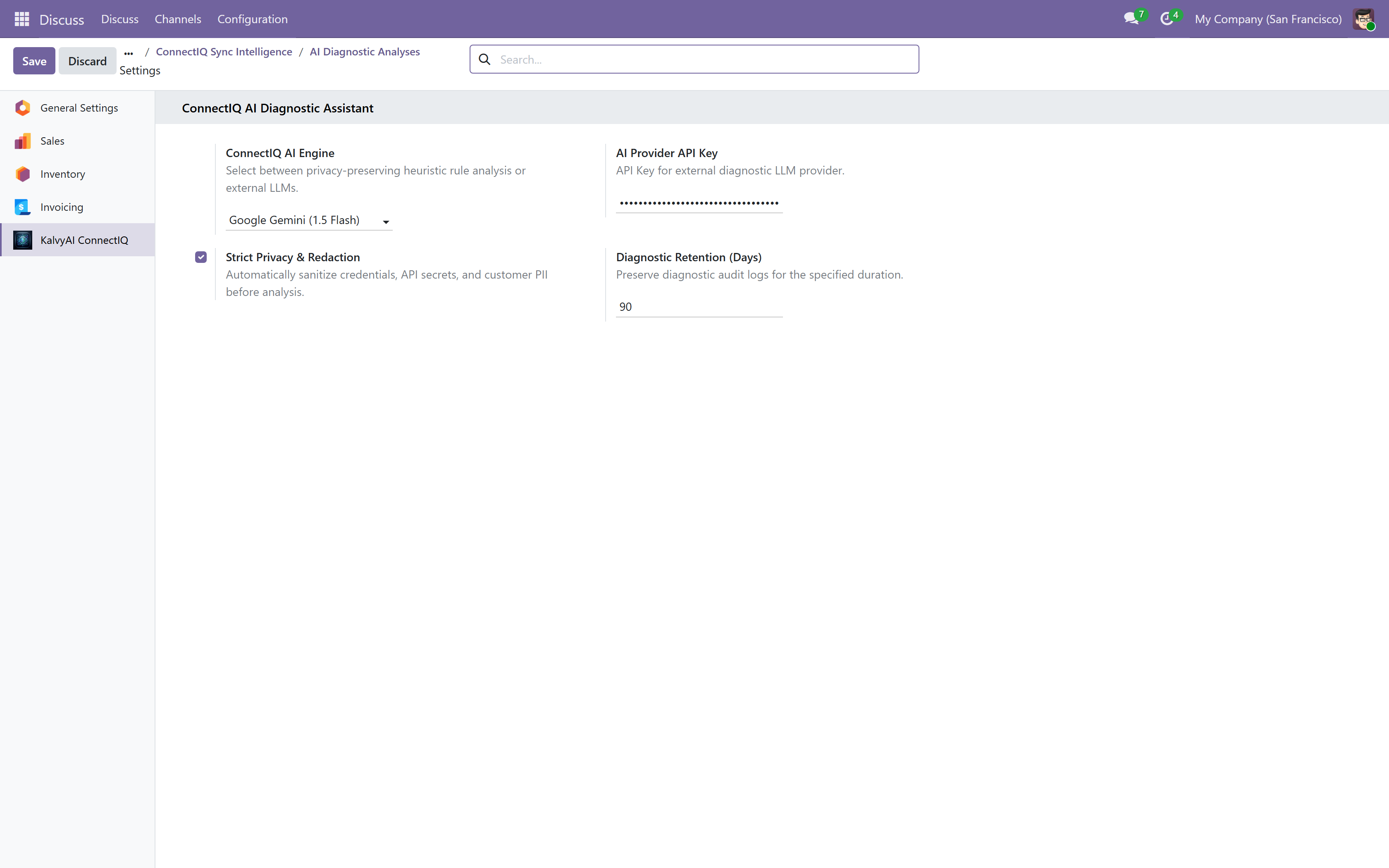
Global ConnectIQ configuration, AI provider setup, and token redaction rules

What it does

Unified Multi-Channel Cockpit

Single pane of glass consolidating instances, orders, products, and feed metrics across Shopify, WooCommerce, and future channels.

AI Sync Error Assistant

Inspects cryptic traceback errors with Google Gemini or OpenAI and returns plain-English root causes and instant fix guides.

Queue Job Telemetry & Health

Real-time visibility into pending, running, failed, and completed background ingestion jobs with throughput monitoring.

Zero-Collision Safe Retry

Idempotent retry mechanism ensures failed jobs can be safely re-executed without generating duplicate orders or stock spikes.

Sensitive Token Redaction

Automatically sanitizes API keys, authorization tokens, customer passwords, and credentials before error payloads are sent to AI models.

Historical AI Diagnostic Logs

Maintains a permanent audit log of previous sync issues, diagnosed causes, applied fixes, and resolution timestamps.

Multi-Company Isolation

Strict multi-company rule enforcement prevents accidental data leakage across separate legal entities and subsidiary storefronts.

Extensible Adapter Framework

Modular adapter registry allows plug-and-play addition of custom marketplaces and legacy ERP connectors.

Setup

  1. 1

    Install ConnectIQ

    Install ki_connecter_iq on your Odoo database from Apps.

  2. 2

    Enter AI Diagnostic API Key

    Go to ConnectIQ > Settings and paste your Gemini or OpenAI API key.

  3. 3

    Open Centralized Cockpit

    Launch ConnectIQ Dashboard to view live health, queue queues, and store sync statuses.

  4. 4

    Resolve Sync Errors with 1-Click AI

    When a sync fails, click Diagnose with AI to view immediate root-cause explanations and apply suggested fixes.

What you need

  • Odoo 19.0 or 20.0 (Community, Enterprise, or Odoo.sh)
  • At least one e-commerce connector (e.g. ki_odoo_shopify_connector or ki_odoo_woocommerce_connecter)
  • Free or paid API key for Google Gemini, OpenAI, or Claude for AI error diagnosis

Good to know

  • Odoo Online (SaaS) is not supported: custom modules require Odoo.sh or self-hosted servers.
  • ConnectIQ acts as an intelligence and telemetry cockpit; individual store sync requires respective connector modules.

Questions

Does ConnectIQ replace Shopify or WooCommerce connectors?

No, ConnectIQ supercharges them. It sits on top of your existing connectors as an executive cockpit, unifying telemetry and providing AI error resolution.

Are our API keys or customer data exposed to the AI?

No. ConnectIQ includes an automatic regex sanitization layer that strips all secrets, passwords, Bearer tokens, and sensitive headers before AI diagnosis.

Can I retry failed syncs directly from ConnectIQ?

Yes. ConnectIQ provides zero-collision safe retry buttons to requeue failed jobs without duplicating accounting or inventory records.

Which AI providers are supported?

Google Gemini (including free tier keys), OpenAI GPT-4o, and Anthropic Claude.

Buy directly, book a demo or ask a question

Buying from us directly suits invoices in your company's name, several databases, or help with installation. We reply with a quote within one business day. Card checkout comes later.

We reply by email within one business day. See our privacy notice.