kalvyai Document Scanner: AI Bills, Orders & Invoices

Scan vendor bills, customer orders and invoices into verified Odoo drafts.

AI document OCR and 3-way reconciliation for Odoo 19: converts scanned PDFs and receipts into reviewed draft vendor bills, sales quotations and customer invoices with Bring-Your-Own-Key AI support.

  • Odoo 19.0
  • Odoo 20.0
Availableon Odoo Apps

$49$99one-timeLaunch offer

kalvyai Document Scanner is an intelligent OCR and 3-way reconciliation engine for Odoo ERP. Upload any business PDF, scan, or photo, and select one of three dedicated workflows: Purchase Bill, Sale Order, or Customer Invoice.

For vendor bills, the system matches line items against existing purchase orders and inventory receipts, catching quantity discrepancies, price spikes, and missing items before generating a draft. For customer purchase orders, it produces verified sales quotations; for customer billing, it creates draft customer invoices.

Built with safe ERP principles: it always creates reviewed drafts and never posts or confirms entries automatically. It works with 8 major AI vision providers (Google Gemini, OpenAI GPT-4o, Anthropic Claude, Groq, DeepSeek, and more) using your own API key with zero vendor lock-in.
Screenshots

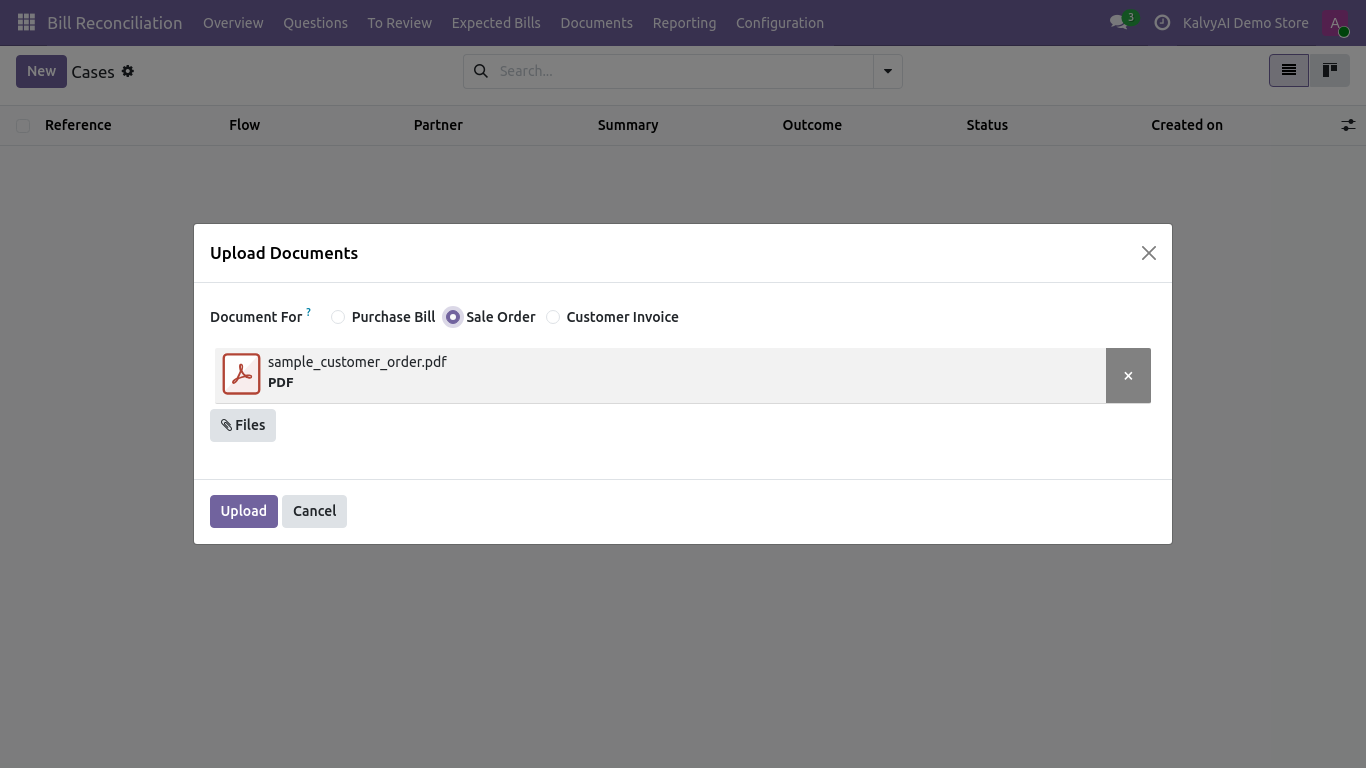
Upload documents dialog: select Purchase Bill, Sale Order or Customer Invoice
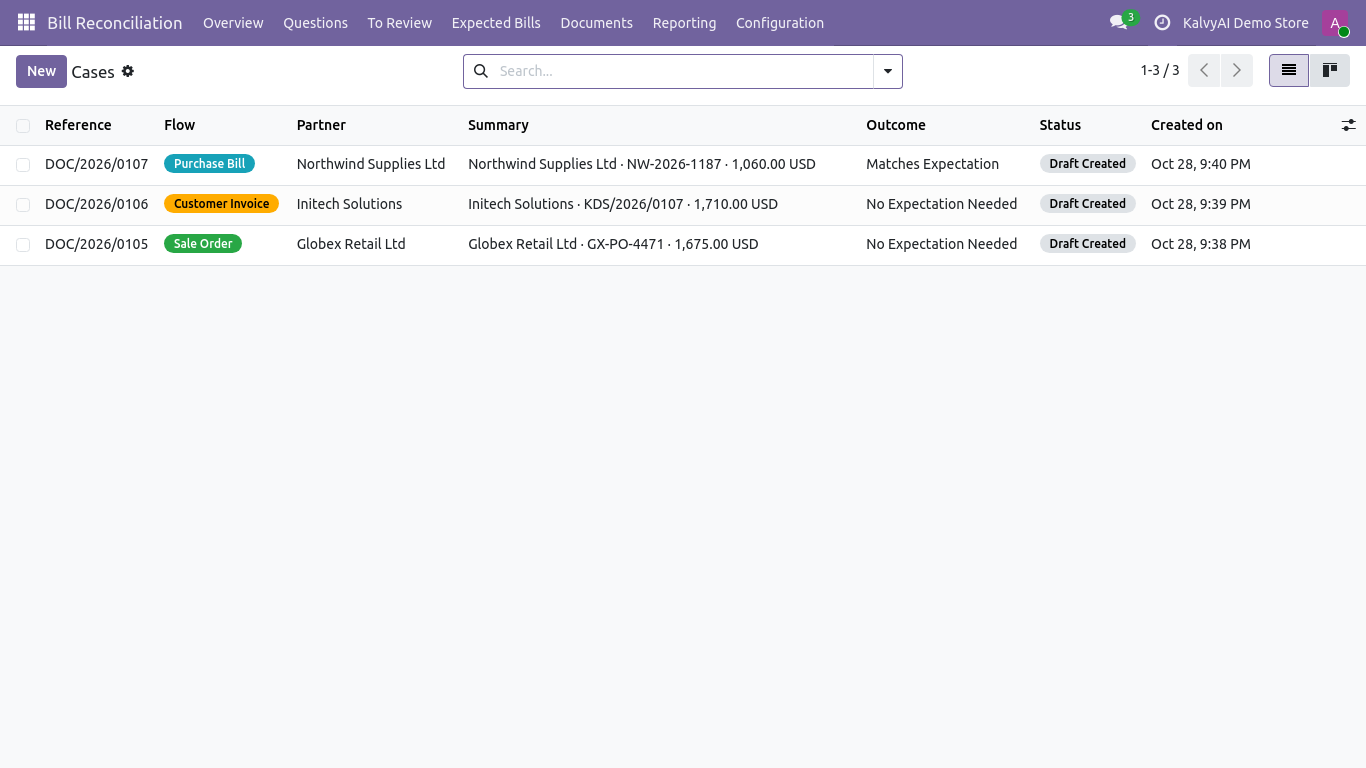
Processing cases queue with extraction status, confidence and match checks
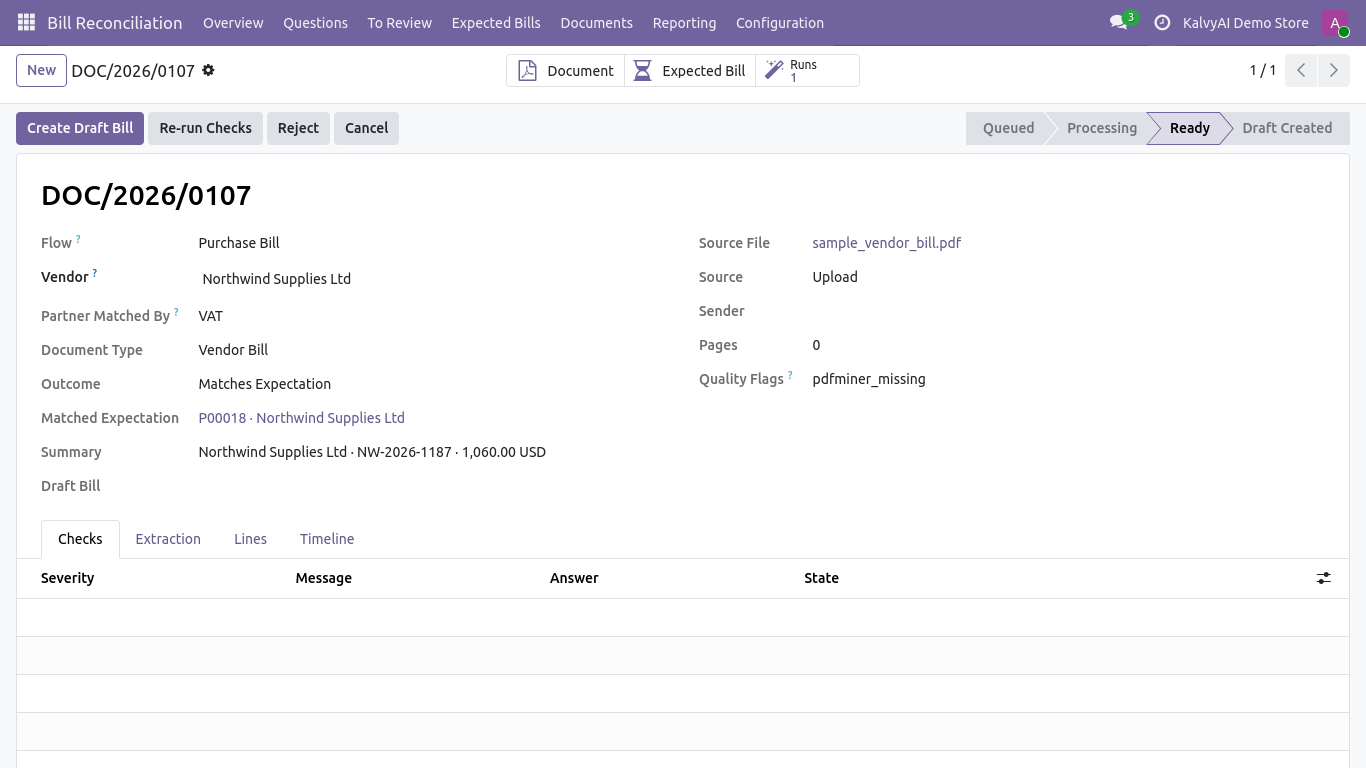
Vendor bill review case: matching against purchase orders and receipts
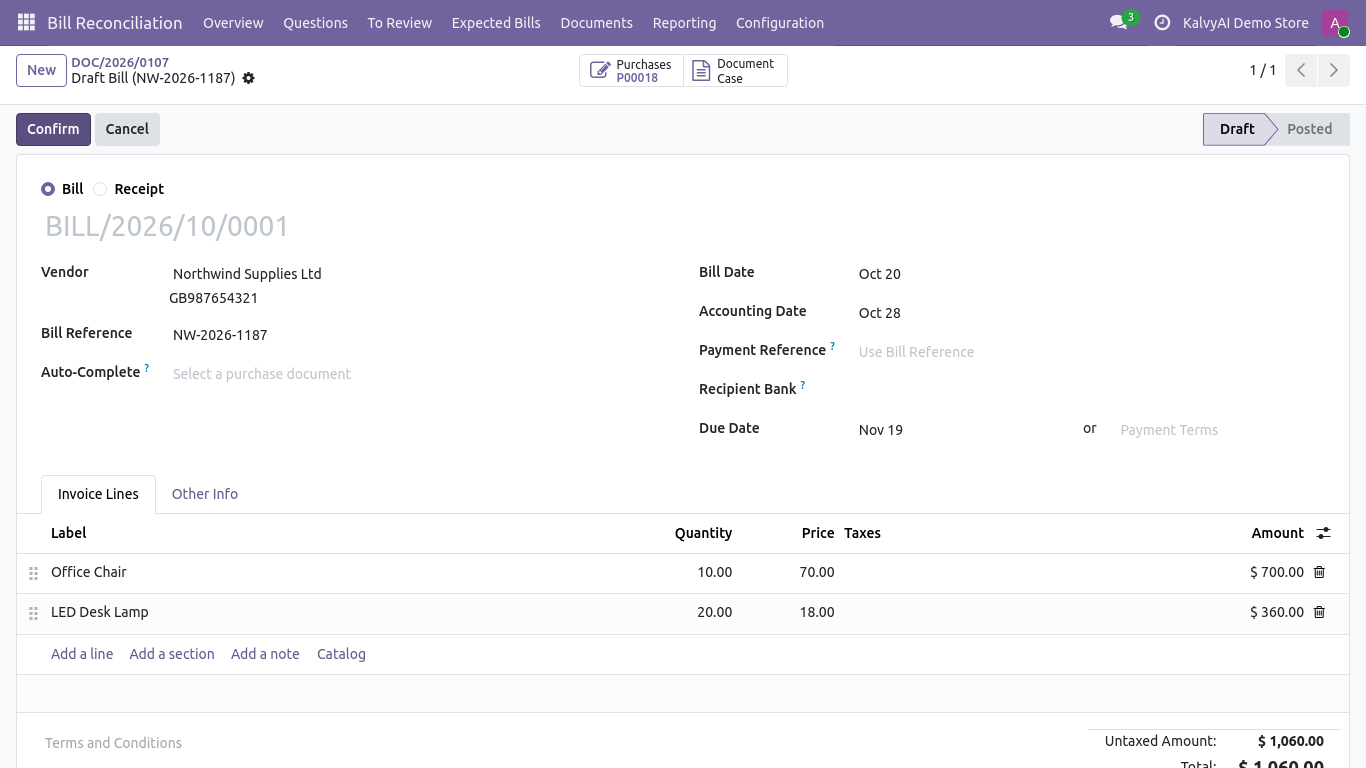
Reviewed draft vendor bill generated directly in Odoo Accounting
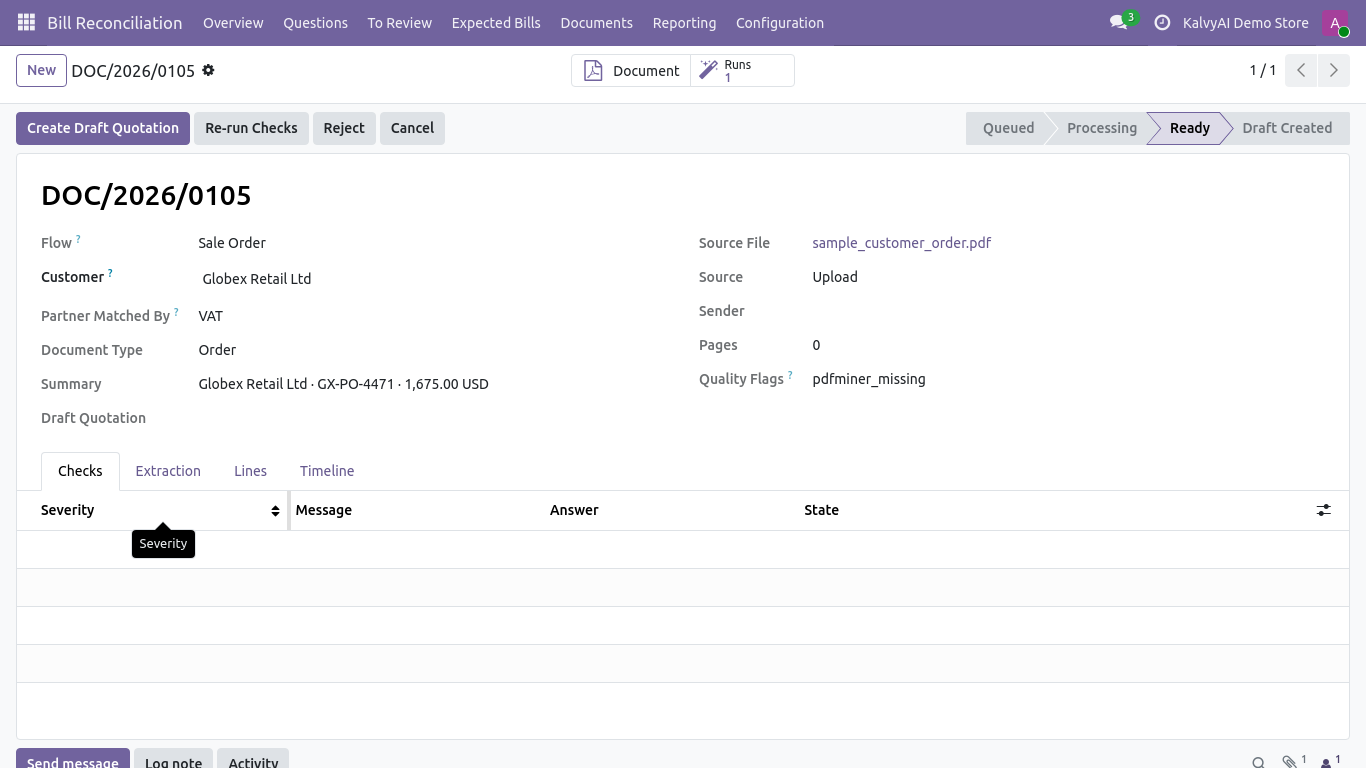
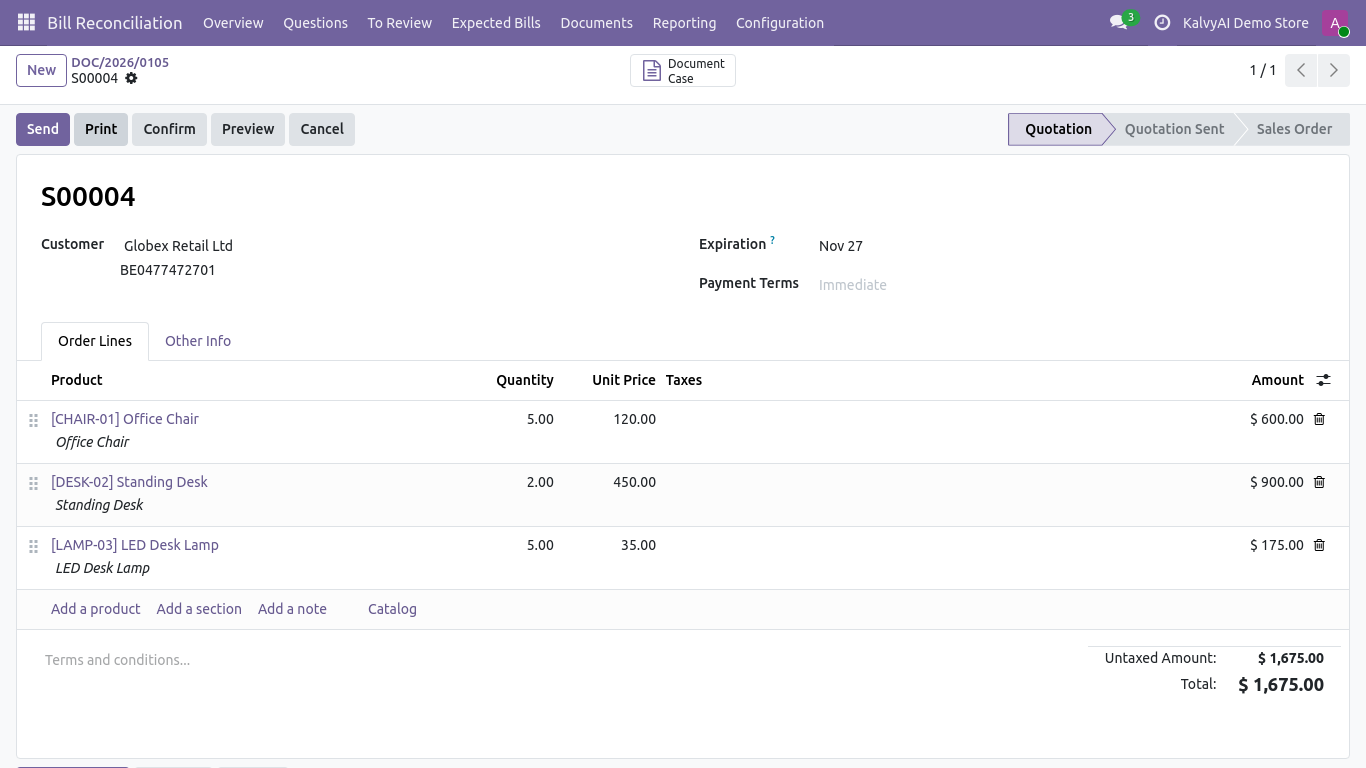
Customer purchase order converted to verified sales case
Generated draft quotation ready for sales team confirmation
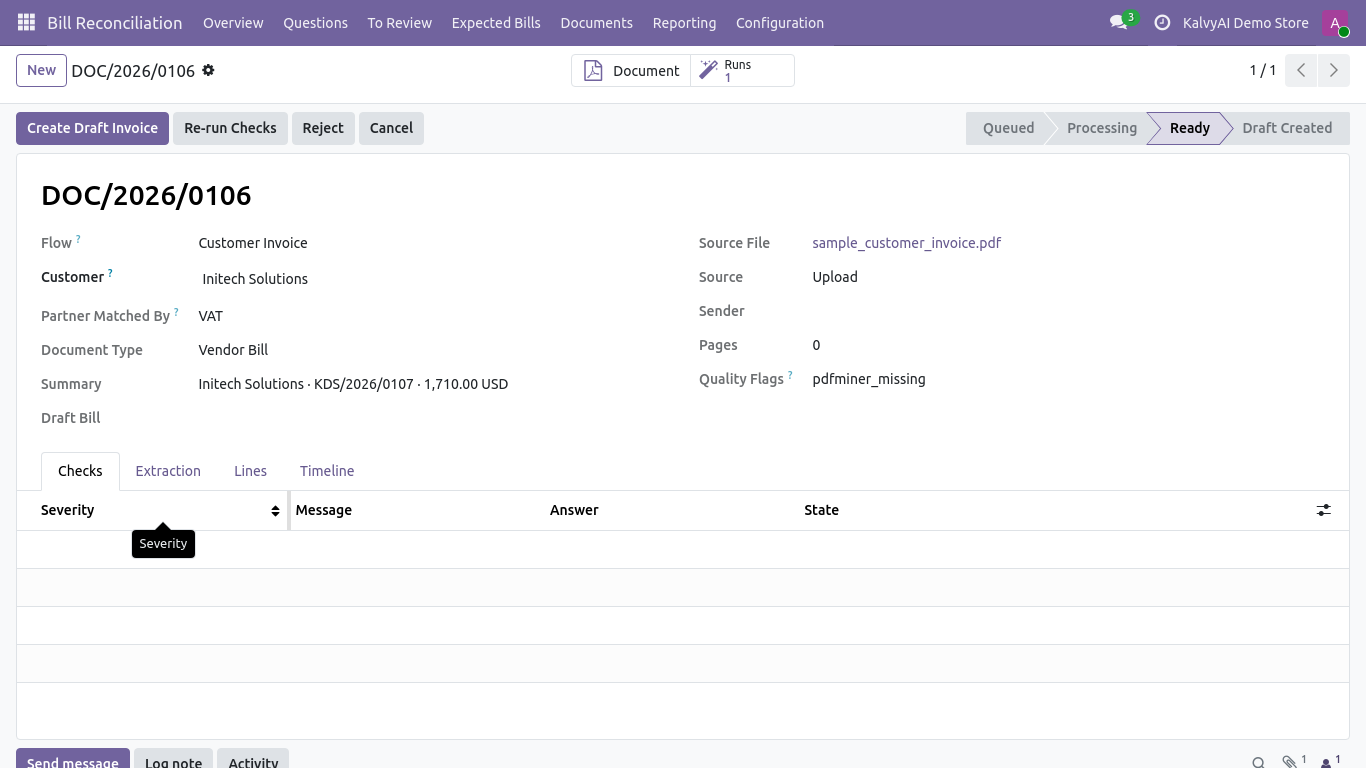
Customer invoice scanning and validation case view
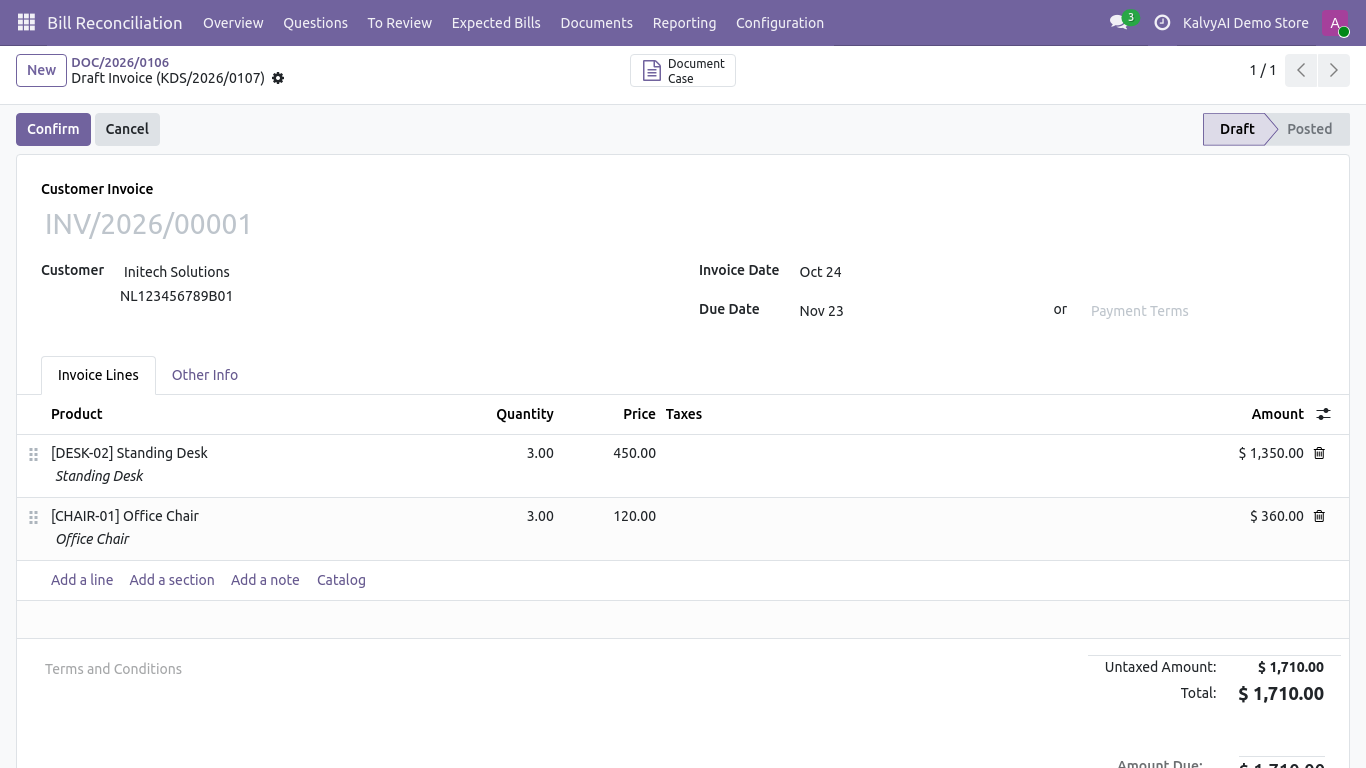
Reviewed draft customer invoice ready for approval

What it does

3 Dedicated Ingestion Workflows

Process vendor bills with 3-way matching, customer purchase orders into draft sales orders, and outbound sales documents into customer invoices.

Automated 3-Way Matching

Cross-checks vendor bill lines with purchase orders and warehouse receipts (picking), highlighting quantity or unit price mismatches.

Strict Safe-Mode Guarantees

Creates clean draft records only. Never posts accounting entries or confirms orders without human sign-off.

Bring Your Own AI Key (BYOK)

Compatible with Google Gemini, OpenAI GPT-4o, Anthropic Claude, Groq, DeepSeek, and local LLMs via ki_ai_base.

Intelligent Partner & Product Matching

Matches contacts by VAT, email, phone, and name; matches products by internal reference (SKU), barcode, and vendor supplier codes.

Discrepancy Resolution Cockpit

Flagged issues are presented clearly with contextual evidence snippets so accountants can resolve differences in seconds.

Multi-File & Batch Uploads

Upload single or multi-page PDFs, high-resolution scans, or mobile smartphone photos directly from the browser.

Audit Log & Document Archive

Every extracted document and matching decision is saved with the original file attached to the Odoo chatter.

Setup

  1. 1

    Install Document Scanner

    Install ki_document_scanner and ki_ai_base in your Odoo database.

  2. 2

    Configure AI Provider

    Navigate to AI Base and enter your API key for Google Gemini, OpenAI, or Claude.

  3. 3

    Upload Your First Document

    Open Document Scanner > Upload, select whether it is a Bill, Order or Invoice, and drop your file.

  4. 4

    Review & Confirm Draft

    Check the extracted lines and discrepancy checks in the case cockpit, then click Create Draft to generate your Odoo record.

What you need

  • Odoo 19.0 or 20.0 (Community, Enterprise, or Odoo.sh)
  • Standard Odoo modules: Invoicing (account), Sales (sale), Purchase (purchase), and Mail
  • ki_ai_base module for AI provider connections
  • API key for your chosen AI provider (e.g. Gemini, OpenAI, or Claude)

Good to know

  • Odoo Online (SaaS) is not supported: custom modules require Odoo.sh or self-hosted servers.
  • Generates draft documents only: manual approval and confirmation is required before posting.
  • AI provider usage fees (pennies per page) are billed directly to your AI provider account.

Questions

Can it post or confirm invoices automatically without review?

No. For financial safety, all scanned documents generate draft records in Odoo for human review and approval.

Does it support scanned photos from a smartphone?

Yes! State-of-the-art vision models handle smartphone photos, wrinkled receipts, and skewed scans with high accuracy.

How does 3-way matching work for purchase orders?

When processing a vendor bill, the engine checks open purchase orders and inventory receipts for the vendor, comparing quantities and prices to flag discrepancies.

Can I use a free Gemini API key?

Yes. You can use Google Gemini (including free tier keys) or any other supported provider in ki_ai_base.

Buy directly, book a demo or ask a question

Buying from us directly suits invoices in your company's name, several databases, or help with installation. We reply with a quote within one business day. Card checkout comes later.

We reply by email within one business day. See our privacy notice.