

Skip to content
KalvyAI

Xero Odoo Connector

All-in-one bi-directional accounting sync, real-time webhooks & zero duplicates.

Connect Odoo 19 with Xero using OAuth 2.0. Bi-directional sync for invoices, vendor bills, payments, customers, vendors, products, and orders with zero-duplicate matching, 1-click smart tax discovery, real-time webhooks, and self-healing error logs.

  • Odoo 19.0
  • Odoo 20.0
Availableon Odoo Apps

$49$149one-timeLaunch offer

Xero Odoo Connector is an enterprise-grade, self-contained integration bridge connecting Odoo ERP with Xero Cloud Accounting. Unlike legacy tools that require fragile multi-module dependencies, this connector packages everything into a single, clean module with standard Odoo accounting compatibility.

Features bi-directional synchronization for customer invoices, vendor bills, credit notes, payments, customers, vendors, products, and orders. Intelligent zero-duplicate matching cross-checks VAT numbers, normalized emails, phone numbers, and contact names before linking or creating records, keeping your chart of accounts pristine.

Includes instant real-time webhooks with cryptographic HMAC-SHA256 signature verification, a 1-click Smart Tax Auto-Discovery wizard that matches tax rates automatically, and an interactive diagnostic log with plain-English solution hints and one-click retry actions.

Screenshots

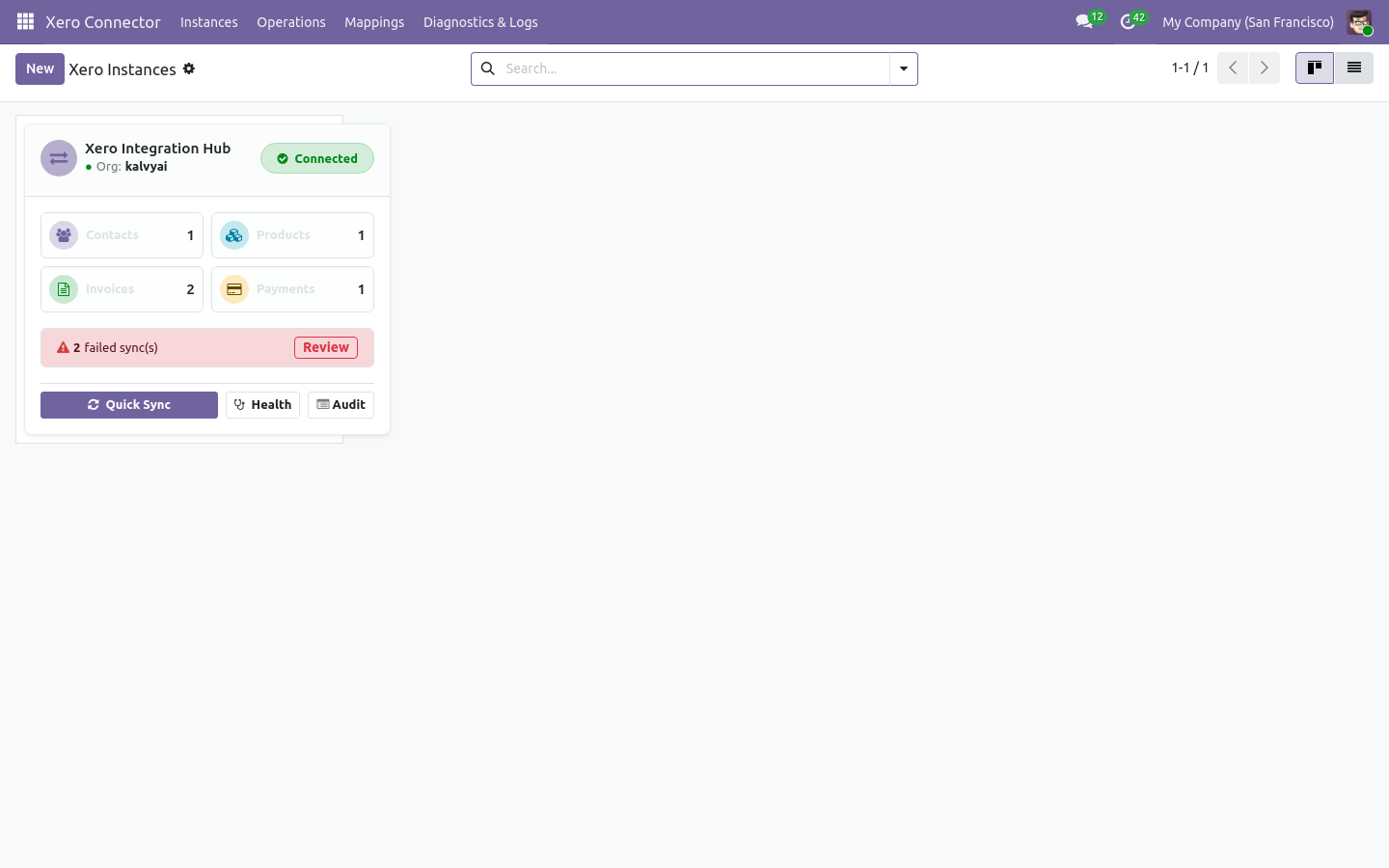
Xero instances dashboard
Instances dashboard: status, counters and failed syncs
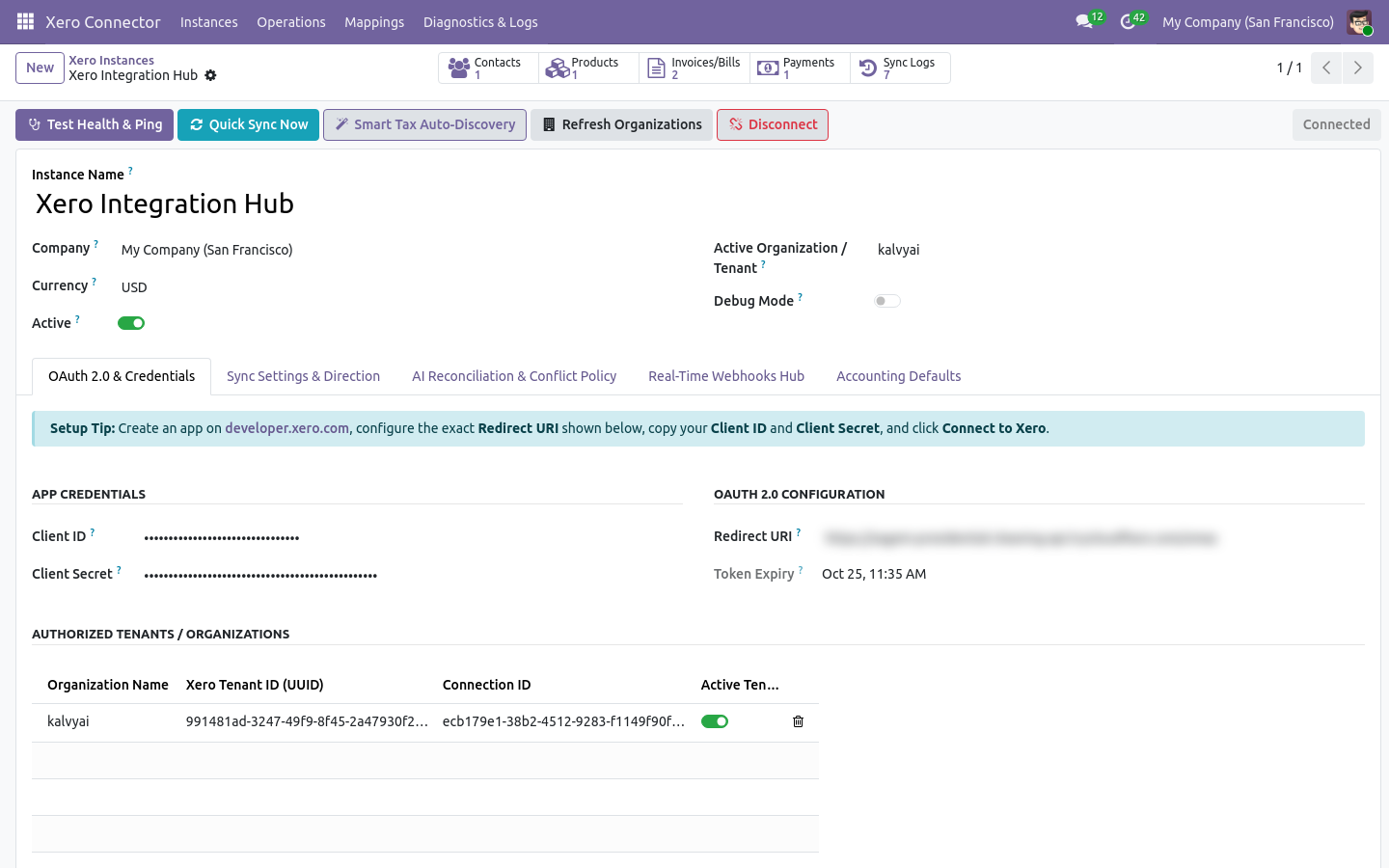
Connected Xero instance with Test Health, Quick Sync and Smart Tax Auto-Discovery
Connected instance with OAuth 2.0 credentials and authorised organisations
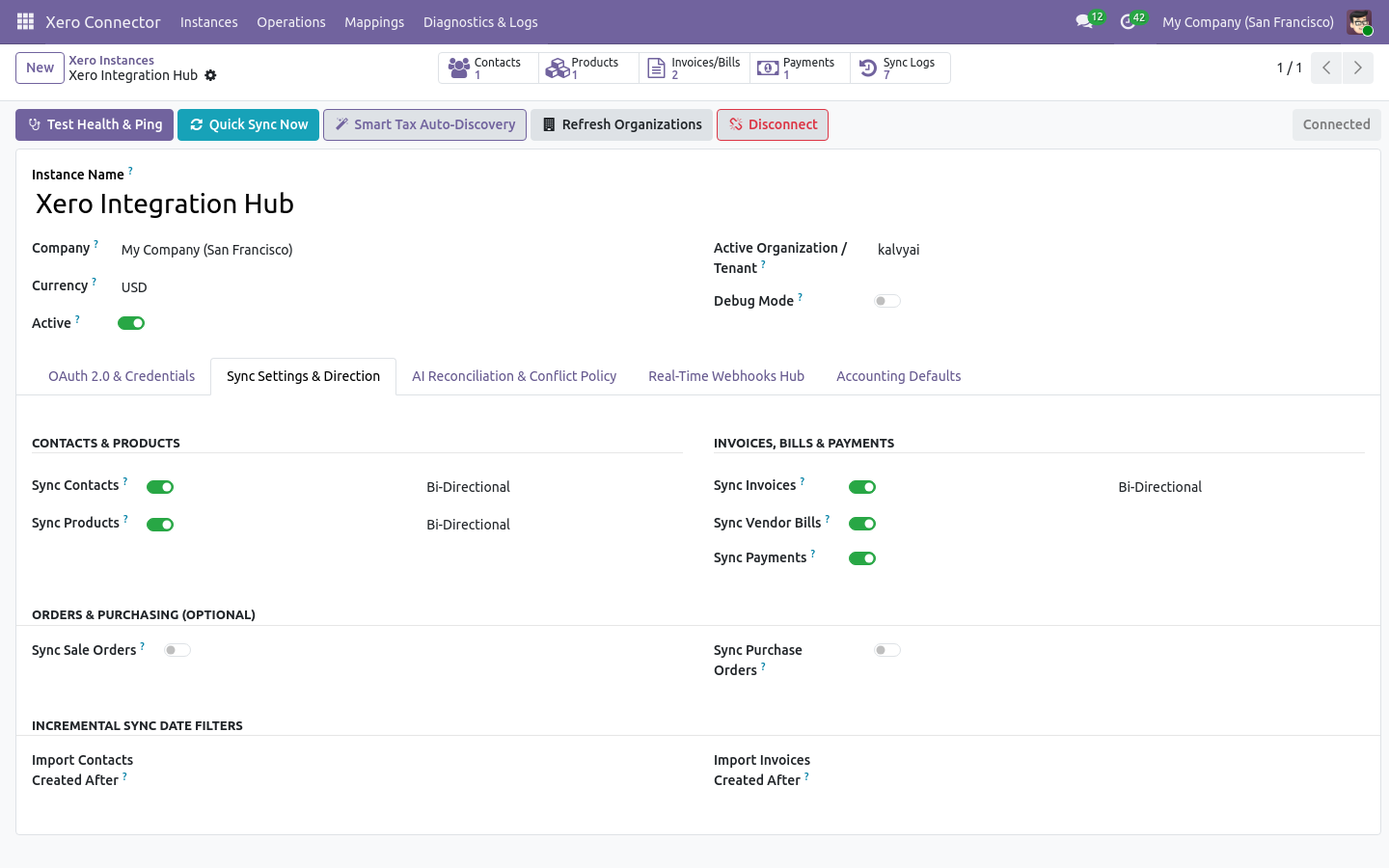
Sync settings and direction per entity
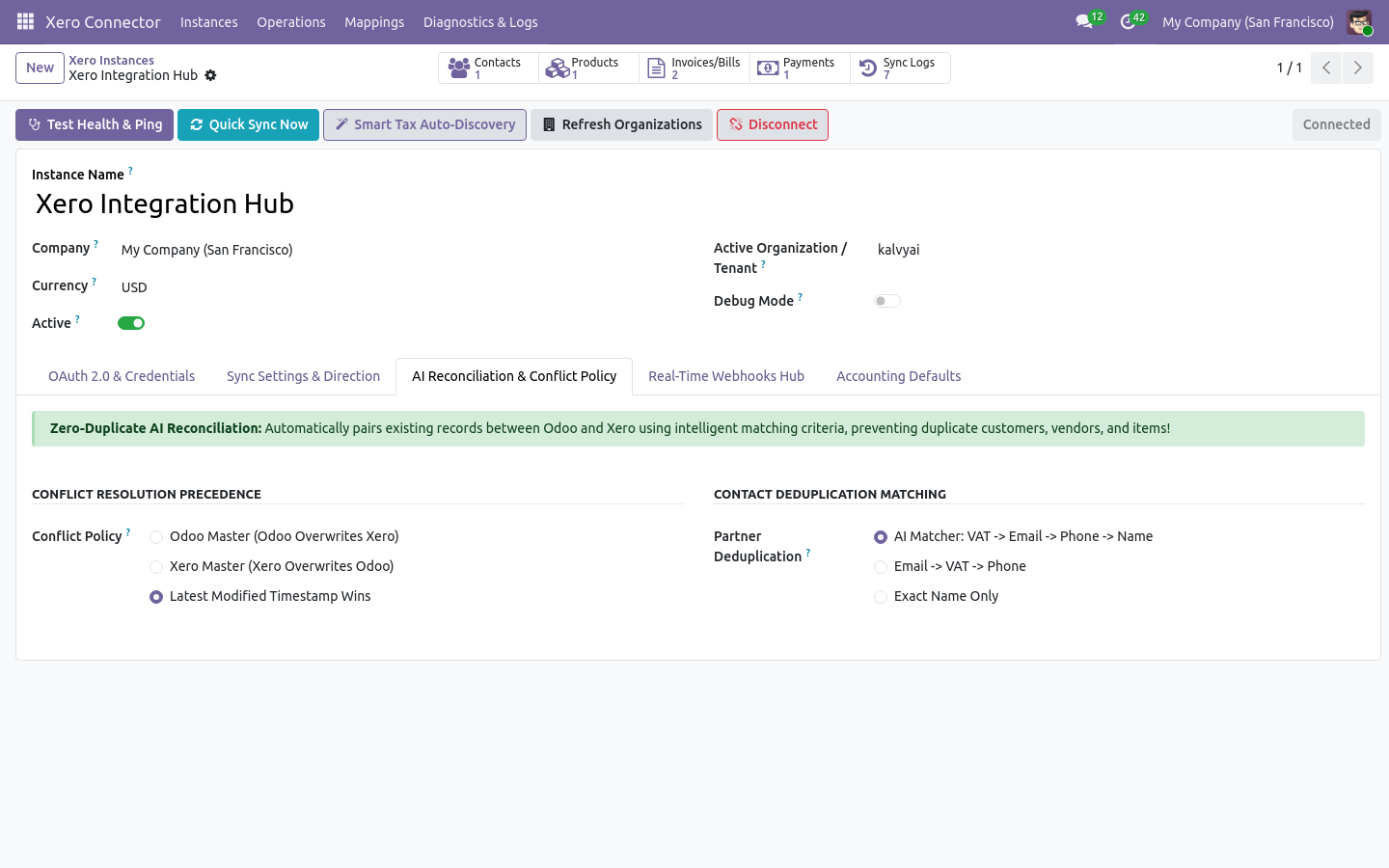
Conflict policy and contact deduplication settings
Duplicate matching and conflict policy
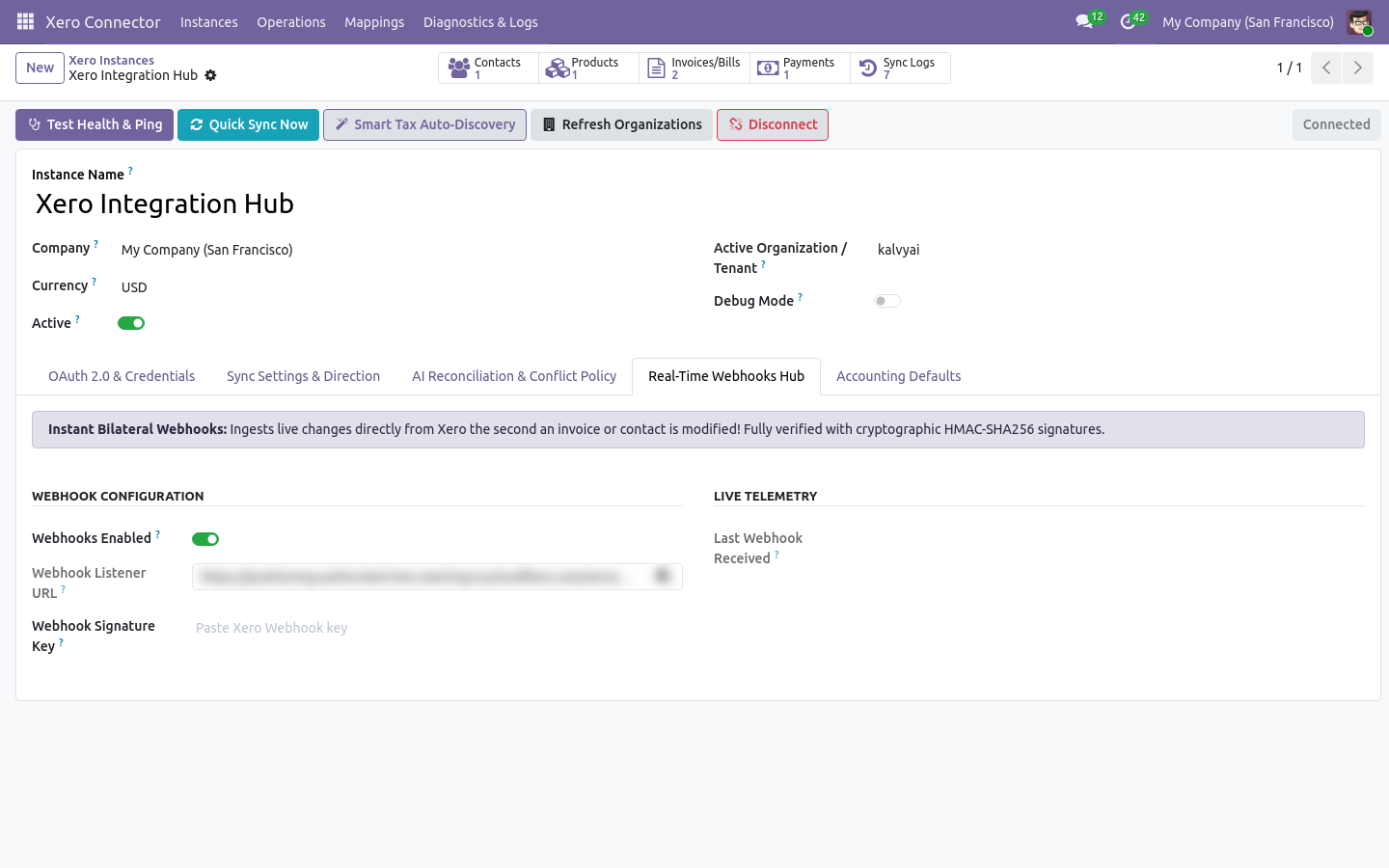
Real-time webhooks hub
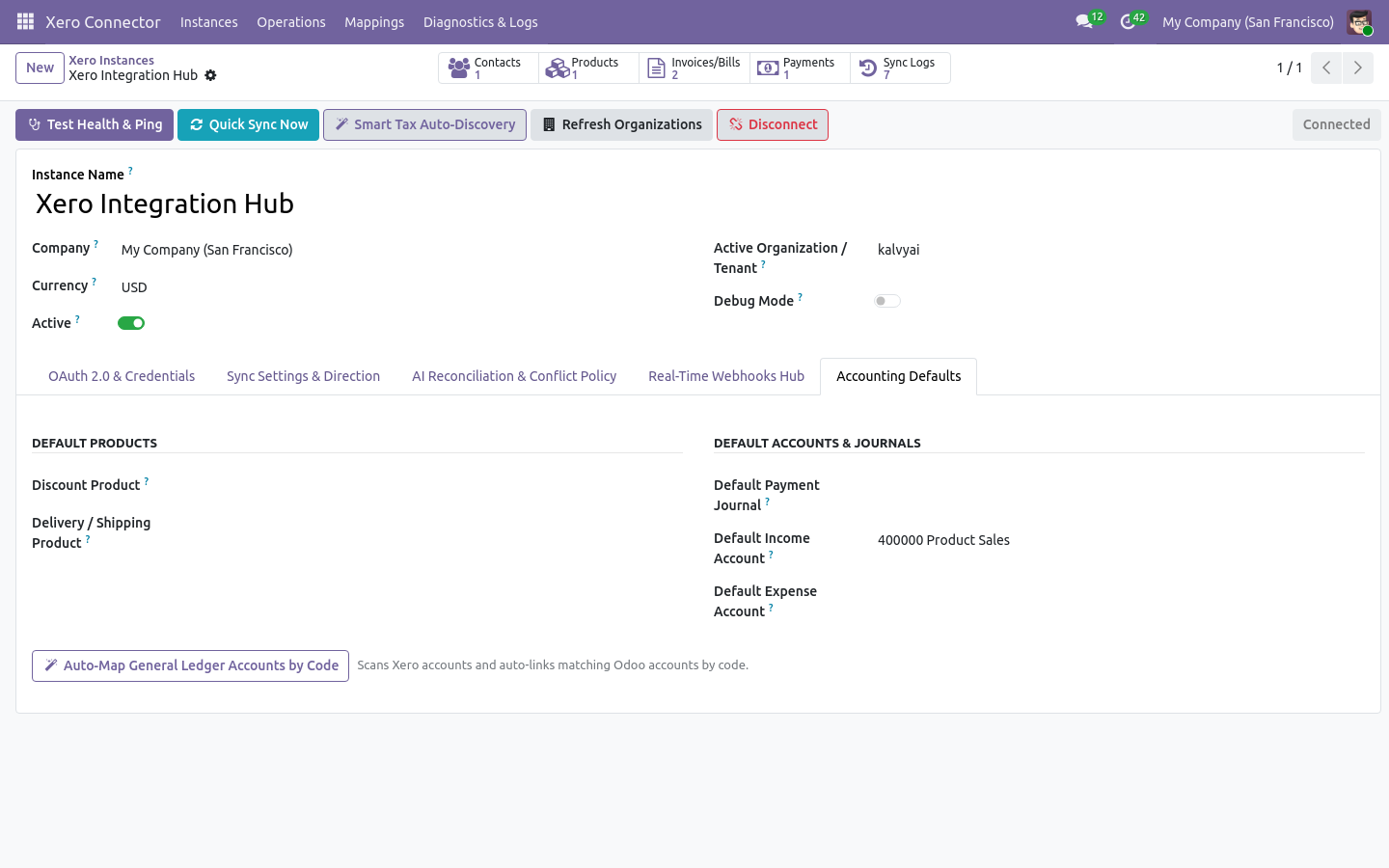
Accounting defaults
Accounting defaults and one-click account auto-mapping
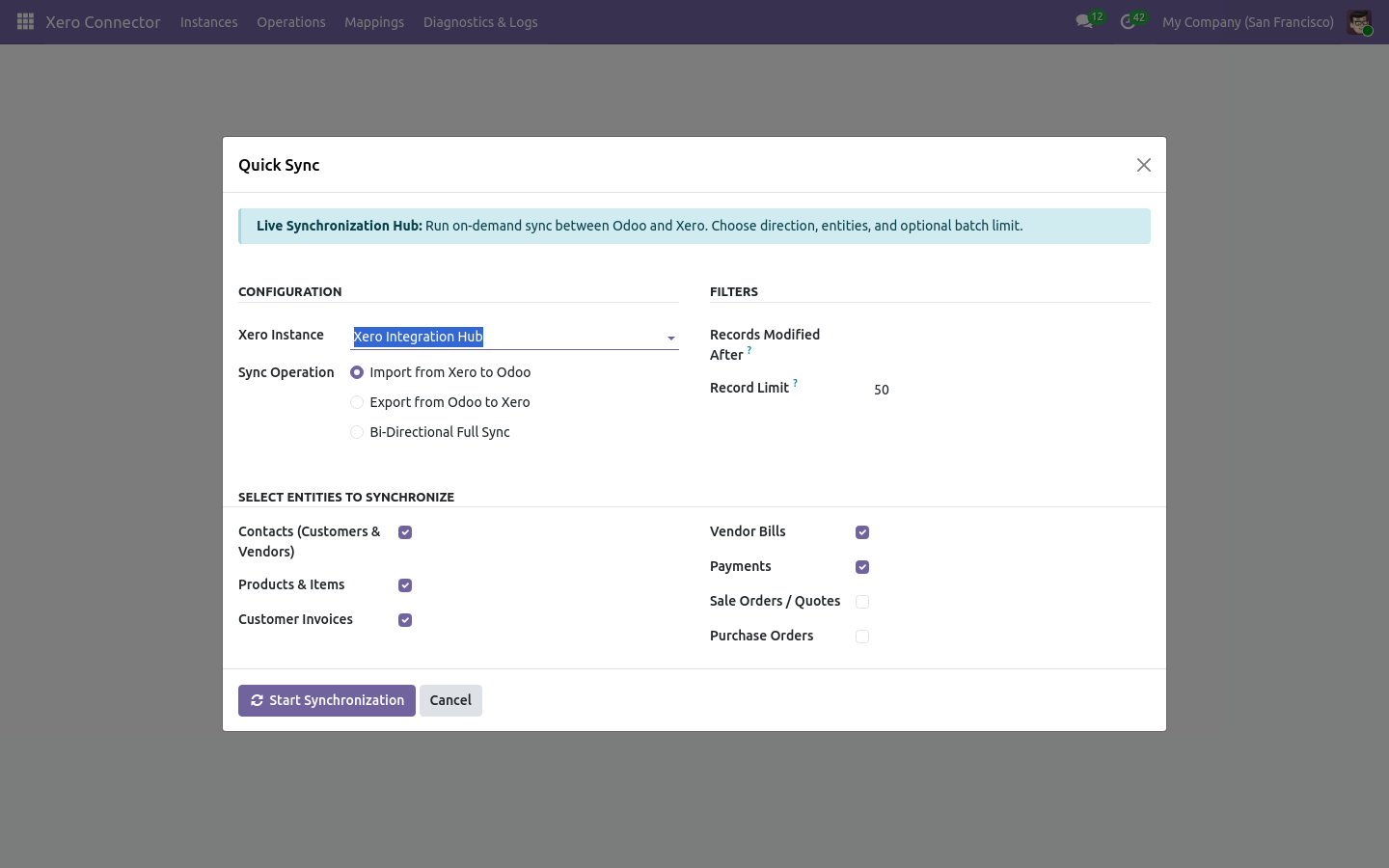
Quick Sync Hub: choose instance, direction and entities
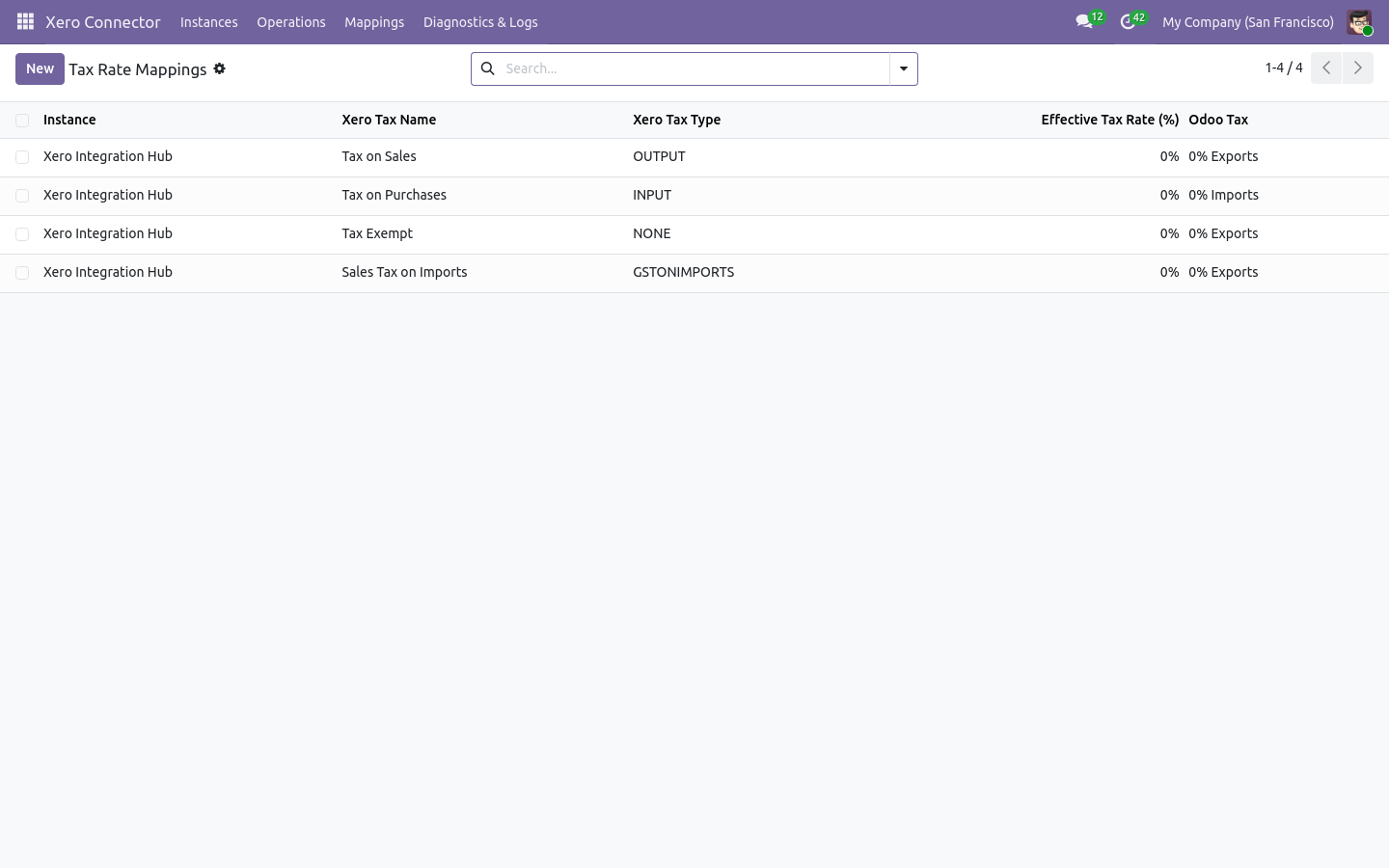
Tax rate mappings
Tax rate mappings from Smart Tax Discovery
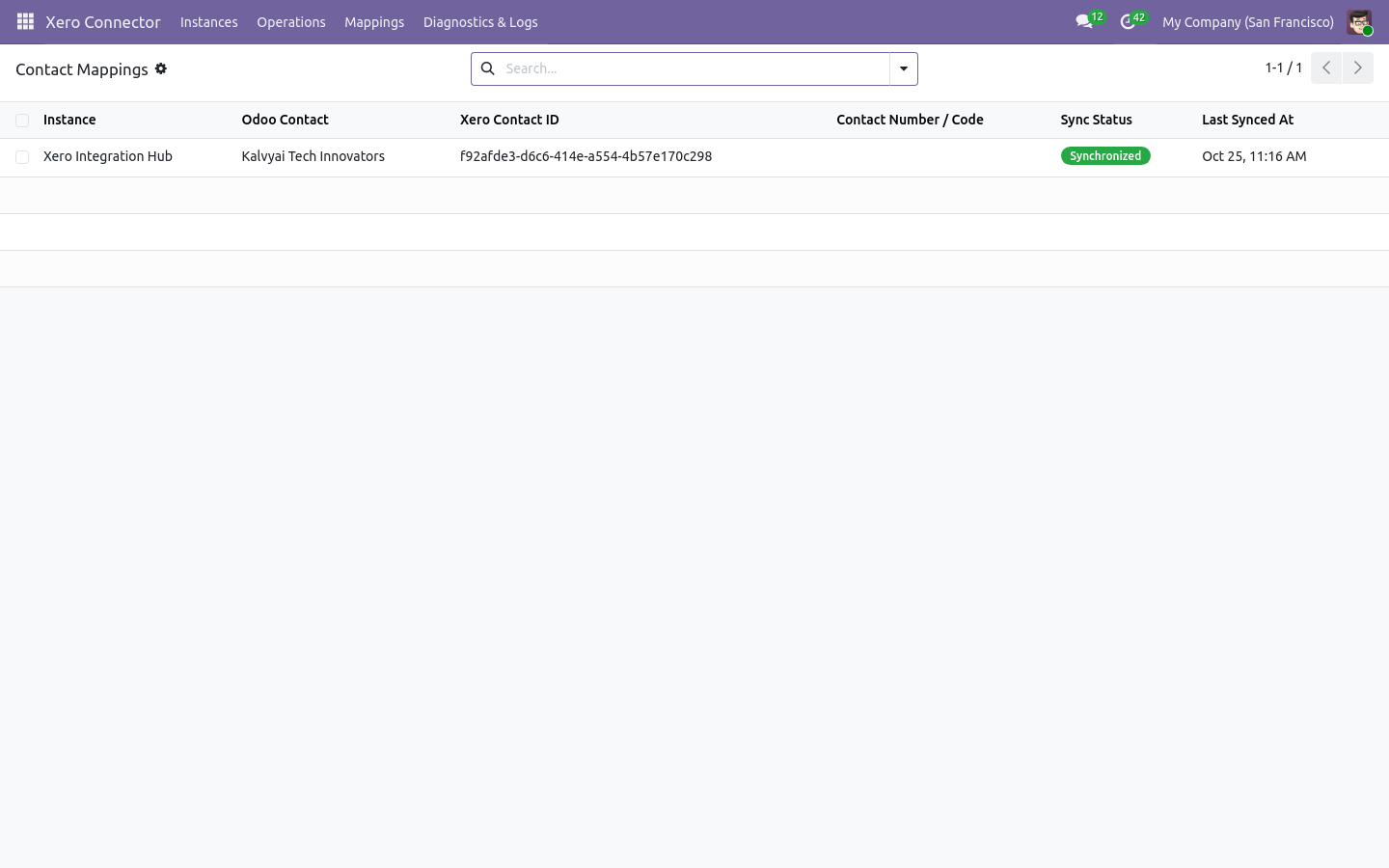
Contact mappings
Contact mappings with Xero contact IDs
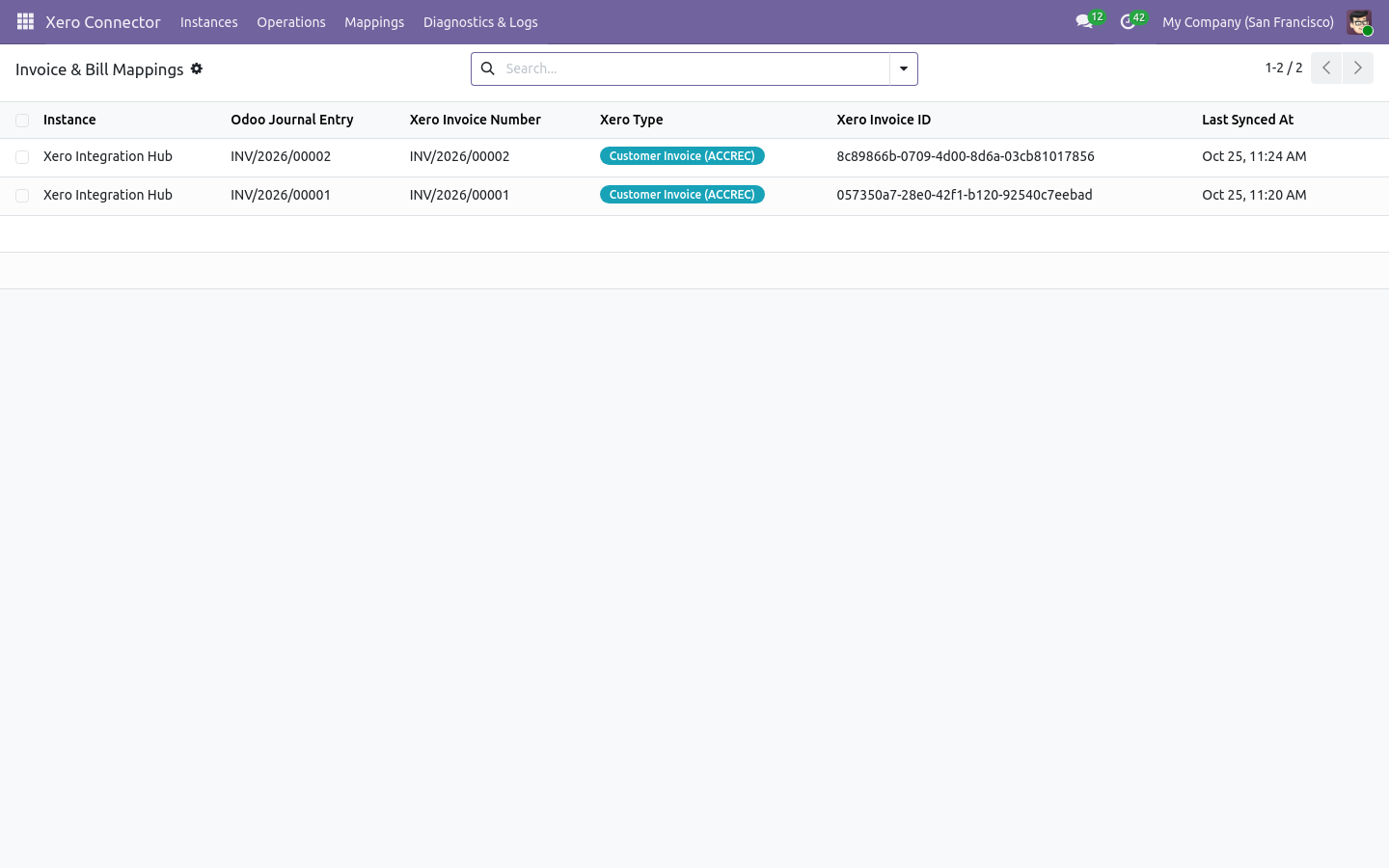
Invoice and bill mappings
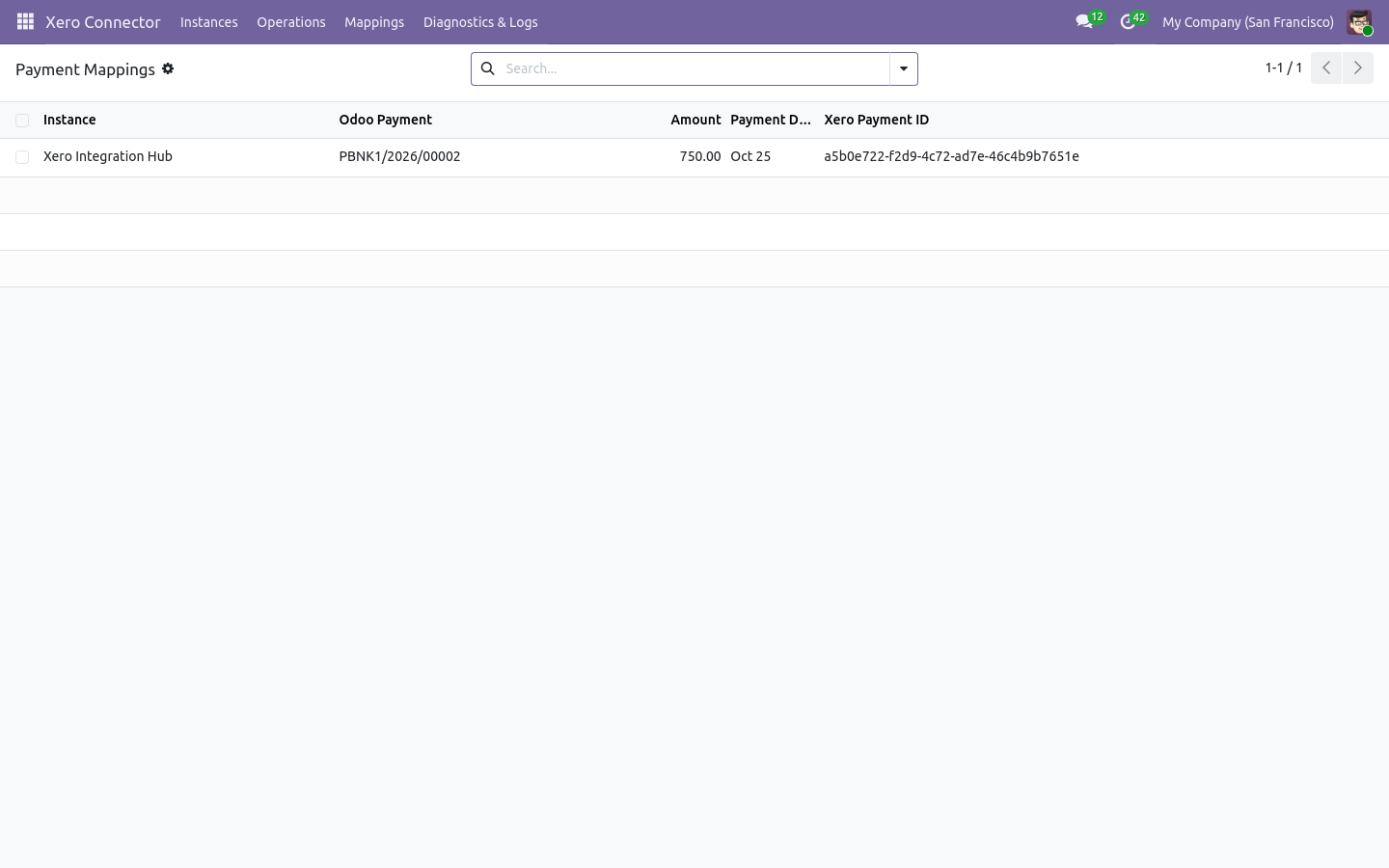
Payment mappings
Payment mappings
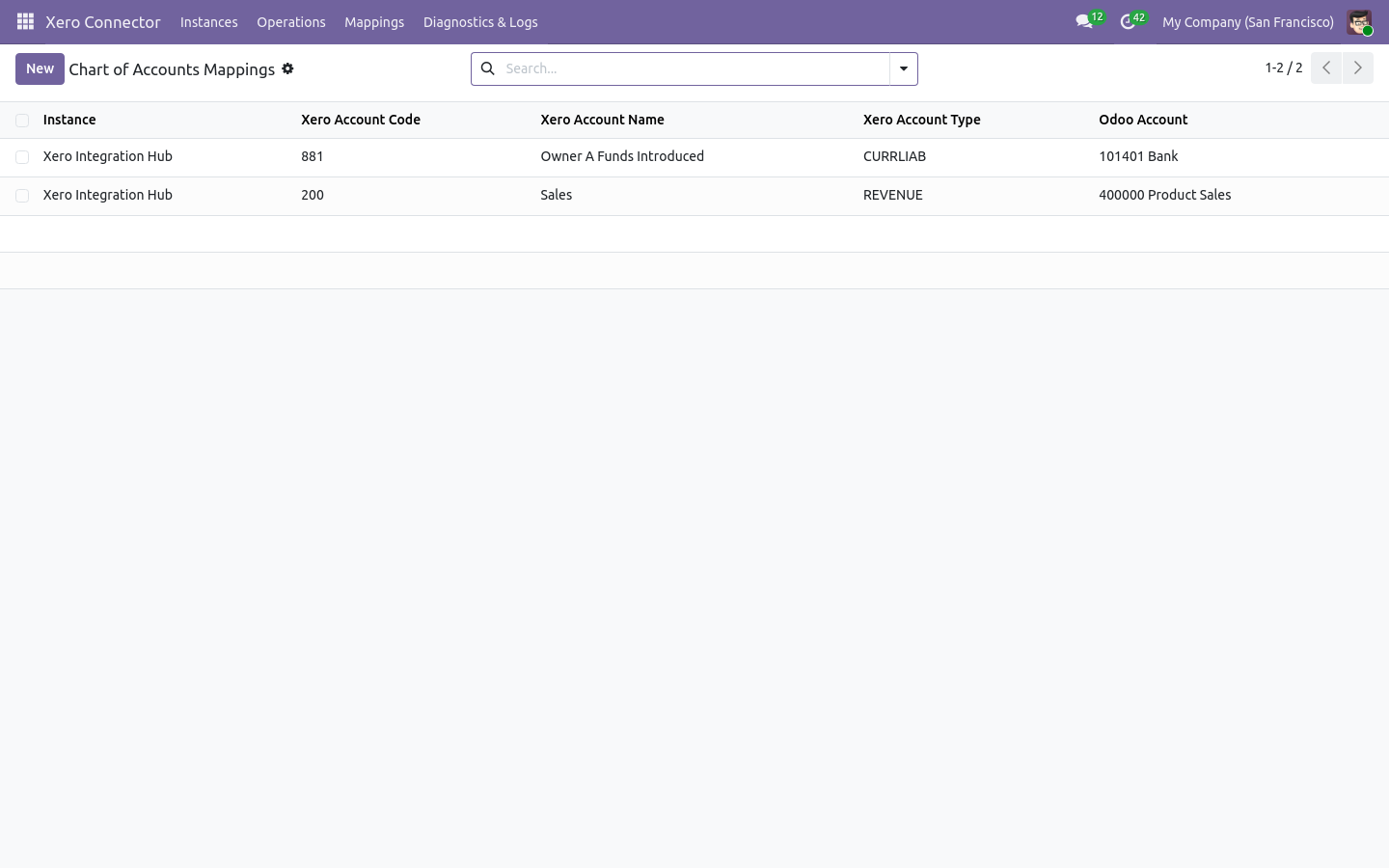
Chart of accounts mapping
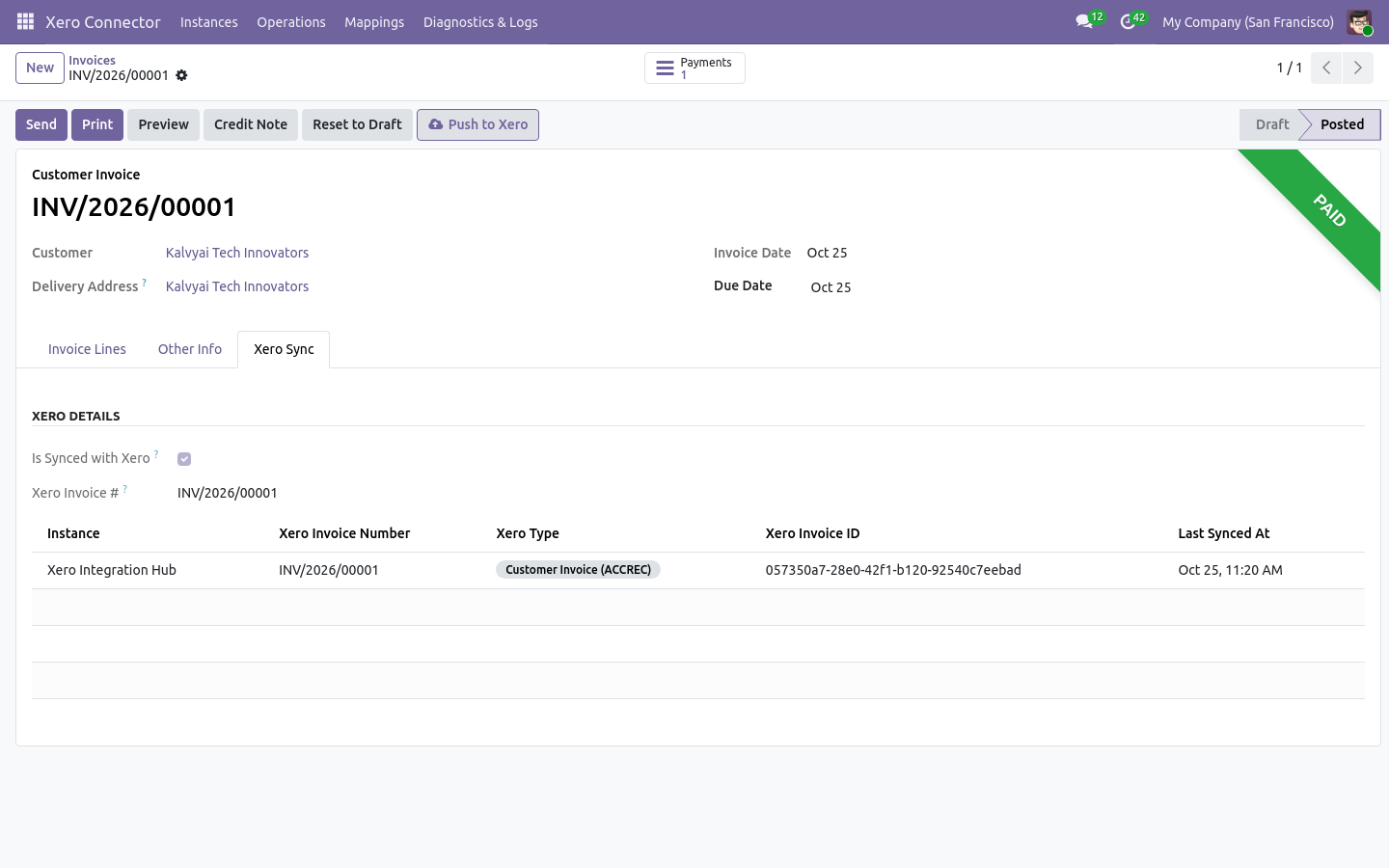
Customer invoice with Xero Sync tab
Push to Xero and the Xero Sync tab on the invoice
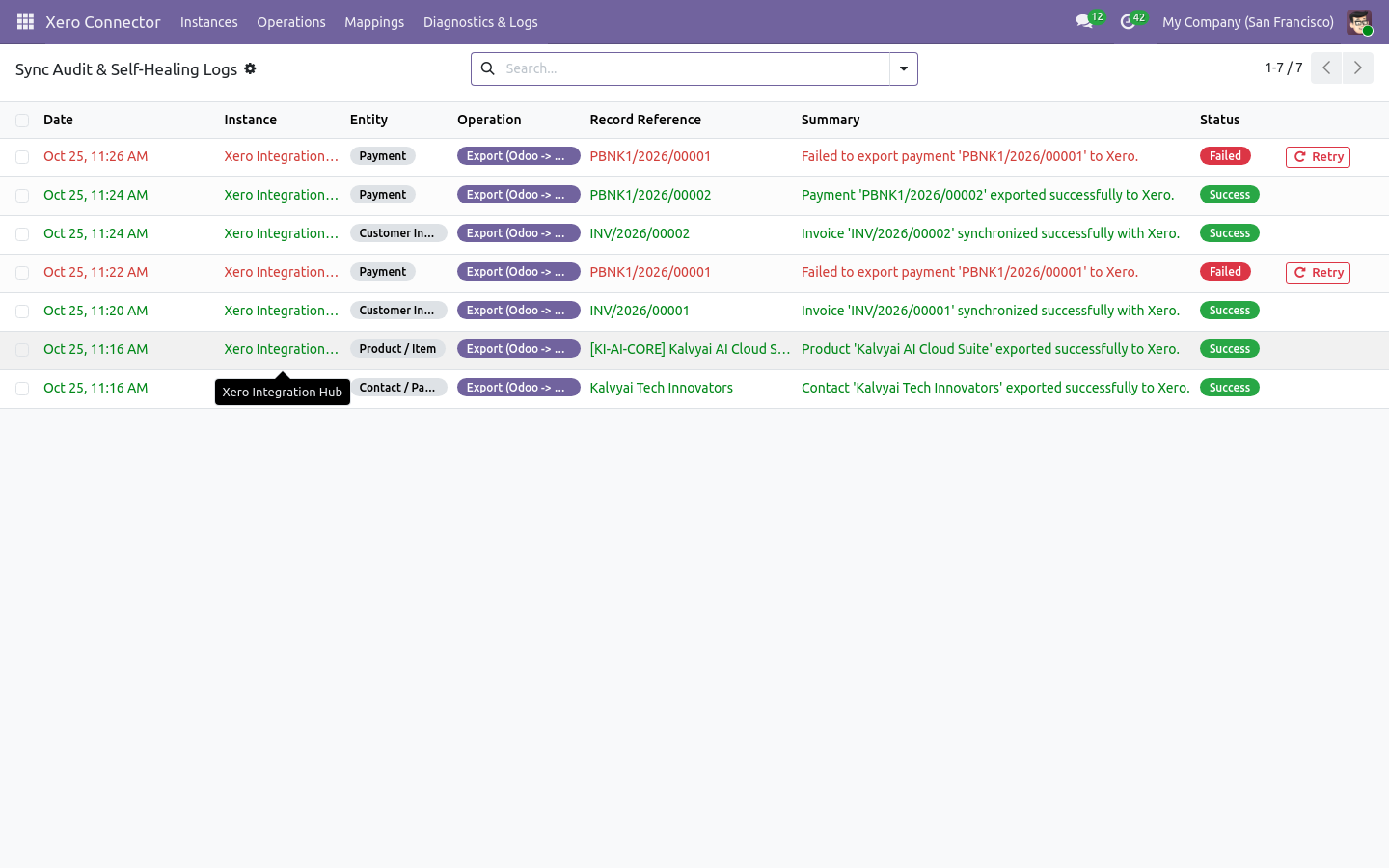
Sync audit trail
Sync audit trail with one-click retry
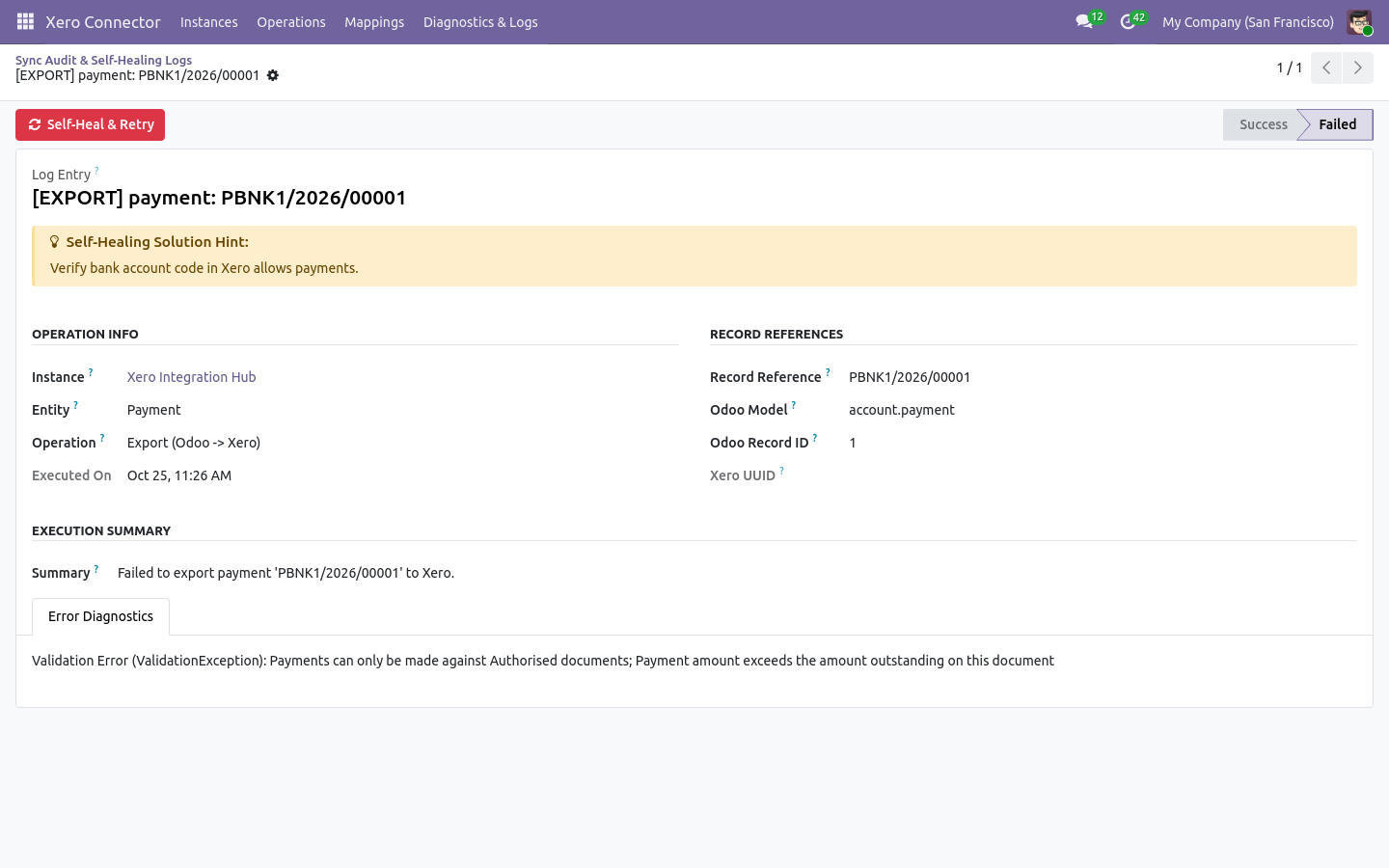
Failed sync log with a self-healing solution hint and retry button
Failed sync with a plain-English solution hint

What it does

All-In-One Single Module

Zero dependency hell. A 100% self-contained module that plugs directly into standard Odoo Invoicing, Sales, Purchase, and Stock without purchasing base modules.

Zero-Duplicate AI Matching Engine

Multi-tier intelligent matching by VAT/tax number, normalized email, cleaned phone, and contact name prevents duplicate partner records between Odoo and Xero.

Instant Real-Time Webhooks (HMAC-SHA256)

Live webhook listener with cryptographic signature verification ingests contact and invoice updates from Xero in seconds, eliminating hourly sync delays.

1-Click Smart Tax Auto-Discovery

Inspects Xero TaxRates API, computes effective rates, auto-suggests matching Odoo sales/purchase taxes, and saves mapping pairs in bulk with a single click.

Self-Healing Diagnostics & 1-Click Retry

Structured sync logs translate cryptic API failures into human-readable summaries and actionable fix hints with an immediate 'Self-Heal & Retry' button.

Bi-Directional Financial Sync

Synchronize customer invoices (ACCREC), vendor bills (ACCPAY), credit notes, refunds, and payments with line-level taxes, accounts, and currency tracking.

Multi-Organization & Multi-Company

Connect multiple Xero organizations to independent Odoo companies with distinct credentials, accounting defaults, conflict policies, and audit logs.

Quick Sync Hub & Push Buttons

Run on-demand imports or exports per entity from the Quick Sync Hub, or push individual invoices, bills, and contacts directly from form action buttons.

Setup

  1. 1

    Install the Connector

    Install the module in Odoo. Required dependencies (Invoicing, Sales, Purchase, Inventory) are configured automatically.

  2. 2

    Connect with OAuth 2.0

    Create a free Web App on developer.xero.com, enter the Client ID and Secret in Odoo, and click Connect to Xero.

  3. 3

    Auto-Map Taxes and Accounts

    Run the 1-Click Smart Tax Auto-Discovery and Account Auto-Mapping wizards to link Xero tax types and ledger codes to Odoo.

  4. 4

    Enable Sync and Webhooks

    Configure your desired sync directions and paste the webhook URL into your Xero app dashboard for real-time updates.

What you need

  • Odoo 19.0 or 20.0 (Community, Enterprise, or Odoo.sh)
  • Standard Odoo modules: Invoicing (account), Sales (sale_management), Purchase (purchase), and Inventory (stock)
  • Active Xero subscription (Starter, Standard, or Premium)
  • Free Xero Developer App (Client ID and Client Secret) created on developer.xero.com
  • Public HTTPS address for real-time webhooks (standard manual and scheduled syncs work without public URL)

Good to know

  • Odoo Online (SaaS) is not supported: custom modules require Odoo.sh or self-hosted servers.
  • Real-time webhooks require a publicly accessible HTTPS domain; local servers can use scheduled cron syncs or the Quick Sync Hub.
  • Rate limits set by Xero's API (e.g. 60 calls/minute, 5000 calls/day per tenant) apply.
  • Scheduled sync crons are installed inactive by default so you can choose when to automate background syncs.
  • Invoices and bills in 'Paid' status in Xero cannot be edited directly; adjustments must be made via payments or credit notes.
  • Tax rates and chart of accounts should be mapped before initiating historical invoice synchronizations.

Questions

Which Odoo editions and versions are supported?

Odoo 19.0 and 20.0 Community and Enterprise on Odoo.sh or self-hosted servers.

Do I need to buy a separate base module?

No. The connector is completely standalone and only requires standard Odoo apps: Invoicing, Sales, Purchase, and Stock.

Will importing from Xero create duplicate contacts?

No. The connector verifies VAT number, normalized email, phone, and name before linking to existing Odoo partners.

Can I connect multiple Xero organisations?

Yes. You can create multiple instances, each linked to a specific Xero organization and Odoo company.

What happens if an API call fails during sync?

The error is captured in the Diagnostics log with an exact plain-English solution hint and a 1-click 'Self-Heal & Retry' button.

How does payment allocation work between Odoo and Xero?

Payments recorded in Odoo are exported to Xero and automatically applied to the mapped invoice. Payments recorded in Xero reconcile the Odoo invoice.

Buy directly, book a demo or ask a question

Buying from us directly suits invoices in your company's name, several databases, or help with installation. We reply with a quote within one business day. Card checkout comes later.

We reply by email within one business day. See our privacy notice.